
ModuleNotFoundError : Aucun module nommé smbus2.
Hello,
As part of a project, I need to communicate via i2c between a Jetson Nano and an Arduino.
I installed smbus, but I encountered ModuleNotFoundError: No module named smbus. I saw that smbus does not work on Python 3.7, so I installed smbus2.
I installed the smbus2 package in several ways: sudo pip ..., sudo apt. However, when I call import smbus2 or from smbus2 import SMBus, I get ModuleNotFoundError: No module named smbus2.
Do you know what I did wrong?
5 answers
-
Moderator
Hello,
- In which folder is the smbus2 module installed?
- Is this folder listed among those referenced in:
import sys print(sys.path)
- In particular, if you have multiple versions of python and/or are using venv, make sure that the pip and python being used are consistent (for example; if pip installs modules for python3.9 but you are actually using python3.8, then python3.8 will not find the module you installed).
Good luck
-
Good evening, are you sure that this module was installed correctly?
What does the following return:
pip3 show smbus2
and
apt show smbus
Do you have multiple versions of python3 on your machine?
-
Moderator
Hello,
You can specify a specific version of Python to use pip as explained here. For example, to install smbus in python3.9:
python3.9 -m pip install smbus
Good luck
-
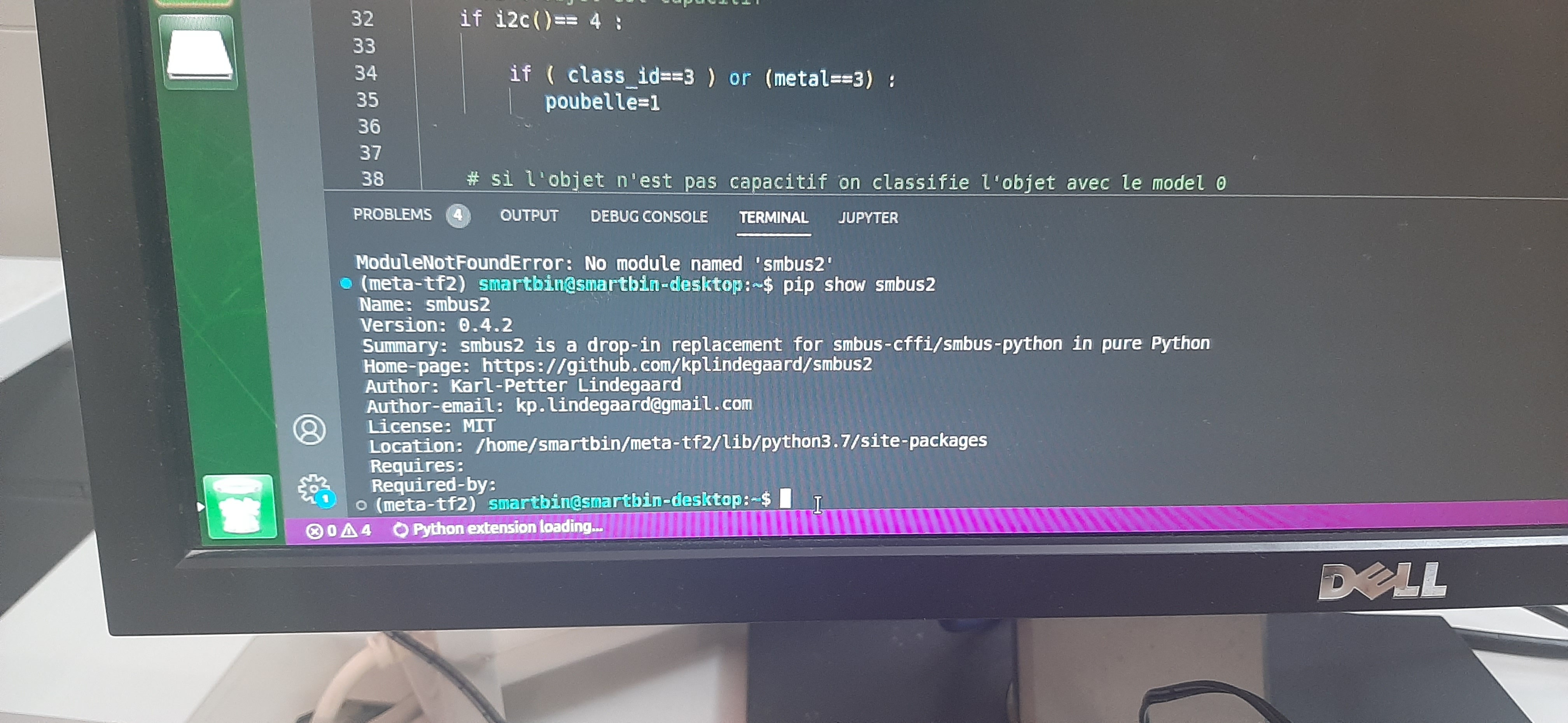
I installed smbus2 and pip shows me that it is installed in the version of python of my python env 3.7
-
Moderator
Hello,
Rather than taking a cumbersome screenshot that is not eco-friendly for everyone, could you just copy and paste the terminal content next time?
In this case, you need to compare the folder where your module is installed:
ls /home/smartbin/meta-tf2/lib/python3.7/site-packages... with the paths listed in your program using:
import sys print(sys.path)
Can you report the results of the ls and the above script?
I have the impression that you are using a venv (virtual environment) in your IDE and that you are on Ubuntu.
There are two schools of thought:
- either your project is set up in a venv and its dependencies must be installed in that venv
- in which case, the modules are installed from the terminal in your project's venv (and made available by your IDE) and in this case, the modules are installed via pip (which here is an alias for pip3)
- or your project is not set up in a venv and its dependencies must be installed at the system level
- in which case, the modules are installed from a Linux terminal, preferably via apt and otherwise via pip3 for python3 and pip for python2
There is no real good or bad approach, both methods have their advantages and disadvantages.
Venvs are specifically there to:
- abstract your project from what may be installed on your system and ensure that you are aware of all your project's dependencies,
- decouple your project from system updates
- on the counter side, you reinstall python for each project, which can become bulky (and redundant) over time
Given what is displayed on your screen, I have the impression that you are in the venv meta-tf2. The pip dependencies of a venv are usually listed in a requirements.txt file.
Good luck
- either your project is set up in a venv and its dependencies must be installed in that venv
