Can we uninstall Trio Office and keep Open Office?

Smirha -
Hello,
Until now, and for years, I was using Open Office (very happy with it), but a few months ago, I was asked to install Trio Office, which I do not like at all.
Since I started using Trio Office, my layout keeps shifting regularly. The PDF format has become paid. The palette is less comprehensive and the colors are lighter. Everything is more complicated and far less intuitive. We no longer have the option to keep Open Office texts, because when saving, the page automatically switches to Trio Office. It's forcing us, and I really dislike it. We should have the choice to keep the Office document.
Question: If I uninstall Trio Office, will I keep my "Open" documents that have already been transformed into "Trio" and find them all intact in Open Office format? Do I still have the choice to keep only Open Office?
Thank you for your help.
Best regards,
Smirha
3 answers
-
Hello,
uninstalling a program never deletes the documents created.
If you're still worried, nothing prevents you from making a copy in a dedicated directory of those that seem the most important to you.
In any case, this should be done regularly for those whose loss would be catastrophic, preferably in a cloud service like Google Drive which protects against loss, theft, etc.
Eric
By continuously trying, we eventually succeed.
So the more it fails, the more chances we have that it works. (the Shadoks)
Besides the thank you (yes, yes, it happens!!!), remember to mark it as resolved. Thanks -
Hello,
To complete, if the documents originally created with OpenOffice and used on TrioOffice have suffered some damage (such as layout issues, for example), you will find these damages on OpenOffice.
They must have been converted to a format other than ODF. You will probably need to reopen them and save them immediately in ODF format (.odt, .ods, .odg, .odp, .odb), close them, and reopen them with OpenOffice to use them under the best conditions.
We always work in the native format.
Sincerely
-
-
Hello,
Thanks also Trotte Menu (funny nickname) for this additional information. The Trio Office has retained the Odt format but as I mentioned in my initial comment, I find it much less "open" and that bothers me... Especially since it leads to additional costs in certain actions.
So, following your respective information, I was able to find an old version of Open Office (thankfully saved) because the new one hasn't been translated into French yet, even though it's been announced.
Smirha
-
Hello,
the new one is not yet translated into French
Where do you download it from?
OpenOffice is of course in French.
http://www.openoffice.org/fr/If you don't have it in French, the different available languages are at the top right.
Personally, I prefer LibreOffice, which is practically identical to OpenOffice but has more updates.
https://fr.libreoffice.org/ -
Hello Pierre, I have indeed followed the steps on the site https://www.openoffice.org/fr/Telecharger/
Here is page 1:
Download Apache OpenOffice 4.1.13 in French

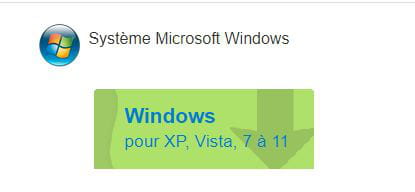
Microsoft Windows System
Windows
for XP, Vista, 7 to 11The Apache Software Foundation
Blogging in Action.Page 2
- Foundation
- Projects
- People
- Get Involved
- Support Apache
- Download
The Apache Software Foundation
Blogging in Action.3 - Then by clicking on download: everything is in English
4 - If you have another procedure, please let me know.
Sincerely.
-
-