
Java installation file issue
Solvedkaneagle Posted messages 86302 Registration date Status Moderator Last intervention -
Hello, so here it is, I wanted to update my Java so I uninstalled it.
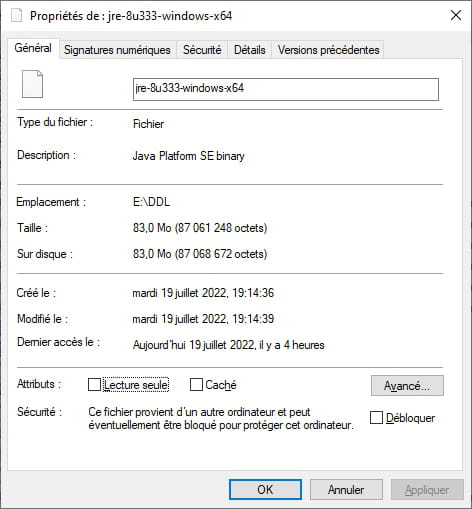
Then I downloaded the installation file for the latest 64-bit version, but I'm unable to launch the installation file. I've tried all their installation files, as well as compressing it with WinRAR and decompressing it. I'm out of ideas, so any help is welcome.
Thanks in advance
- Problem with installing .NET Framework 4
- Install motherboard drivers without installation CD
- Manually Installing a Driver [Inno Setup]
- Unable to install CCleaner on Windows 10!
- Unable to install .NET Framework 3.5 (including 2.0 and 3.0) on Win10 (system)
- Windows Installation Issue - Packard Bell B3600
5 answers
-
Hello,
The question was asked recently.
Besides unlocking the file, you need to make sure that after possibly choosing to display file extensions in Windows, you have downloaded the exe executable and not the compressed gz version (in which case there is obviously nothing to decompress).
-
-
Problem solved, it was Mozilla that downloaded the file in binary, I just had to switch to another browser.
-
Mozilla downloading the file in binaryDon't understand?
So, it wasn't an executable?
I'd like to understand, give us more infoThank you.
-
What is the file extension under Firefox?

