
Windows Installation Issue - Packard Bell B3600
Hello everyone,
I have an old Packard Bell B3600 laptop. Unfortunately, the hard drive is dead and I've bought a new one. I can't install my Windows 7 or even a Windows XP on it... Can you help me?
When I press a key to boot from my USB drive, the PC freezes and displays "YoYo":
Error message:

BIOS settings:


- I tried removing the jumper on the IDE disk and changing its position.
- I tried formatting the hard drive
- I attempted to install Windows on the hard drive from a virtual machine and then integrate the hard drive into the computer, but it resulted in a blue screen.
- back to square one.
I have an old Packard Bell B3600 laptop. Unfortunately, the hard drive is dead and I've bought a new one. I can't install my Windows 7 or even a Windows XP on it... Can you help me?
When I press a key to boot from my USB drive, the PC freezes and displays "YoYo":
Error message:

BIOS settings:


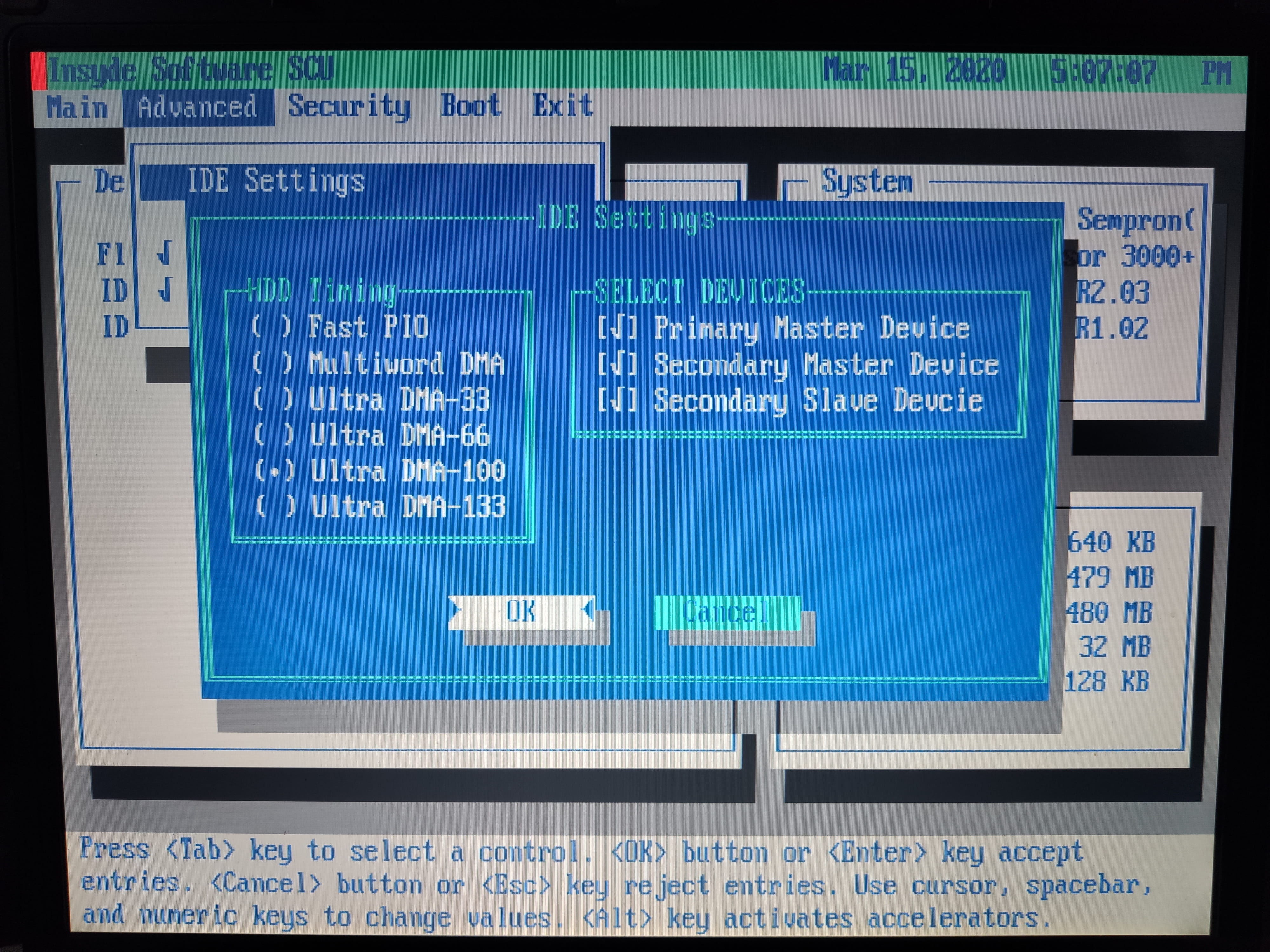

- I tried removing the jumper on the IDE disk and changing its position.
- I tried formatting the hard drive
- I attempted to install Windows on the hard drive from a virtual machine and then integrate the hard drive into the computer, but it resulted in a blue screen.
- back to square one.
2 answers
-
Does the BIOS allow booting from a USB flash drive?...
On older computers... it's more likely the CD-DVD that is bootable...-
-
@spedy34MMouis..
Personally, I'm skeptical... I have the impression that booting from USB is only possible if Windows is already installed... (generally, the USB key driver needs to be recognized for it to work, and that’s what happens when you plug in a new key that Windows doesn't know)... but I could be wrong.
You would save time by burning a DVD!...
-
-
I just installed a x86 Ubuntu image, and it boots well... But it takes time. Is there a way to install Windows on a partition from Ubuntu?
