Samsung ML-1865 printer driver for MacOS Monterey
Auriac
-
_Ritchi_ Posted messages 21130 Registration date Status Contributor Last intervention -
_Ritchi_ Posted messages 21130 Registration date Status Contributor Last intervention -
Hello,
My Mac was running macOS El Capitan. I just upgraded it to Monterey to fix an internet issue (Safari). Unfortunately, Apple completely reinstalled the Mac, and now I no longer have the driver for my Samsung ML-1865 laser printer. I can't find a solution anywhere, and the ones I have tried haven't worked. Any idea for a solution?
My Mac was running macOS El Capitan. I just upgraded it to Monterey to fix an internet issue (Safari). Unfortunately, Apple completely reinstalled the Mac, and now I no longer have the driver for my Samsung ML-1865 laser printer. I can't find a solution anywhere, and the ones I have tried haven't worked. Any idea for a solution?
3 answers
-
Hello,
Your printer would be compatible up to MacOS 10.14 Mojave, if we believe this Samsung page: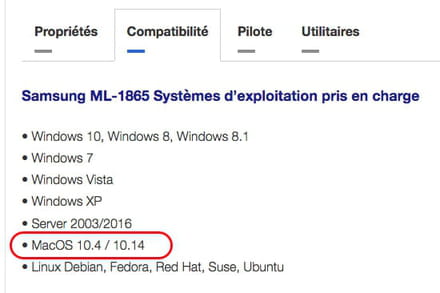
However, if we click on the "Driver" tab right next to it, we only see 10.4 to 10.10:
Strangely, if we click on "download," we get a file named "ML-1865W_PrintD.exe," which is a Windows executable... so what to think of this site? If I were you, I wouldn’t trust it at all!
I also found this HP-Samsung site which also indicates compatibility with macOS 10.14: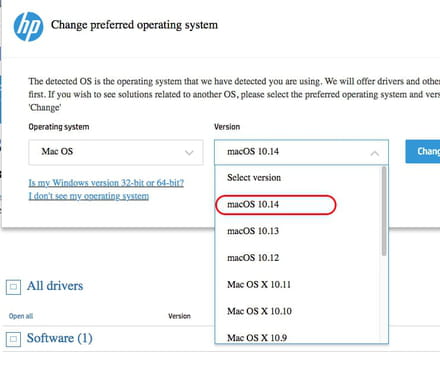
But it talks about the ML-1865W printer: is this model with the W the same as yours?
If so, you could try installing the driver that is offered while crossing your fingers that it works, and if it doesn’t, then you will either have to downgrade to MacOS 10.14 Mojave (which would be a lot better than El Capitan) or invest in another printer.
Ritchi -
Thank you Ritchi!
I do not have the model 1865W. I don't know what the W stands for; for me, it's Samsung ML-1865. I couldn't manage to install the drivers provided for earlier versions.
I've heard about "universal" drivers, but I'm not sure if they are truly universal.... and especially which one to install on MacOS Monterey to get my Samsung working. Any ideas?
Thank you for your suggestions.
Auriac -
Hello,
On the HP-Samsung page I gave you (HERE), you will find a tool for MacOS 10.14 that allows you to configure the printer to be connected via WiFi with the Mac.
Once the file "Wireless_Setting_Mac_V1.4.25.zip" is downloaded, you right-click on it and select "Open" to decompress it.
You will then have the application "Wireless Setting"
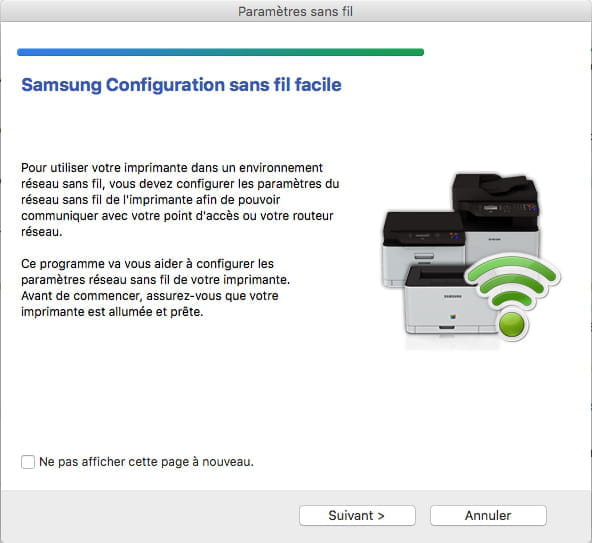
If you launch it, here's what you get: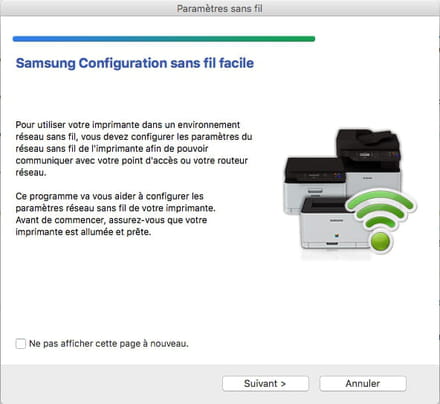
It is supposed to guide you to use your printer on a wireless network (WiFi).
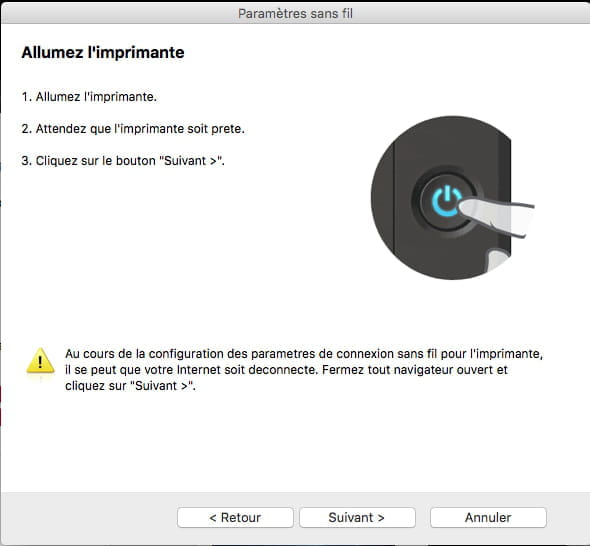
By clicking next, you get this: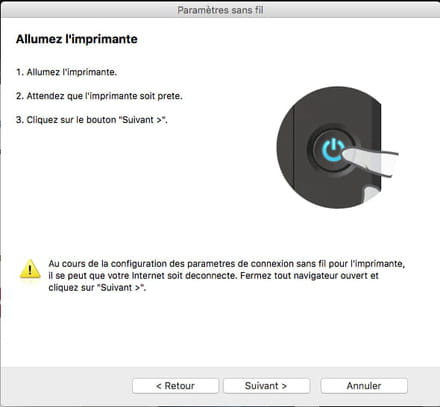
Having neither a Samsung printer nor MacOS 10.14 (only El Capitan on my 2007 iMac), I didn't go any further: it's up to you to try!
If that doesn't work, then I see no solution other than those already mentioned earlier:
- downgrade to an earlier version of MacOS
- buy another printer and sell/give the Samsung to someone/association who has a computer with Windows 10 or an older macOS
I searched for a universal driver but I either come across things for Windows or things dating back to 2013 and limited to macOS 10.10, which doesn't surprise me too much since Monterey is really too recent and your printer is really too old.
Hoping that the WiFi solution will extend the life of your printer at home,
Ritchi