The background argument doesn't work in a TKinter Button
Solved
Veyten
-
Veyten Posted messages 6 Status Member -
Veyten Posted messages 6 Status Member -
Hello,
I am a beginner in Python. I coded a script with
Even though I set
How can I change the background color if this argument doesn't work, and why isn't it working?
Thank you in advance,
Veyten.
I am a beginner in Python. I coded a script with
tkinter, but I have a button that doesn't work:
generate_button = Button(right_frame, text="Generate", font=("Arial", 20), bg='#68F004', fg='white', relief=SUNKEN, bd=0, highlightthickness=0, command=generate_passwd) Even though I set
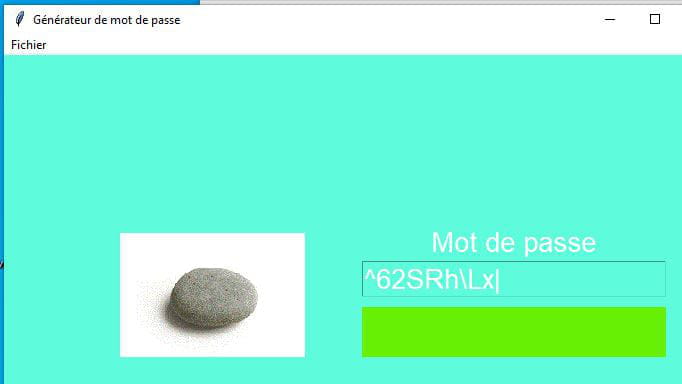
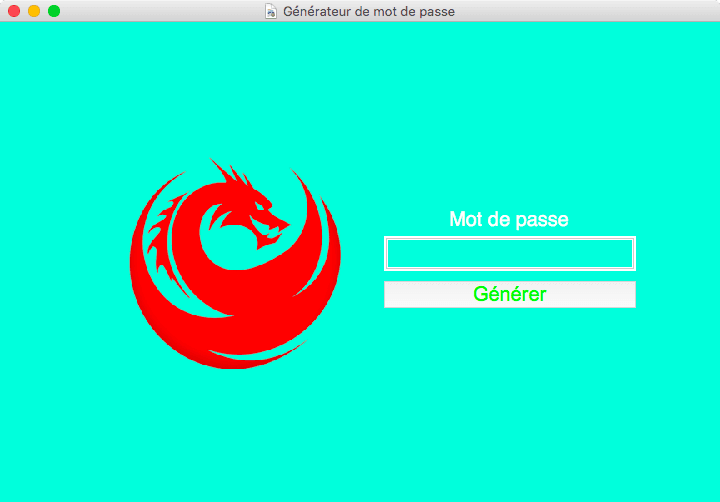
bg='#68F004', I get a gray background instead of green.
How can I change the background color if this argument doesn't work, and why isn't it working?
Thank you in advance,
Veyten.
6 answers
-
Thank you all for helping me!
In the end, it was yg_be who found the answer, which can be consulted here:
https://stackoverflow.com/questions/1529847/how-to-change-the-foreground-or-background-colour-of-a-tkinter-button-on-mac-os
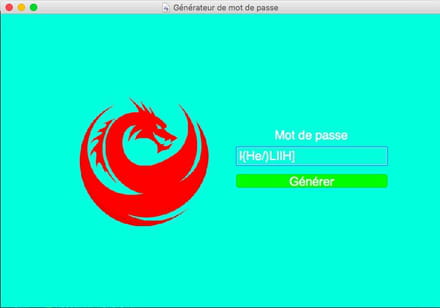
On MacOS, buttons are handled differently. Tkinter fails to change the button's background color for this reason. Fortunately, there is a module, tkmacosx, to import in addition to Tkinter. It retains the Tkinter commands, but corrected for MacOS. This allows me to change the bg and gives the button a more "mac" look.
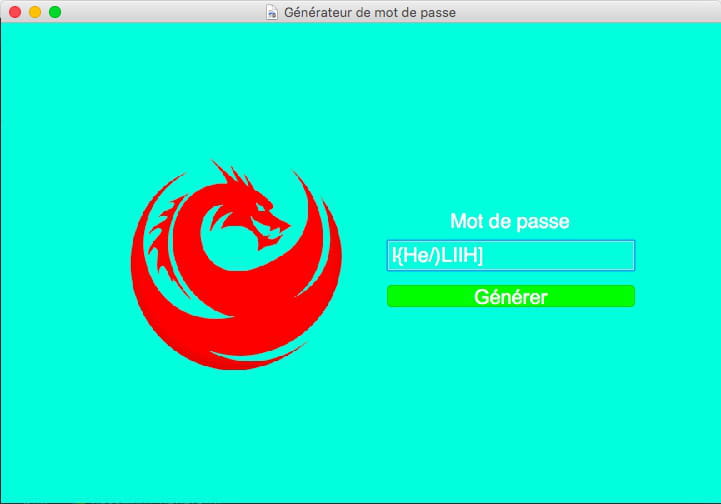
The result with Tkmacosx combined with Tkinter is as follows:
Thank you to everyone who took some time to try to help me; it warms the heart to see that there is still some mutual support in this crazy world.
Veyten -
Hello,
Strange, it works for me:
Maybe with the complete code, we could see more clearly...-
Hello,
The complete code is:
import string from random import randint, choice from tkinter import * def generate_passwd(): passwd_min = 6 passwd_max = 18 all_chars = string.ascii_letters + string.punctuation + string.digits password = "".join(choice(all_chars)for x in range(randint(passwd_min, passwd_max))) password_entry.delete(0, END) password_entry.insert(0, password) window = Tk() window.title("Password Generator") window.geometry() window.minsize(720, 480) window.iconbitmap('logo.png') window.config(background='#5EFBDC') frame = Frame(window, bg='#5EFBDC') # add image width = 300 height = 300 image = PhotoImage(file="logo.png").zoom(50).subsample(60) canvas = Canvas(frame, width=width, height=height, bg='#5EFBDC', bd=0, highlightthickness=0) canvas.create_image(width/2, height/2, image=image) canvas.grid(row=0, column=0, sticky=W) right_frame = Frame(frame, bg='#5EFBDC') label_title = Label(right_frame, text="Password", font=("Helvetica", 20), bg='#5EFBDC', fg='white') label_title.pack() # create a field/input password_entry = Entry(right_frame, font=("Helvetica", 20), bg='#5EFBDC', fg='white') password_entry.pack() # create a button generate_button = Button( right_frame, text="Generate", font=("Arial", 20), bg='#68F004', fg='#68F004', relief=SUNKEN, bd=0, highlightthickness=0, command=generate_passwd ) # curiously the argument 'bg=' has no effect and the background remains gray while it should be green. generate_button.pack(pady=10, fill=X) right_frame.grid(row=0, column=1, sticky=W) frame.pack(expand=YES) # create menu bar menu_bar = Menu(window) file_menu = Menu(menu_bar, tearoff=0) file_menu.add_command(label="New", command=generate_passwd) file_menu.add_command(label="Quit", command=window.quit) menu_bar.add_cascade(label="File", menu=file_menu) window.config(menu=menu_bar) window.mainloop()
I know it is not properly organized into functions, but it doesn't seem to affect the execution of my program.
Thank you,
Veyten
-
-
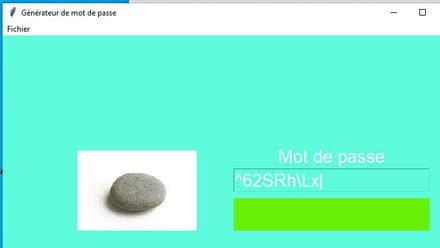
At my place, it works, the only thing is that since fg = bg, green on green, you can't see the text on the button
-
bg = fg because I was trying to set bg to #68F004, but since it remained gray, I also set fg to #68F004 because it was white and therefore unreadable in white on light gray.
I will try to update Tkinter and see if that resolves the issue.-
-
-
-
-
I see here several suggestions for solutions or workarounds.
-
-
-
It seems that on Linux, my program works perfectly. The button does indeed have that green color. It may be an incompatibility with button management in MacOS.