
Audio crackling Bluetooth headset TV
Solved
ElChupacabron
Posted messages
4
Status
Member
-
jeannets Posted messages 28454 Registration date Status Contributor Last intervention -
jeannets Posted messages 28454 Registration date Status Contributor Last intervention -
Hello,
I am here to try to solve a classic sound/Bluetooth problem: the crackling in the headphones of my headset.
I have:
- a HiSense 55U82QF television
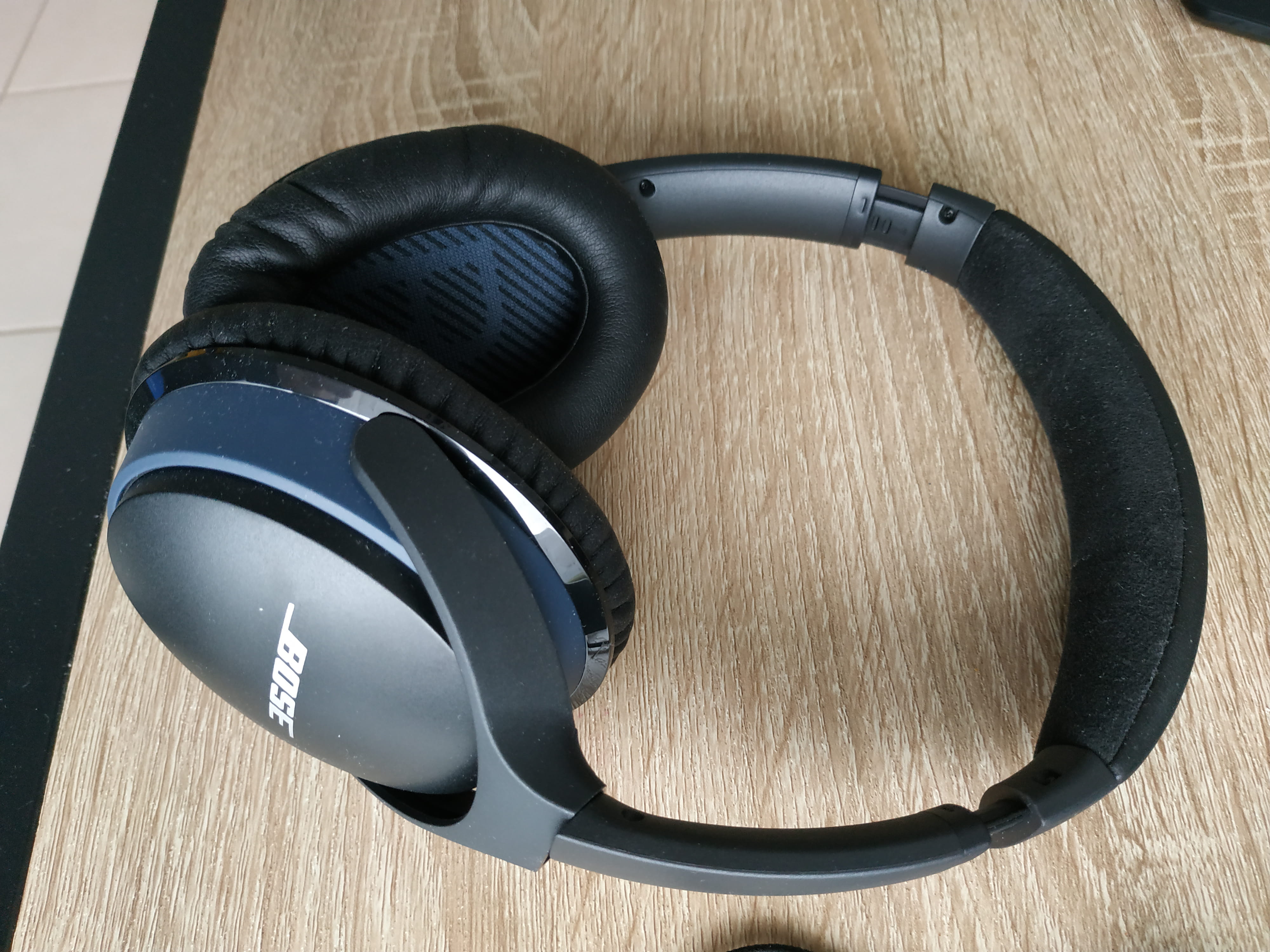
- a Bose SoundLink Around-Ear II headset
- a Marmitek BoomBoom 55 audio transmitter
To enjoy my TV without suffering from certain annoying external noises, I bought the Bose headset and the Marmitek audio adapter, as my TV does not have a Bluetooth access point or a pairing button.


The cable used from the transmitter to the TV is an optical TOSLINK connector. In any case, the audio output for mini-jack does not find a second suitable port on the TV.
The Bluetooth connection is working well between the headset and the transmitter, the pairing is announced by voice.
From there, the sound reaching my ears has very pronounced crackling in the background. I have turned the volumes of both audio sources down and up, but nothing works.
I specify that the crackling is also heard when I switch to HDMI 2 (Xbox) or HDMI 3 (Switch).
What solutions can be available to me? What point should I focus my research on?
Feel free to ask for additional information if any points remain unclear.
Best regards,
Thank you
Configuration: Windows / Firefox 95.0
I am here to try to solve a classic sound/Bluetooth problem: the crackling in the headphones of my headset.
I have:
- a HiSense 55U82QF television
- a Bose SoundLink Around-Ear II headset
- a Marmitek BoomBoom 55 audio transmitter
To enjoy my TV without suffering from certain annoying external noises, I bought the Bose headset and the Marmitek audio adapter, as my TV does not have a Bluetooth access point or a pairing button.

The cable used from the transmitter to the TV is an optical TOSLINK connector. In any case, the audio output for mini-jack does not find a second suitable port on the TV.
The Bluetooth connection is working well between the headset and the transmitter, the pairing is announced by voice.
From there, the sound reaching my ears has very pronounced crackling in the background. I have turned the volumes of both audio sources down and up, but nothing works.
I specify that the crackling is also heard when I switch to HDMI 2 (Xbox) or HDMI 3 (Switch).
What solutions can be available to me? What point should I focus my research on?
Feel free to ask for additional information if any points remain unclear.
Best regards,
Thank you
Configuration: Windows / Firefox 95.0
7 answers
-
jeannets Posted messages 28454 Registration date Status Contributor Last intervention Ambassador 6 618
Hello,
Isn't there an additional 3.5 jack for headphones...? that would be the way to go.. and test first, to see if these noises don't already exist at the source.
-- There could be an issue with the internal battery.. in the headphones and in the transmitter..?? generally at the beginning they are well charged and everything works fine, it's after a while (minutes) that the crackling starts and sets in.
-- There could also be disturbances from other local Wifi and Bluetooth emissions, other devices in your home, smartphone, tablet, PC, TV, etc.. But also from your close neighbors..
Microwaves, LED strings, lighting with dimmers, etc...
Let's say it's hard to detect (especially via forum) you need the headsets and transmitters in double to be able to swap the equipment for double substitution... and thus make deductions to find out who is at fault... -
There is a jack output on the transmitter whose port is not the same as on the headset. However, I can still get a cable with a small adapter to connect the two ports; that should clarify some points, and at worst, I'll be connected with a wired connection...
I forgot to mention that the headset works perfectly fine when paired with my mobile (Spotify)!
Thank you for your response. -
jeannets Posted messages 28454 Registration date Status Contributor Last intervention Ambassador 6 618
I was talking about a headphone jack on the TV... and also about plugging in headphones to see if the audio is already crackling on the TV.
The advantage of wired is that the crackling should disappear... I suppose?
You’re not addressing the issue of the neighbors and your equipment that could be interfering with your Bluetooth. -
Living in an apartment, yes, it is possible to have third-party connections around me that might interfere with my Bluetooth.
As for the jack output, my TV does not have one (except for an optical port), and when I connect an old regular headset to my Marmitek transmitter, I get no sound in the headphones, which is problematic. The option "headphone jack as audio output" is also unavailable in the TV settings (transparency impossible to select).
Is there something I'm missing in a simple wired connection TV + transmitter + headset?
Thank you. -
jeannets Posted messages 28454 Registration date Status Contributor Last intervention Ambassador 6 618
Maybe we should review the question and the notice, because your TV is said to have Bluetooth built-in..
And no headphone jack 3.5
This Bluetooth should appear somewhere in the TV menus, and it may need to be activated..??
I believe the jacks on the transmitter are inputs... so if you use it as an output, it won't work. -
Mea culpa, I'm taking up the issue again after several months of inaction and my TV indeed has simple and direct Bluetooth... My memories were completely mistaken due to my headaches back then, sorry!
My Bose headphones are therefore operational on those criteria, with clear sound.
The reason I got a Marmitek was to be able to connect two headphones simultaneously and to benefit from perfect audio synchronization (slight delay in Bluetooth TV). The crackling is still present.
I will test the box in a somewhat isolated house, without electronic overload, to see if the result is the same.
Thank you -
jeannets Posted messages 28454 Registration date Status Contributor Last intervention Ambassador 6 618
Yes, there are a lot of details to watch out for in Bluetooth features... I even think you need to buy 4 or 5 to understand it all or almost...
One of them is the famous delay; when buying, you need the "Zero Delay"
If I understand correctly, the same headset (Bose) works well directly on the TV's BT and not with the transmitter... so it would be the transmitter that is the cause...??
But if it's connected to the same source and transmitting the same things, there could be signal collisions... There could also be negligence in the shielding of the connection cables... radiation too close, like from a smartphone, for example.
I also believe it doesn't happen overnight to find a good setup...
