
I want to switch from the processor to the graphics card.
Solved
Alexouz
Posted messages
88
Status
Membre
-
jumulka Posted messages 12090 Registration date Status Membre Last intervention -
jumulka Posted messages 12090 Registration date Status Membre Last intervention -
Good evening everyone, today I have a small problem because I would like to make use of my graphics card on a certain "Minecraft" but the game is running with "Intel HD graphics 630" instead of my Nvidia graphics card, it’s really too bad, can you help me?
Liens connexes:
- graphics card equivalent to the Nvidia Geforce GTX 650 Ti
- Change the graphics card in a Lenovo laptop
- Disable the integrated graphics card?
- I changed the graphics card without uninstalling the drivers of the old one.
- Which graphics card for A320M A PRO motherboard?
- Which graphics card with a Ryzen 5 5500 processor?
14 réponses


Hello,
uh no, we don't disable the igpu on laptops, since it's the one that handles the display. The 1050 will only be used when needed for applications requiring intensive graphic calculations, but the igpu will still be responsible for the display. Disabling the igpu will either remove all display or Windows will switch to a secondary driver for the igpu, and that will be worse.
If it's a desktop PC, you need to connect the monitor to the graphics card.
To try to force the NVIDIA graphics card, you can go to the NVIDIA settings (right-click on the desktop) > 3D settings, instead of automatic select "NVIDIA high performance," you can go a bit further in the program settings tab and choose NVIDIA high performance for each game.
Set the power settings to high performance.
Uninstall and reinstall the Intel HD and NVIDIA drivers.
Reinstall DirectX
More complicated, reinstall Windows.
uh no, we don't disable the igpu on laptops, since it's the one that handles the display. The 1050 will only be used when needed for applications requiring intensive graphic calculations, but the igpu will still be responsible for the display. Disabling the igpu will either remove all display or Windows will switch to a secondary driver for the igpu, and that will be worse.
If it's a desktop PC, you need to connect the monitor to the graphics card.
To try to force the NVIDIA graphics card, you can go to the NVIDIA settings (right-click on the desktop) > 3D settings, instead of automatic select "NVIDIA high performance," you can go a bit further in the program settings tab and choose NVIDIA high performance for each game.
Set the power settings to high performance.
Uninstall and reinstall the Intel HD and NVIDIA drivers.
Reinstall DirectX
More complicated, reinstall Windows.

Thank you for your response
but what should I do? I am in the BIOS but I do not know where to check.
but what should I do? I am in the BIOS but I do not know where to check.
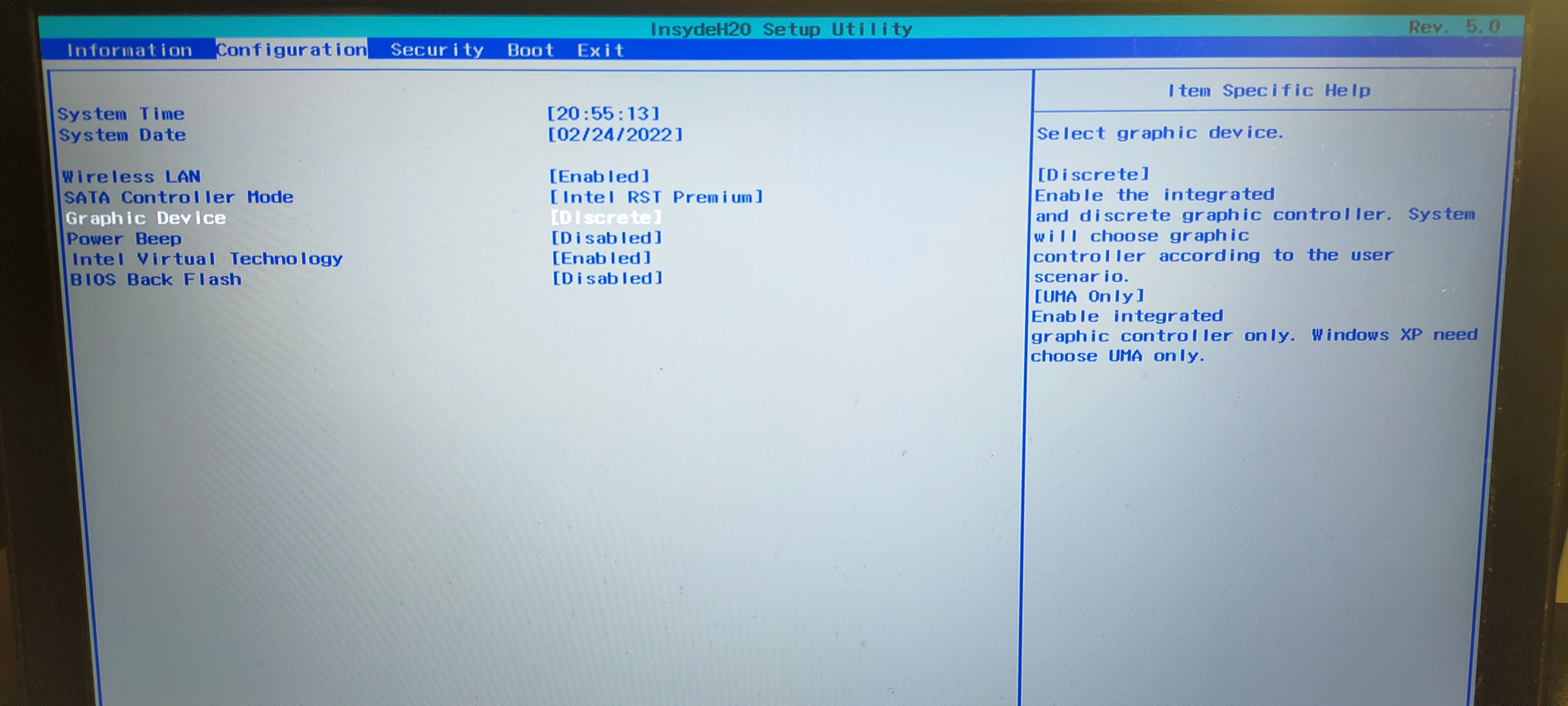
yeah well there's no update on the Lenovo site...
you might not have seen when I asked the question because I edited it after posting, does it happen to you on other games?
you can try even though I doubt it, in the nvidia settings > physx > select the graphics card (normally it will show you anyway that the physx is linked to the igpu)
you might not have seen when I asked the question because I edited it after posting, does it happen to you on other games?
you can try even though I doubt it, in the nvidia settings > physx > select the graphics card (normally it will show you anyway that the physx is linked to the igpu)
https://toptips.fr/minecraft-nutilise-pas-de-gpu-comment-forcer-minecraft-a-lutiliser/
It's like the NVIDIA panel but for Windows, I didn't know about it.
It's like the NVIDIA panel but for Windows, I didn't know about it.