HP ENVY 4520 printer suddenly appears as not connected
YLLIENA
-
YLDRA42 -
YLDRA42 -
Hello,
Suddenly,
1 - the files to print are pending.
When I click on "printer" = connection, and by the way, the connection light is indeed on the printer
In the printer settings, I don't see anything abnormal and when I run the Windows diagnostic it indicates that it's not connected.
In the network panel of the computer, it now appears to be independent.
Yesterday, after several attempts, it was printing again, regardless of the file to be printed (pdf, word, email). The status had correctly changed to SENT, but the spool did not empty and did not disappear from the taskbar .... so I thought I had found a troubleshooting solution. EXCEPT that today, once again, the spool shows a status of EMPTY waiting and nothing prints.
Not very young (almost 80 years old), not very savvy with computers, and my children all live more than 500 km away. Thank you in advance for any help.
Suddenly,
1 - the files to print are pending.
When I click on "printer" = connection, and by the way, the connection light is indeed on the printer
In the printer settings, I don't see anything abnormal and when I run the Windows diagnostic it indicates that it's not connected.
In the network panel of the computer, it now appears to be independent.
Yesterday, after several attempts, it was printing again, regardless of the file to be printed (pdf, word, email). The status had correctly changed to SENT, but the spool did not empty and did not disappear from the taskbar .... so I thought I had found a troubleshooting solution. EXCEPT that today, once again, the spool shows a status of EMPTY waiting and nothing prints.
Not very young (almost 80 years old), not very savvy with computers, and my children all live more than 500 km away. Thank you in advance for any help.
7 answers
-
Hello
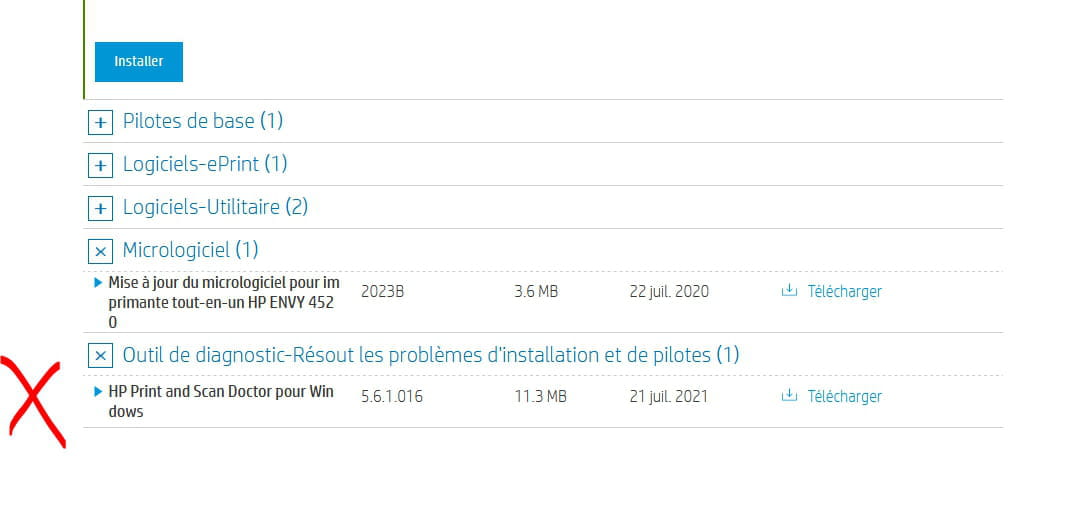
use the diagnostic tool to detect and fix issues
https://support.hp.com/ca-en/drivers/selfservice/hp-envy-4520-all-in-one-printer-series/5447920/model/5447921

Take the time to leave a comment!
A thank you is appreciated.
Mark as resolved if your issue has been solved. I use the informal 'you' with everyone.-
PSEUDO DE LA DEMANDE = YLLIENA</gras> (apparently already used by several people, hence modified to YLDRA42
Thanks to REDBART for your quick response. I had already downloaded and installed the updated version yesterday, HP DOCTOR! However, I started from scratch after your reply. But to run it, I get the message:
"to use this tool, please log in as an administrator ...
However, it was my son who installed and configured this printer in 2016 using the installation CD, but I searched and found nothing regarding the elements allowing me to log in. I only have the installation documents with the printer's technical specifications.
That being said, like yesterday, after the installation of HPPSdr, one computer restart was necessary, the files stored in the print spool printed out!!! THE PROBLEM is that when I try to print something again, it's a standstill, still in a waiting state ...
There is an HP SMART but the recommended solution is to uninstall and reconfigure the printer, I'm not experienced enough to take that on!!!
If I can't find a solution, I will call in a computer repair technician, but it's frustrating because it shouldn't be a big issue ...
I think this problem is due to a Windows update ...
THANK YOU anyway! YLLIENA
-