Firefox update issue "XML parsing error undefined entity"
Solved
Basseur
-
pistouri Posted messages 19010 Registration date Status Contributor Last intervention -
pistouri Posted messages 19010 Registration date Status Contributor Last intervention -
Hello,
My computer crashed in the middle of the automatic Firefox update.
Upon restart + trying to open Firefox: "XML parsing error undefined entity".
Not finding a solution on the forums, I uninstalled Firefox thinking I would reinstall it later.
The executable download is not occurring.
I still haven't been able to find a solution on the forums.
If there is a remedy to my problem, I greatly appreciate it if you could let me know
Configuration: Windows / Edge 91.0.864.48
My computer crashed in the middle of the automatic Firefox update.
Upon restart + trying to open Firefox: "XML parsing error undefined entity".
Not finding a solution on the forums, I uninstalled Firefox thinking I would reinstall it later.
The executable download is not occurring.
I still haven't been able to find a solution on the forums.
If there is a remedy to my problem, I greatly appreciate it if you could let me know
Configuration: Windows / Edge 91.0.864.48
5 answers
-
pistouri Posted messages 19010 Registration date Status Contributor Last intervention Ambassador 8 732
Hello,
1- Delete the installation directory of Firefox.
Display hidden files and folders
Delete the Mozilla folder in these directories if you see it:
-►C:\users\your username\AppData\Roaming
-► C:\users\your username\AppData\Local
-► C:\Program Files (X86)
-► C:\Programs
Delete Firefox shortcuts on the desktop.
Hide hidden files, folders, and drives.
Reinstall Firefox 32 or 64 bit according to your version
2- Create a new profile
Or use the profile manager
Do not delete the old profile if present.
Info
Try to launch Firefox in safe mode using the shift key
The tutorial
And check that in the task manager under the Processes tab, there is no instance of Firefox open; if so, right-click on Firefox and then End Task.
A+
-
Thank you Pistouri,
I followed your procedure up to the Firefox download but the .exe still won't load.
This time, it seems that either Microsoft or Google security is refusing it (I’m using Edge to download), I get a message saying it could harm my device.
I am indeed starting from the real Mozilla site and I would like to bypass it but the option doesn't exist.
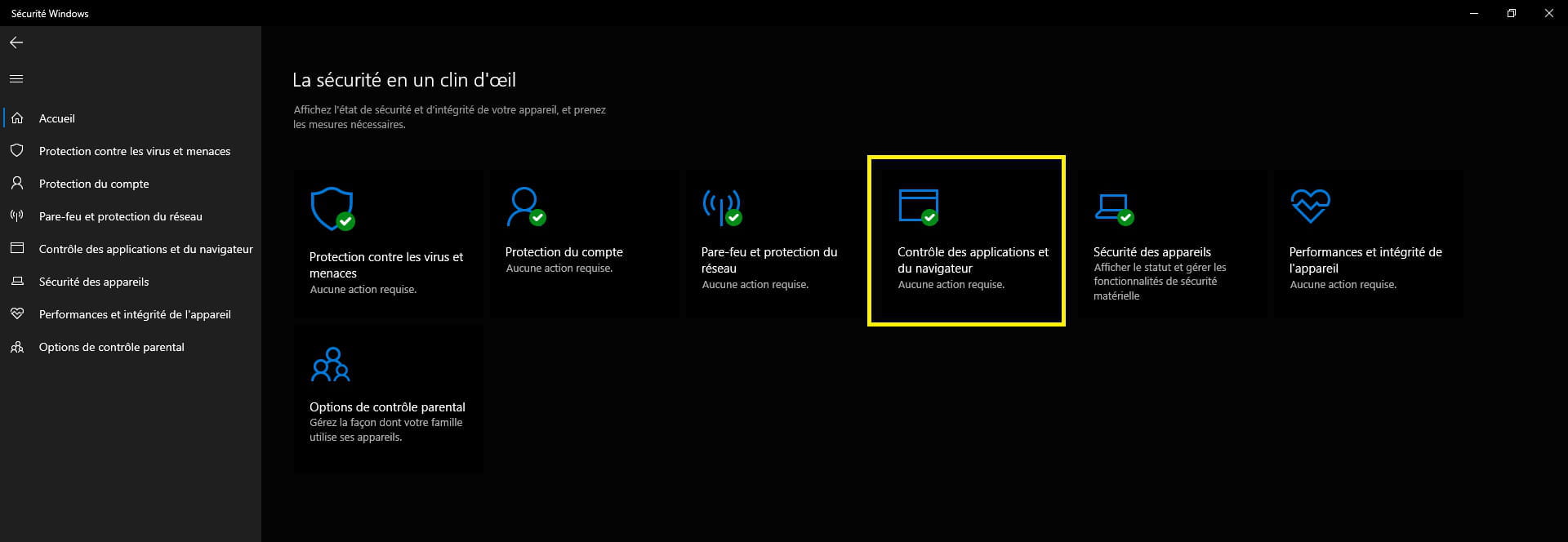
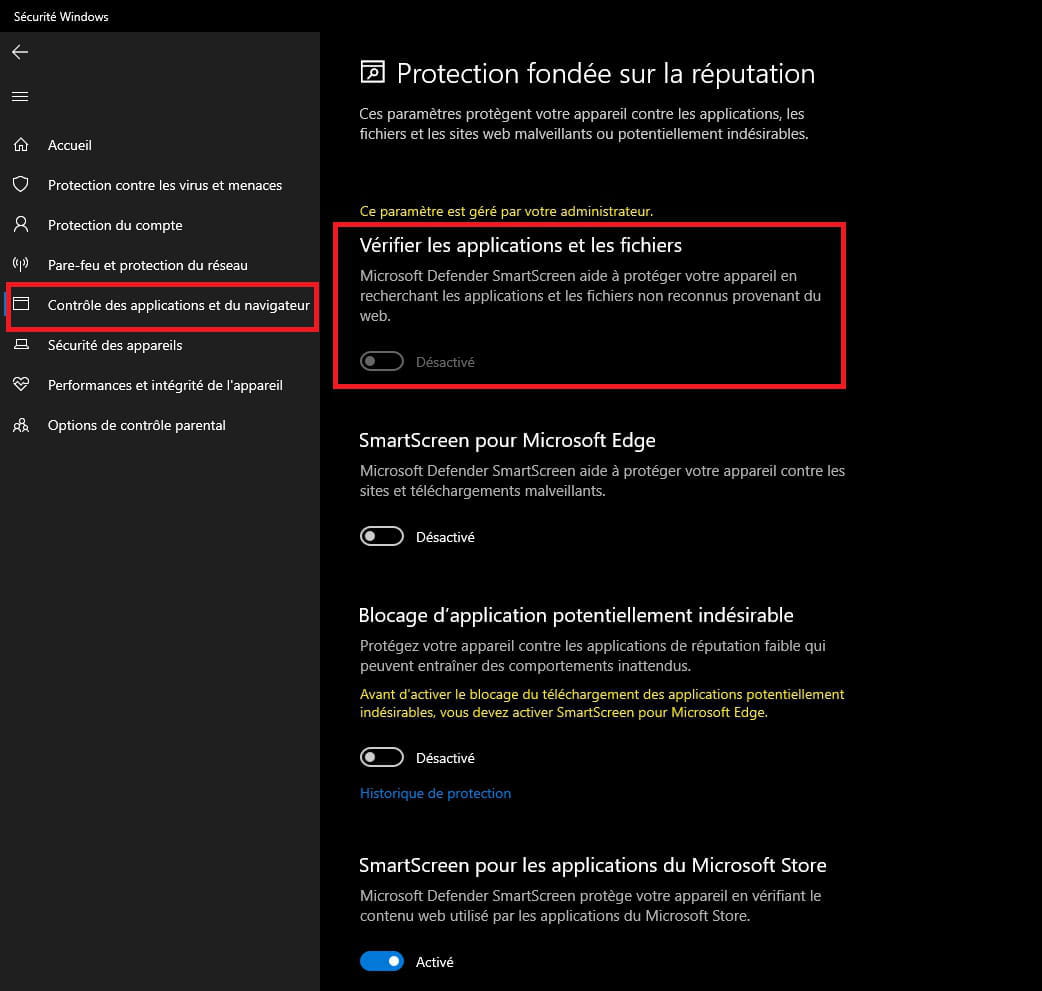
Do you know a way?- ==► Disable SmartScreen on Windows
==► Disable SmartScreen protection on Windows 10


For Edge
SmartScreen blocks installations
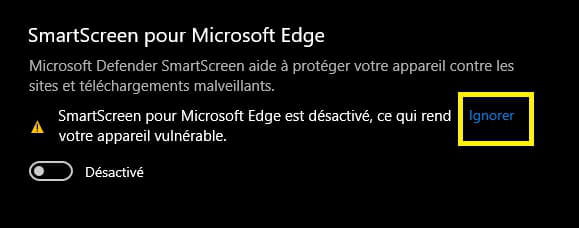
Disable SmartScreen
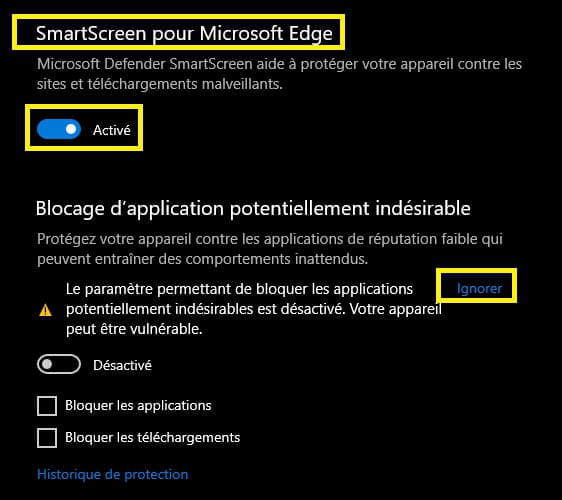
Return to the dashboard and click on - -►Ignore
Or on the options page
Then resume the installation of Firefox.
-