Watch FREEBOX TV on PC
Solved
nicolehenri
Posted messages
585
Registration date
Status
Member
Last intervention
-
FCP -
FCP -
Hello,
I can't watch FREEBOX TV on my PC
I go to FREEBOS OS, I click on FREEBOX TV and it doesn't work; I'm asked to install Flash Player which no longer exists and VLC which I already have
thank you for your help
best regards
I can't watch FREEBOX TV on my PC
I go to FREEBOS OS, I click on FREEBOX TV and it doesn't work; I'm asked to install Flash Player which no longer exists and VLC which I already have
thank you for your help
best regards
20 answers
-
Hello
Create a shortcut on your desktop:
Right-click anywhere on the desktop, then New > Shortcut
For the "item location," you will indicate:
"C:\Program Files\VideoLAN\VLC\vlc.exe"http://mafreebox.freebox.fr/freeboxtv/playlist.m3u
Be careful to respect exactly what I wrote (there is a space before the http address).
The first part is the location of vlc.exe on your computer; modify it if necessary.
You will change the name of the shortcut so that it doesn’t get confused with VLC's.
To see all available channels, click below on Edit Playlist.
What we conceive well is clearly stated,
And the words to say it come easily.
(Boileau) -
hello
How to watch TV on VLC with Free?
In the network URL field (in VLC), enter: http://mafreebox.freebox.fr/freeboxtv/playlist.m3u. Press the enter key. Once the process is complete, the various channels of the Freebox TV package are available. To find it, just go to the VLC playlist. -
OK, it's great
the only downside is that I can't find TF1 or MYTF1
is there another name to find TF1? -
Hello,
how to create a shortcut for Freemi TV on the desktop
is it possible to watch replays?-
To my knowledge, the replays are only available on the television.
If you want the channels from the TF1 and M6 groups, you need to subscribe to TV by Canal Panorama (€5/month for the Pop, already included in the Revolution and the Delta).
You will have all the channels on your computer or tablet.
(But there are still no replays!)- When you see TF1 putting a damn ad for 1 or 2 minutes before the World Cup final, it disgusts me.
But it's the same when there's sports or a movie in general with the never-ending weather forecast.
I'm not addicted to Top Chef, I prefer Etchebest with his character and his gaze, but that's on another channel.
-
-
re,
it's okay, I didn't have the right URL
however, I came across channel 2 and I can't find the other channels. -
I just found the playlist by right-clicking on the screen
but there are only 8 channels; is that normal? -
Thank you for the shortcut
I just found the playlist by right-clicking on the screen
but there are only 8 channels; is that normal? -
It is obviously not normal that you only have 8 channels.
1) By clicking here you should have had the complete list of channels:
2) If it really doesn't work, I suggest something else:- Download the playlist here: https://www.cjoint.com/c/KDzl0BaSBDw
Save the file in your Downloads folder and rename it to freetv.m3u- Open the shortcut I had you create earlier (or create another one) and modify the location as follows:
"C:\Program Files\VideoLAN\VLC\vlc.exe" "C:\Downloads"\freetv.m3u"
What one conceives well is clearly expressed,
And the words to say it come easily.
(Boileau) -
That's normal! You will not see any of the channels from the TF1 and M6 groups that do not allow broadcasting on multiple screens.
Can you indicate what solution you used to resolve the situation?
--
What is well conceived is clearly stated,
And the words to express it come easily.
(Boileau) -
I downloaded the playlist here: https://www.cjoint.com/c/KDzl0BaSBDw
and saved it on the desktop
thank you for all this information
sincerely -
one last question
I have all the channels live
is it possible to have replay? -
pistouri Posted messages 19010 Registration date Status Contributor Last intervention Ambassador 8 732
Hello,
I'm sharing my testimony because I don't use VLC to watch Free TV on my PC.
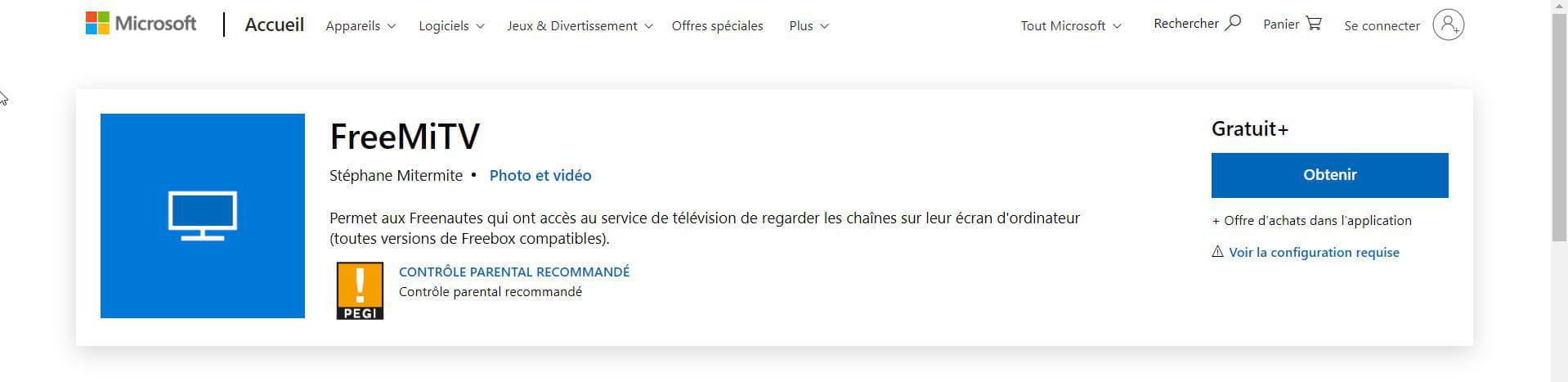
1- With Windows 10 in the Microsoft Store, there is the app ==► FreeMiTV
2- A new solution coming soon to watch television from Freebox OS
A new solution is needed since the disappearance of Flash, a plug-in that was usable to watch channels on Freebox OS.

Some users complain about no longer being able to access television on their PCs through Freebox OS. Indeed, thanks to the multi-screen feature, Freebox subscribers can easily view their favorite channels on other devices, such as mobile apps or their computer screen. On PC, using the Flash plug-in was an option, but the end of the software has prompted developers to find another solution.

Thibaut Freebox, a well-known Free developer among internet users, has announced that he is indeed working on a new version of Freebox OS that will allow watching channels from its interface. Since no date has been given, he invites those who wish to access their TV on mafreebox.freebox.fr to use the VLC player.
Source
A+
--
pistouri-
Hi Pistouri,
I just clicked on the link you posted.
And instead of landing on the FreeMITV download page, I ended up on the Microsoft store page (mouse catalog)!
So the issues mentioned here are still ongoing.
On the other hand, I have no problems on my second computer!
The FreeMITV interface is less austere than VLC's. So it seems very good.- Hi Pierrot,
FreeMITV I arrived on the Microsoft store page (mouse catalog)!
It's indeed the official Microsoft link, yet you must have a little bug or not be connected to your Microsoft account; with a local account, there's no need to log in.
There you “fall” into the cheese (mouse catalog!) :-)
Type it in the search box or the URL of your search engine.
Some reports said there were ads.
I haven't seen any right away.
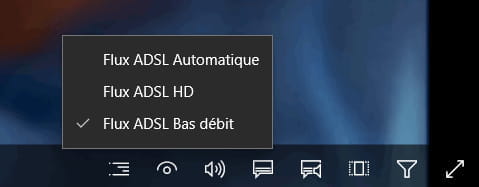
We can keep the default settings, especially with fiber, as it won’t change anything; it’s already the maximum speed, but with ADSL, it might be a bit different.
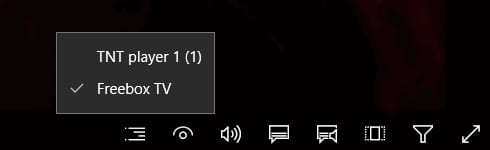
We have the option to watch only TNT, but that’s not the point. It’s better to have all the FREEBOX programs.
-
-
-
pistouri Posted messages 19010 Registration date Status Contributor Last intervention Ambassador 8 732
Hello nicolehenri
Start button.
Letter -►F
Drag FreeMiTV to the desktop.
In summary, you hold the left click on FreeMiTV (in the Start menu) and drag it to the Desktop.
Release the left click
You will briefly see the word link.

Then launch the shortcut FreeMiTV
A+
--
pistouri -
Perfect for the shortcut
Is it possible to watch replays?-
A priori NO with this version, maybe one day to come.
A complete overhaul of the application.
To work around the replay issues :
==► Captvty
A+
-
-
thank you
have a nice evening -
Yes, but Captivy requires you to register to watch later.
-
Hello,
I have a new problem: I can no longer watch Freebox TV on my TV
when I turn it on with the remote, it displays: HDMI/DV1 10:02
1280X720@50Hz
and the screen goes off.-
Hello,
Check the wiring of your HDMI cable.
Remove it and put it back in place. (TV and behind the player)
Unplug the wall socket from the Freebox Player for 30 seconds and plug it back in.
Restart the server box.
Or do a reset using the little black button behind the player.
What is the model of your Freebox?
3244 to contact FREE.
See you later!
-
-
RE,
it's okay, I checked the manual and reset the player by unplugging and plugging everything back in while pressing the reset button and it's up and running again.
I just saw in the Free Revolution manual that the remote control of a motion detector is mentioned without any further explanation.
What is it for and how does it work?-
Hello,
The motion detector allows you to move a cursor (like a mouse) on the television screen.
It can be found particularly in the Web Browser (Internet tab in the home page menus on the television).
There is nothing special to do. The cursor appears and you move it by moving the remote control.
In practice, it's a real hassle: the movements are imprecise and you have to take into account a much higher reaction time than on a computer.
It's better not to have to use it!- Hi Pierrot,
Thank you Pierrot, I had forgotten what it was, as I rarely or very rarely use this function.
I had tried with an external keyboard and mouse, and the Web Browser section on the player is also a hassle.
And as mentioned, it’s very slow and the cursor disappears occasionally, it’s not very well designed at all.
And being almost in front of the TV, because if you are too far away, let’s say 2 or 3 meters, it’s more than a hassle.
-
-
pistouri Posted messages 19010 Registration date Status Contributor Last intervention Ambassador 8 732

I also have a Freebox V6 just like Pierrot, I don’t see where the option is.
Except in Player Settings ►Remote Control►Pointer Sensitivity
Or on the remote, but I can't find it. (button)
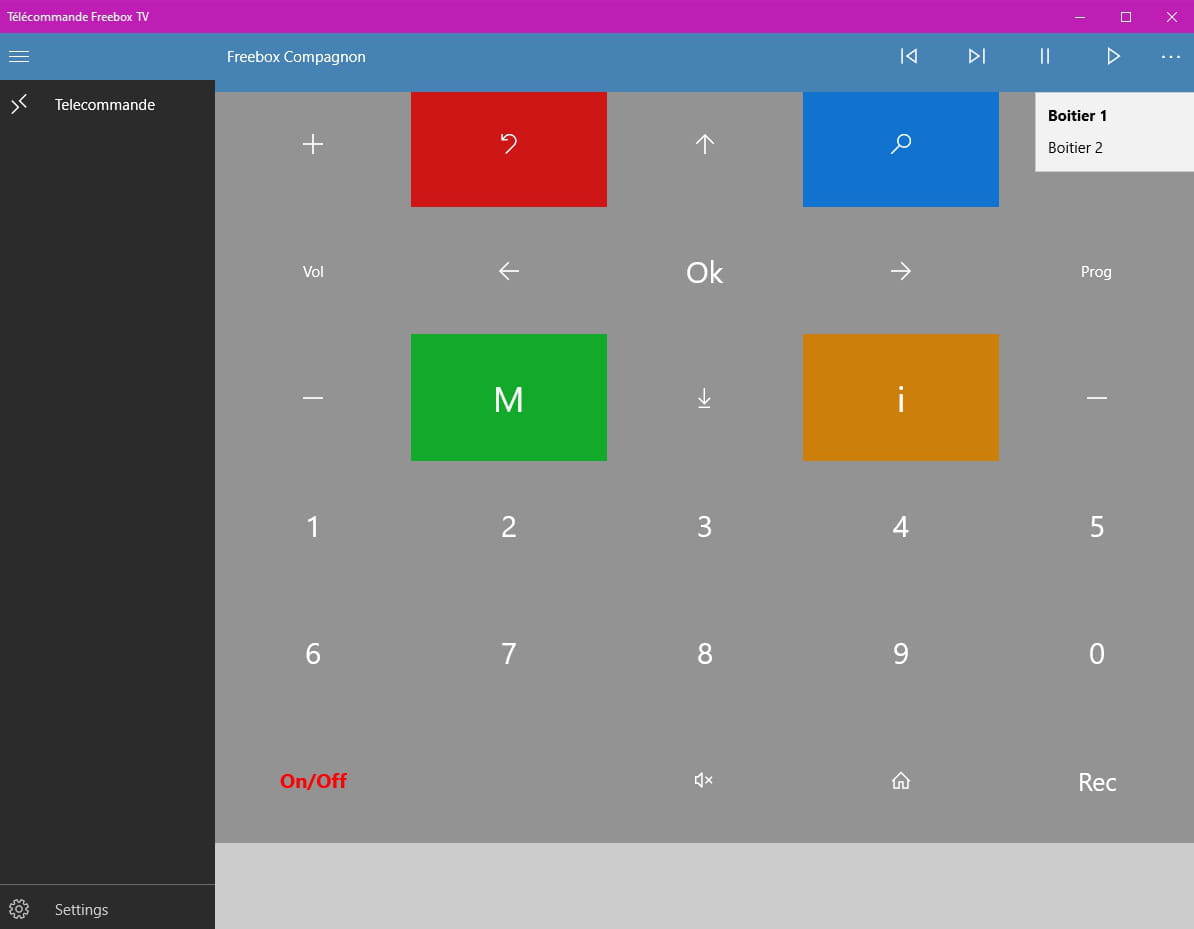
If you want, you can install it on the PC ==► Freebox TV Remote
Retrieve the code from the player ►Settings►System►Freebox Information
Tab ►Player
Section Remote Control
Line►Network remote control code
You should see 8 digits.
You enter it in the Freebox TV Remote app
And confirm

A+
--
pistouri -
Good evening to you both
thank you