PC frozen at 64% after Reset
Solved
clempam
-
Vayz -
Vayz -
Hello,
I started a reset on my Acer last night in hopes of improving performance.
However, it displays: “Windows installation at 64%... this operation will take a moment. Your PC will restart several times” and then restarts in a loop with the same message.
Any idea how to resolve this?
Thank you very much
Clément
Configuration: iPhone / Safari 13.1.2
I started a reset on my Acer last night in hopes of improving performance.
However, it displays: “Windows installation at 64%... this operation will take a moment. Your PC will restart several times” and then restarts in a loop with the same message.
Any idea how to resolve this?
Thank you very much
Clément
Configuration: iPhone / Safari 13.1.2
1 answer
-
Hello,
Reinstalling Windows 10 without formatting:
The principle is to create a Windows 10 installation USB stick and boot the computer from it to reinstall Windows without formatting in order to keep the data.
Since the computer is stuck, you need to create this from another functioning computer.
To create the USB stick:
You need a USB stick with at least 8 GB.- Create a USB stick with Media Creation Tool: Download and create a Windows 10 USB stick with Media Creation Tool
- Boot from it by changing the boot sequence and indicating the USB stick or DVD: How to boot the computer from USB stick
If the USB stick doesn't work, try making one with Rufus: how to download Rufus.- Download the ISO file using direct links or from Rufus: Download Windows ISO
- Launch Rufus and specify the path of the ISO file
- In partition scheme, choose GPT.
- For more details, refer to this tutorial for the details: how to create a Windows installation USB stick
The Windows 10 installer should then start:
Follow these tutorials that explain how to install Windows 10:
All steps are provided from A to Z with advice at the end to secure Windows 10.- Let yourself be guided to install Windows 10.
- Choose customize (not upgrade)
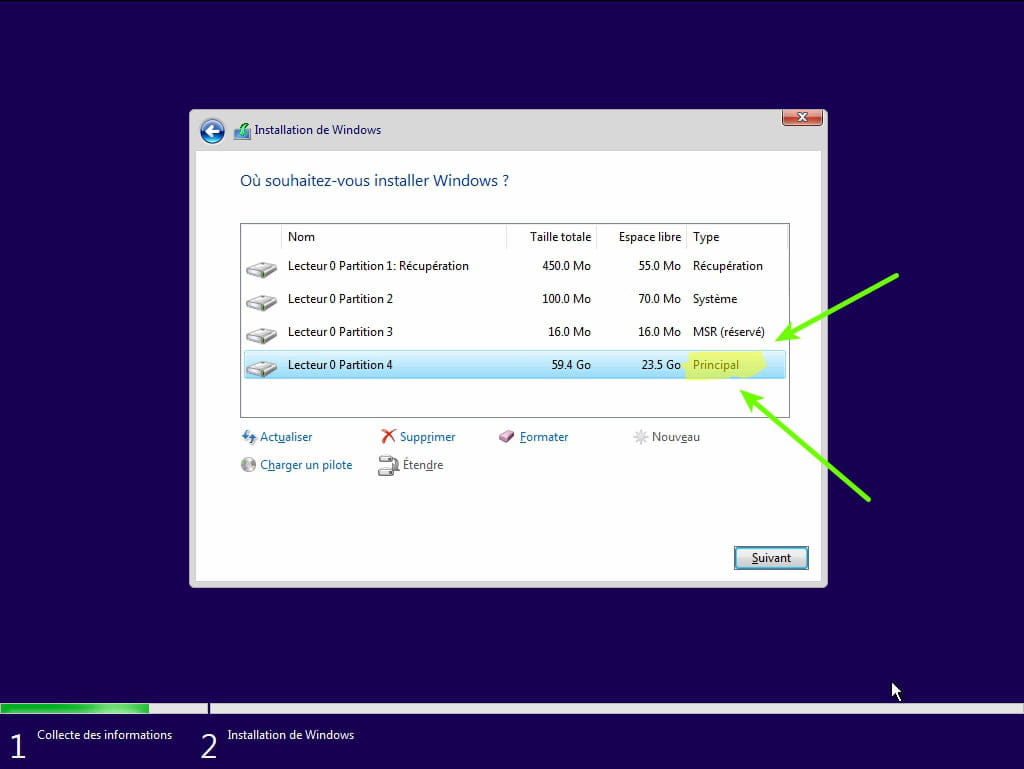
- During the partition phase, select the main partition and click next.
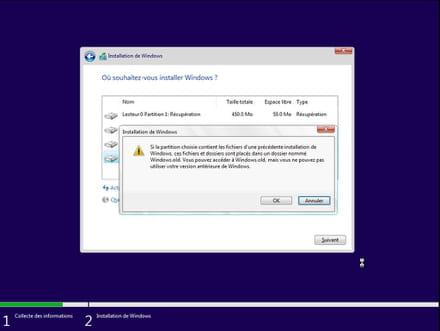
- The installer will tell you that Windows is already present and offer to move it.
- Follow the installation procedure for Windows using the tutorial above.
Just don't format.
Your user data will be copied to the Windows.old folder.
You can then recover bookmarks, passwords from internet browsers, etc.
Read this tutorial: Recover deleted applications during the reset of your PC to Windows 10
Once Windows is installed, I recommend following these tips for properly configuring and using Windows: Tips after reinstalling Windows.
--
Please press any key to continue the disinfection...