
Instagram photo color change issue
iziaa
Posted messages
2
Status
Member
-
liz_pochaonteck -
liz_pochaonteck -
Hello everyone,
I've seen questions about Instagram's quality but not about color change, so I'm posting mine.
When I post photos taken with a Canon 70D, processed in Lightroom and then Photoshop on Instagram, they lose their colors and become washed out. I don't have this issue with Facebook or Twitter or anywhere else, just Instagram, and I don't understand why.
Here’s a before-and-after photo so you can understand what I mean.
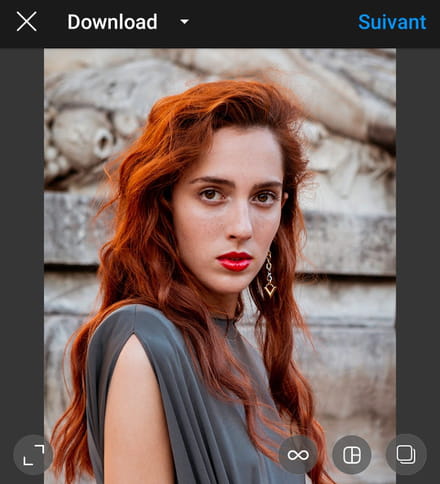
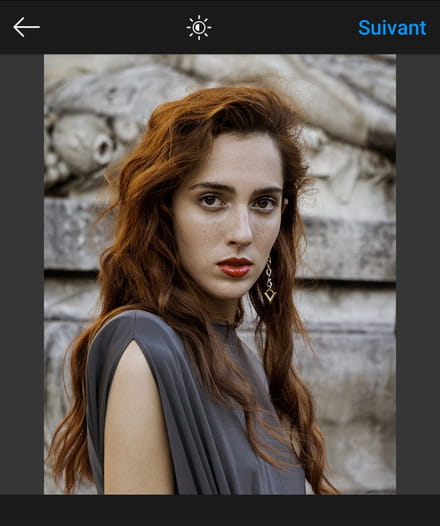
Does anyone have an idea or a solution as to why this happens? It only occurs with the photos I've processed in Photoshop and Lightroom. Photos from my phone don't have this issue.
Thanks in advance for your replies.
I've seen questions about Instagram's quality but not about color change, so I'm posting mine.
When I post photos taken with a Canon 70D, processed in Lightroom and then Photoshop on Instagram, they lose their colors and become washed out. I don't have this issue with Facebook or Twitter or anywhere else, just Instagram, and I don't understand why.
Here’s a before-and-after photo so you can understand what I mean.
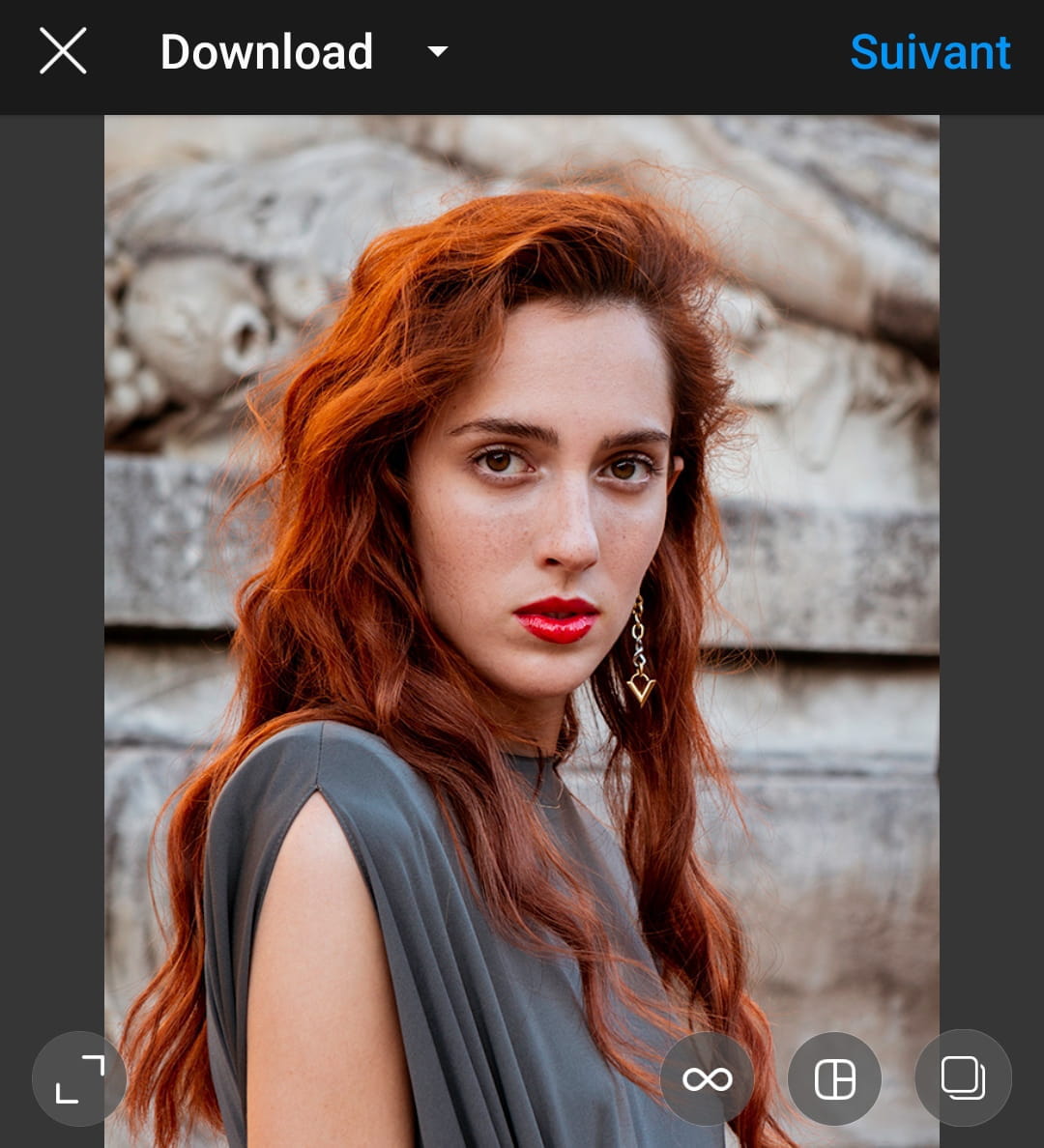
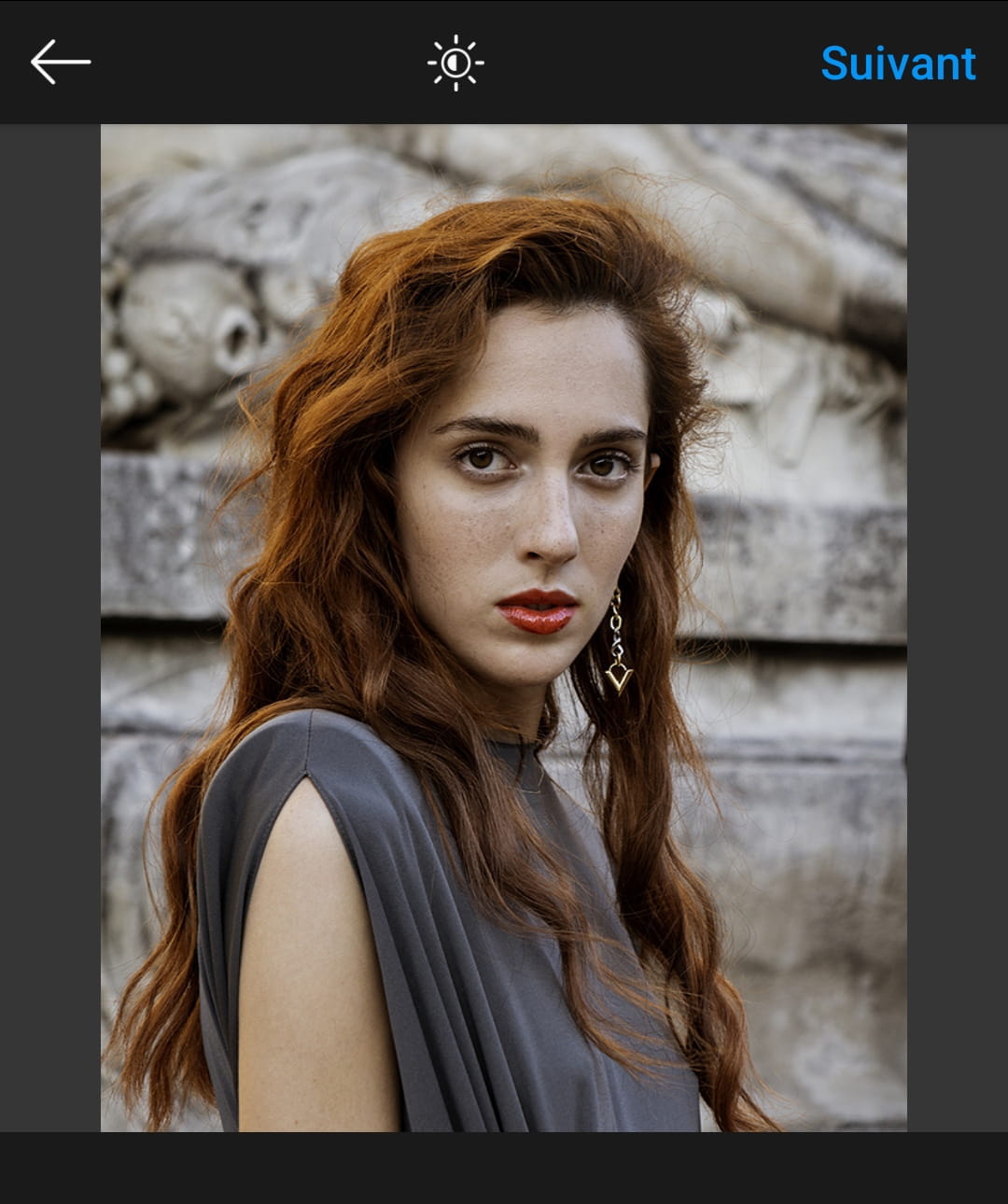
Does anyone have an idea or a solution as to why this happens? It only occurs with the photos I've processed in Photoshop and Lightroom. Photos from my phone don't have this issue.
Thanks in advance for your replies.
4 answers
-
Hello to you
I hope that since September you have already found your answer, otherwise I have the solution for you
You just need to open Photoshop, select the photo, and instead of clicking Save/Save As, you have to do:
File → Export → Save for Web (Legacy)...
Then a window will open and you will be able to choose the settings for your save ;)
And you will see that the lovely colors of your first photo will remain unchanged on any social media platform
Hoping to have been able to help :) -
Thank you very much, I tried to record again using a utility without success, I am now doomed to go back to Photoshop. Thanks again.
-
Actually, you are working in a color space that does not match your web output color space. First of all, why don't you calibrate your screen? And then, in your software, work under the appropriate output color profile (web, print) so that what you see on your screen is what will actually be produced.
-
I have exactly the same issue for 2 weeks now, even though I haven't changed anything in my way of doing things, still using the same software (Luminar), still the same settings on Instagram, and I can no longer post a photo without it looking dull with a strange color palette :/
