Unable to add Orange account in Outlook 365
Solved
Nanou0465
Posted messages
25
Status
Member
-
titinne_3298 Posted messages 2 Status Member -
titinne_3298 Posted messages 2 Status Member -
Hello
I changed my husband's hard drive. After installing the Microsoft 365 package, I am setting up Outlook to add his Orange email account.
I followed the standard procedure to add an account, but after entering the password, Outlook searches and then asks me for the password again; Outlook does not accept the password.
I then followed the manual advanced configuration: IMAP, choosing port 465 for SMTP, but I don't know which port to choose for IMAP.

Here is the message I received:

Here’s what I entered:

Can you help me?
Thank you very much
I changed my husband's hard drive. After installing the Microsoft 365 package, I am setting up Outlook to add his Orange email account.
I followed the standard procedure to add an account, but after entering the password, Outlook searches and then asks me for the password again; Outlook does not accept the password.
I then followed the manual advanced configuration: IMAP, choosing port 465 for SMTP, but I don't know which port to choose for IMAP.

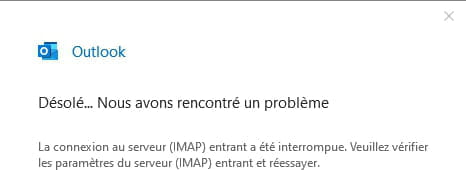
Here is the message I received:
Here’s what I entered:

Can you help me?
Thank you very much