Installing Kubuntu in dual boot with Windows...

alamac
Posted messages
619
Registration date
Status
Member
Last intervention
-
alamac Posted messages 619 Registration date Status Member Last intervention -
alamac Posted messages 619 Registration date Status Member Last intervention -
Hello,
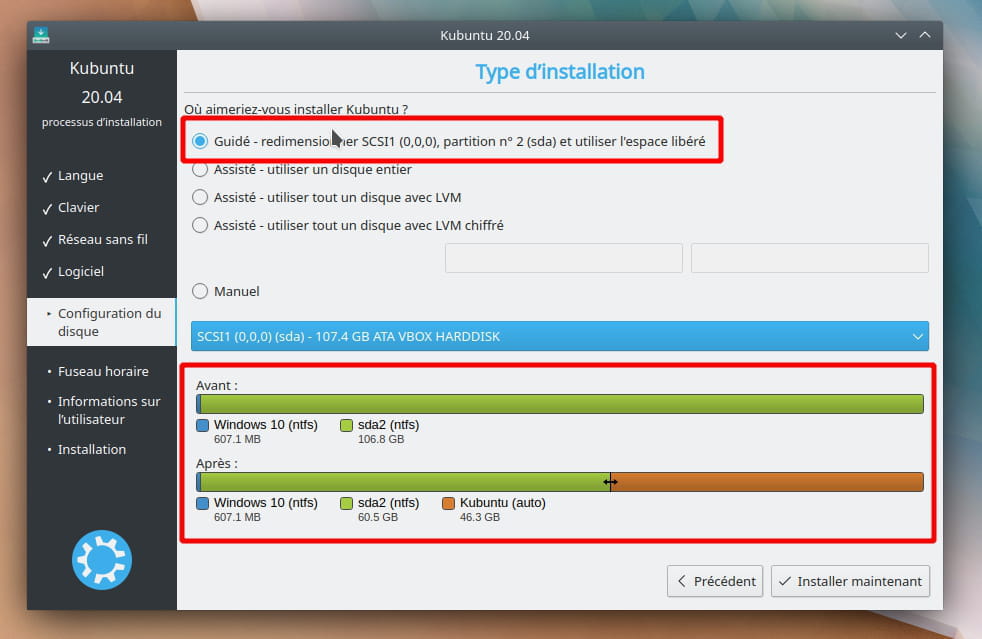
To perform a test, I would like to install KUBUNTU 18.04 in dual boot with Windows (7 or 10), but unlike other distributions derived from UBUNTU, KUBUNTU seems to only be installable on the whole hard drive and offers no other alternative.
Is there a trick to work around this problem so that Windows is not overwritten during the installation of KUBUNTU...
Thank you for your responses.
To perform a test, I would like to install KUBUNTU 18.04 in dual boot with Windows (7 or 10), but unlike other distributions derived from UBUNTU, KUBUNTU seems to only be installable on the whole hard drive and offers no other alternative.
Is there a trick to work around this problem so that Windows is not overwritten during the installation of KUBUNTU...
Thank you for your responses.
4 answers
-
Hello,
KUBUNTU seems to only be installable on the entire hard drive and offers no other alternative
That's not normal, if that's the case, we should check the existing partitions...
From the live USB session of Kubuntu, open the terminal and provide the output of the following command:sudo fdisk -l
(letter L)
Note: Ubuntu 20.04 should be released today, Kubuntu should follow closely or do the same, it might be worth waiting a day or two for the latest LTS version...