
Driver for coprocessor with exclamation mark (!)
Solved
simba2
Posted messages
28
Status
Member
-
kaneagle Posted messages 86298 Registration date Status Moderator Last intervention -
kaneagle Posted messages 86298 Registration date Status Moderator Last intervention -
Hello,
I currently have an Asus X5DI laptop that shows a problem in its device manager.
Its co-processor has an exclamation mark and I would like to address this issue.

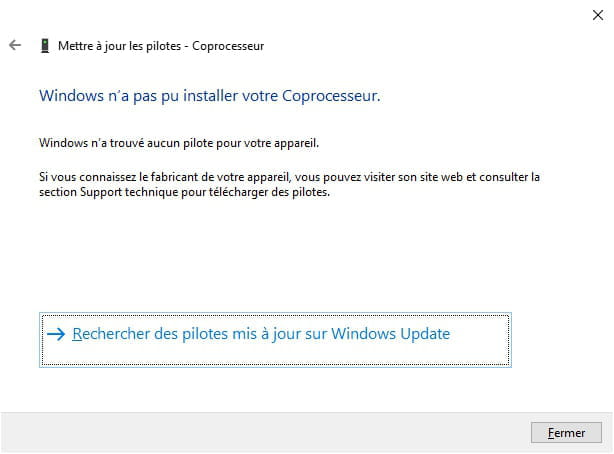
I tried updating the driver but without success.

What should I do?
Thank you.
I currently have an Asus X5DI laptop that shows a problem in its device manager.
Its co-processor has an exclamation mark and I would like to address this issue.
I tried updating the driver but without success.
What should I do?
Thank you.
8 answers
-
Sorry, I have no skills in hybrid PCs (multi-OS).
Win10 searches for and installs the necessary drivers by itself.
By opening the properties of the coprocessor, you will find hardware IDs under details -> hardware description.
By posting these references, some specialists will be able to find a driver for you. -
Hello,
Download and install --> 7Zip 64 bits
Download this driver --> nVidia nForce
Right-click on the driver --> 15.58-nforce-........exe
Select --> 7Zip
Choose --> extract to "15.58-nforce-........\"
Go to Device Manager
Right-click on the device
Update driver
Browse my computer ......
Choose from a list of drivers...
Have Disk
Browse
Go to the unzipped driver folder --> 15.58-nforce-........
Folder --> SMU
Select the file --> smuc64.inf and OK.
Restart.
-
Hello
here is what Asus provides according to the compatible operating systems
https://www.asus.com/fr/supportonly/X5DIJ/HelpDesk_Download/ -
Hello and thank you Redbart,
Windows 10 is not on the list, so I tried with Windows 7, 64 bits, but which hardware should I choose? Graphics card? -
I downloaded and installed Asus Live Update. Once launched, it tells me that everything is up to date:

-
My PC is not multi-OS; it only has Windows 10.
Here are the references for the co-processor:

-
Hello and thank you, kaneagle,
I succeeded a few minutes before your post by following this procedure: https://forums.commentcamarche.net/forum/affich-30671246-recherche-driver-coprocesseur#6
Thanks again for your help, both of you.
Have a good end of the day. -
You're welcome.
The proposed driver is the same, namely the SMU and relates to the nForce System Management Controller.
Have a nice day.
--
Human beings are at their best when things are at their worst.


