
No Wi-Fi connection
Nati
-
nativite7 Posted messages 21 Status Member -
nativite7 Posted messages 21 Status Member -
Hello,
I have a laptop "PC bye sourcouf".
I used to have Wi-Fi but for some time now I no longer have a connection.
I feel like I've done everything (uninstalled and reinstalled the network card, in device manager, updated, rebooted the PC to a previous date, etc.... But still no solution.
What should I do???
Do you have an answer to provide me but above all, do you have a solution????????
Thank you
I have a laptop "PC bye sourcouf".
I used to have Wi-Fi but for some time now I no longer have a connection.
I feel like I've done everything (uninstalled and reinstalled the network card, in device manager, updated, rebooted the PC to a previous date, etc.... But still no solution.
What should I do???
Do you have an answer to provide me but above all, do you have a solution????????
Thank you
34 answers
- 1
- 2
Next
-
Hello, before providing solutions, you need to check the status of your Wi-Fi card, whether it's active or inactive.
Can you post a picture of your device manager + hidden network devices manager (by expanding the Wi-Fi card)? -
Hello,
Thank you for your reply.
Yes, everything is activated; I just checked.
I can't upload a photo to the forum.
Thank you -
You have the button at the top right "insert an image," and to take a screenshot with Windows, type "capture" in the search bar.
Open a command prompt (type cmd in the search bar, click), a black window opens, and type ipconfig /all then press enter, take a screenshot afterward. -
Hello,
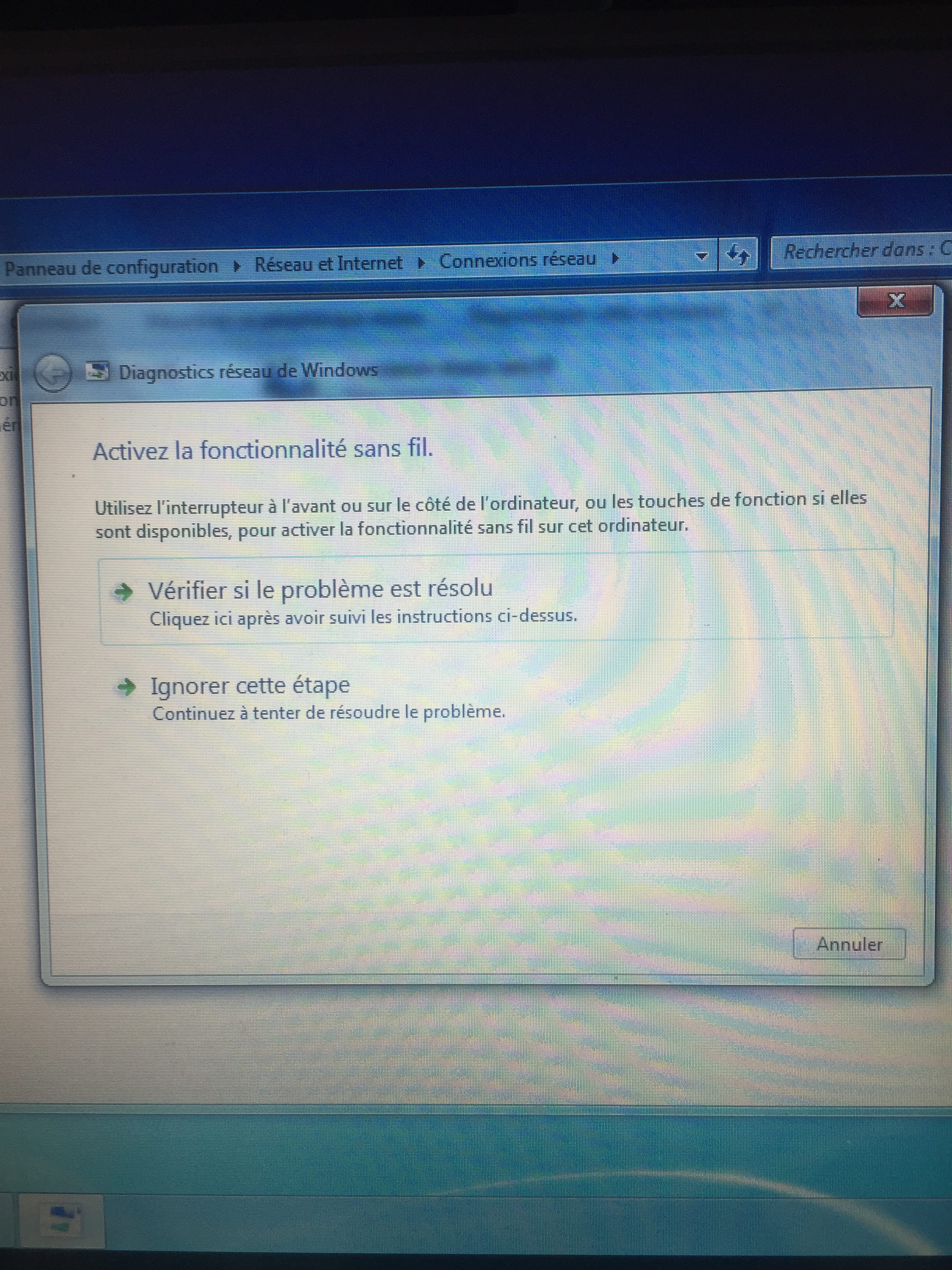
Here is the message that it indicates to me when I run a diagnostic:
Use the switch at the front or on the side of the computer, or the function keys if available, to activate the wireless feature on this computer.
That's what I did, but the Wi-Fi still doesn't work.
Thank you. -
-
No, your problem could help others who encounter the same issue
don't you have a network cable (temporarily) to send from your PC? -
-
Hello,
I can't seem to send photos.
Even when connecting my PC. However, I have internet via cable.
It's not a big deal.
All signals are green for the Wi-Fi, but when I unplug the cable, of course, there's no connection?
Should I perform an operation or a download to resolve this inconvenience?
Thank you. -
If you think everything is activated, then you just need to connect by entering the WEP key. What message does Windows respond with when you try to connect?
-
Yes, everything is activated
but the problem is that I can't even enter the key since it doesn't show the available networks.
So that means the problem must be much deeper than that. I'm lost here.
What's strange is that the Wi-Fi was working perfectly before. -
are you sure you’re not in airplane mode??
screenshots would help... -
-
It's good, I was able to send you the photo when I became a member, did you receive it?
-
-
Ok, your Wi-Fi network card seems fine. You can do an ipconfig /all by going to Start, Run, type cmd, press Enter, a black window will open, then type ipconfig /all, press Enter, and please take a screenshot.
-
-
lol, on your phone you have a switch like a lamp switch, switch On/OFF, it's trying to say if your little button is really in the on (position) on your computer
that could be where it’s coming from... -
-
Ok, but I don't have that switch.
I have to do the operation directly on the keyboard.
I'm sending you a photo of my PC. -



- 1
- 2
Next