I can't reset my Lenovo Legion PC.
Pweft
-
Malekal_morte- Posted messages 178136 Registration date Status Moderator, Security Contributor Last intervention -
Malekal_morte- Posted messages 178136 Registration date Status Moderator, Security Contributor Last intervention -
Hello, I have a big problem. I can't reset my PC. When I try, everything goes well until it reaches 30%, and an error message appears: "There was a problem resetting your PC." I've looked for several ways to do it, but to no avail.
So if you have a solution, I would be grateful. Thanks in advance.
So if you have a solution, I would be grateful. Thanks in advance.
2 answers
-
Hello,
Look here: how to factory reset a Lenovo PC
~~
Otherwise
Reinstall Windows 10 without formatting:
The principle is to create a Windows 10 installation USB drive and boot the computer from it to reinstall Windows without formatting in order to keep the data.
Since the computer is crashed, you need to create this from another functional computer.
To create the USB drive:
You need a USB drive of at least 8 GB.- Create a USB drive with Media Creation Tool: Download and create a Windows 10 USB drive with Media Creation Tool
- Boot from it by modifying the boot sequence and specifying the USB drive or DVD: How to boot the computer from USB drive
If the USB drive doesn't work, try making another one with Rufus: how to download Rufus.
Download the ISO file, for example with Adguard: Download Windows ISO
Launch Rufus and specify the path of the ISO file
In partition scheme, choose GPT.
For more details, refer to this tutorial for specifics: how to create a Windows installation USB drive
The Windows 10 installer should then start:
Follow these tutorials that explain how to install Windows 10:
All steps are given from A to Z with tips at the end to secure Windows 10.- Let yourself be guided to install Windows 10.
- Choose customize (not upgrade)
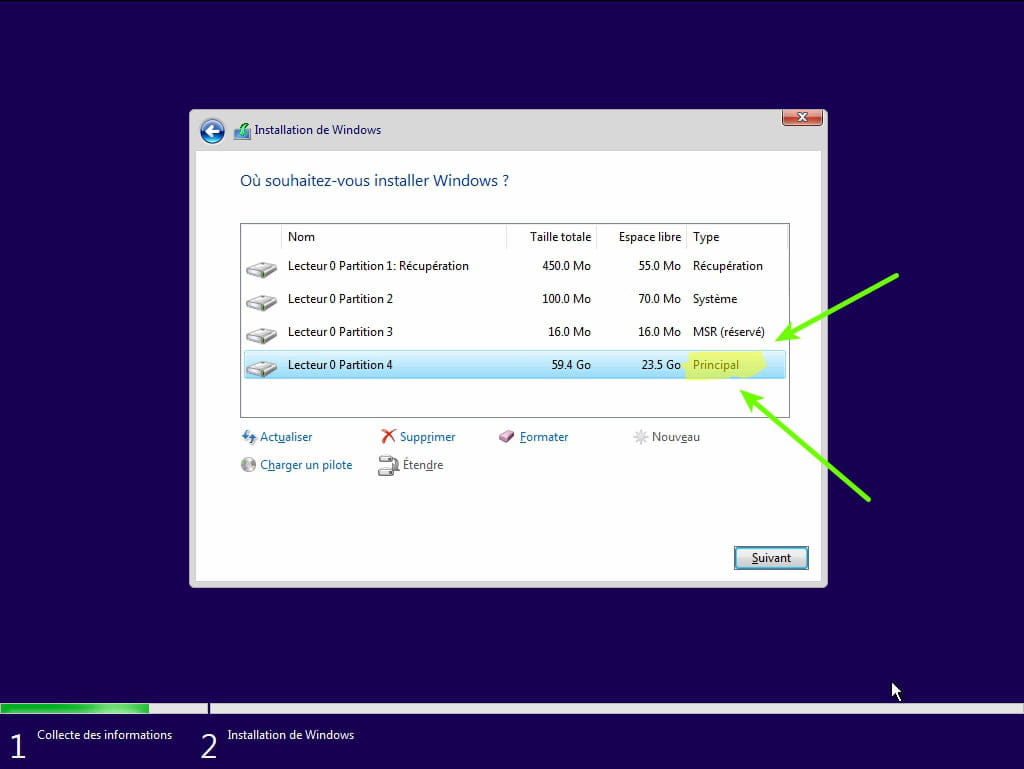
- During the partitioning phase, select the main partition and click next.
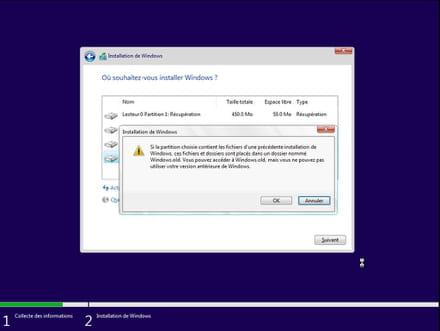
- The installer will tell you that Windows is already present and offer to move it.
- Follow the Windows installation procedure using the tutorial above.
Do not format.
Your user data will be copied to the Windows.old folder.
Once Windows is installed, I recommend following these tips to properly set up and use Windows: Tips after reinstalling Windows.
--
Please press a key to continue the disinfection...