échec du démarrage réseau EFI PXE (f8-75-a4-45-eb-5b)
Solved
H
-
Hlsh Posted messages 12 Status Member -
Hlsh Posted messages 12 Status Member -
Hello,
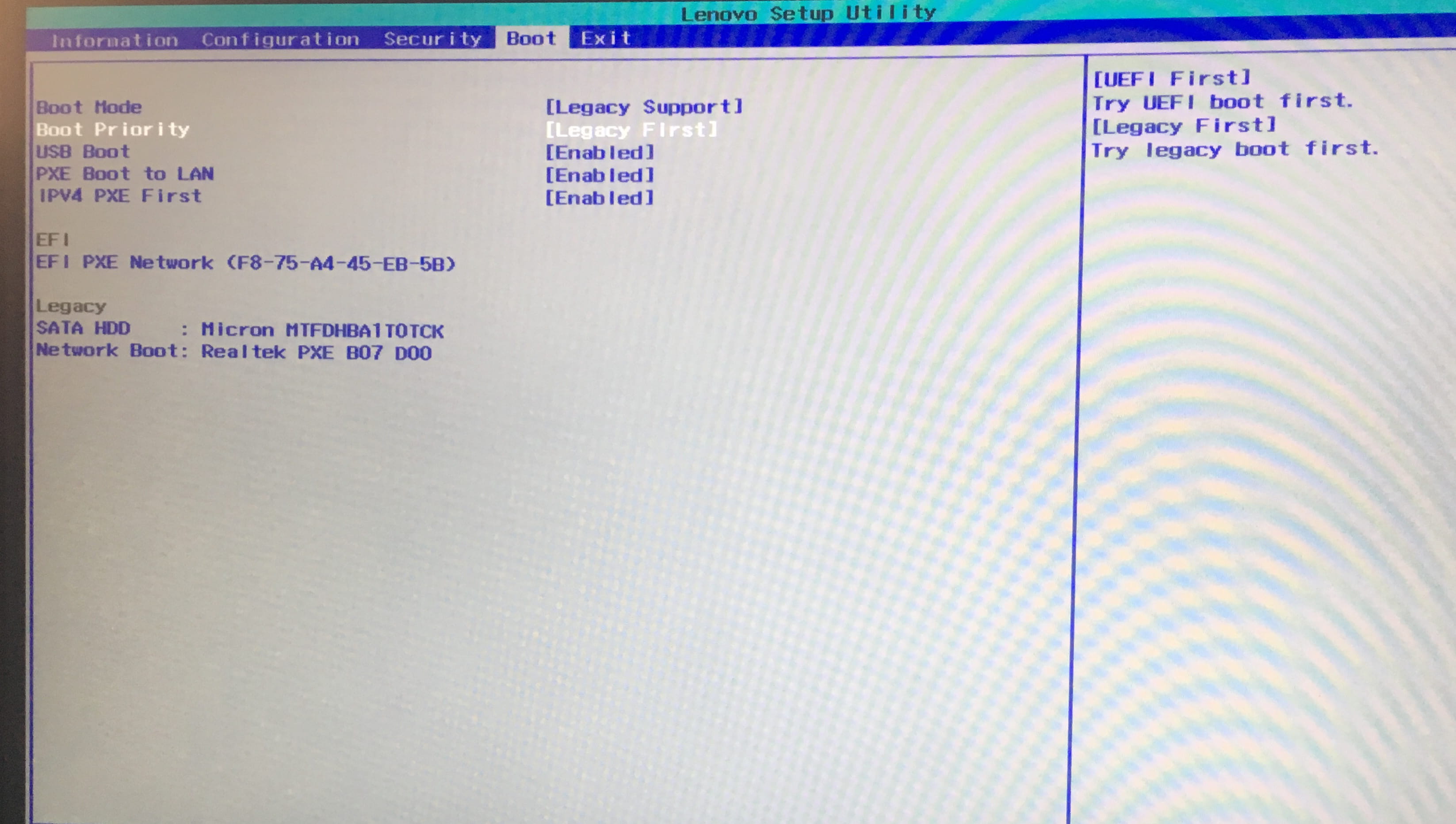
My PC displays "efi pxe network (f8-75-a4-45-eb-5b) boot failed" and cannot start after a BIOS update recommended by Lenovo Vantage.
The boot option menu only shows EFI PXE network (f8-75-a4-45-eb-5b) in its list.
This is a Lenovo Legion Y540.
Thank you in advance for your responses.
My PC displays "efi pxe network (f8-75-a4-45-eb-5b) boot failed" and cannot start after a BIOS update recommended by Lenovo Vantage.
The boot option menu only shows EFI PXE network (f8-75-a4-45-eb-5b) in its list.
This is a Lenovo Legion Y540.
Thank you in advance for your responses.
6 answers
-
Hello,
Check in the BIOS that the hard drive is present.
Windows Boot Manager should be first.
Here’s how to access the BIOS:- How to access the BIOS (UEFI or legacy)
- BIOS - Access the BIOS setup
~~
If it's there:
If you don't want to repair it, you can reset it: how to factory reset a Lenovo PC
Otherwise, to try to recover your Windows 10 installation:
From a working computer: Use Media Creation on a valid computer to create an installation USB drive: https://www.microsoft.com/fr-fr/software-download/windows10- Boot from it by modifying the boot sequence and indicating the USB drive or DVD: How to boot the computer from a USB drive
- You will arrive at the Windows installation program.
- Go to repair your computer (menu at the bottom left on the main page)
- Advanced troubleshooting options
- Command prompt
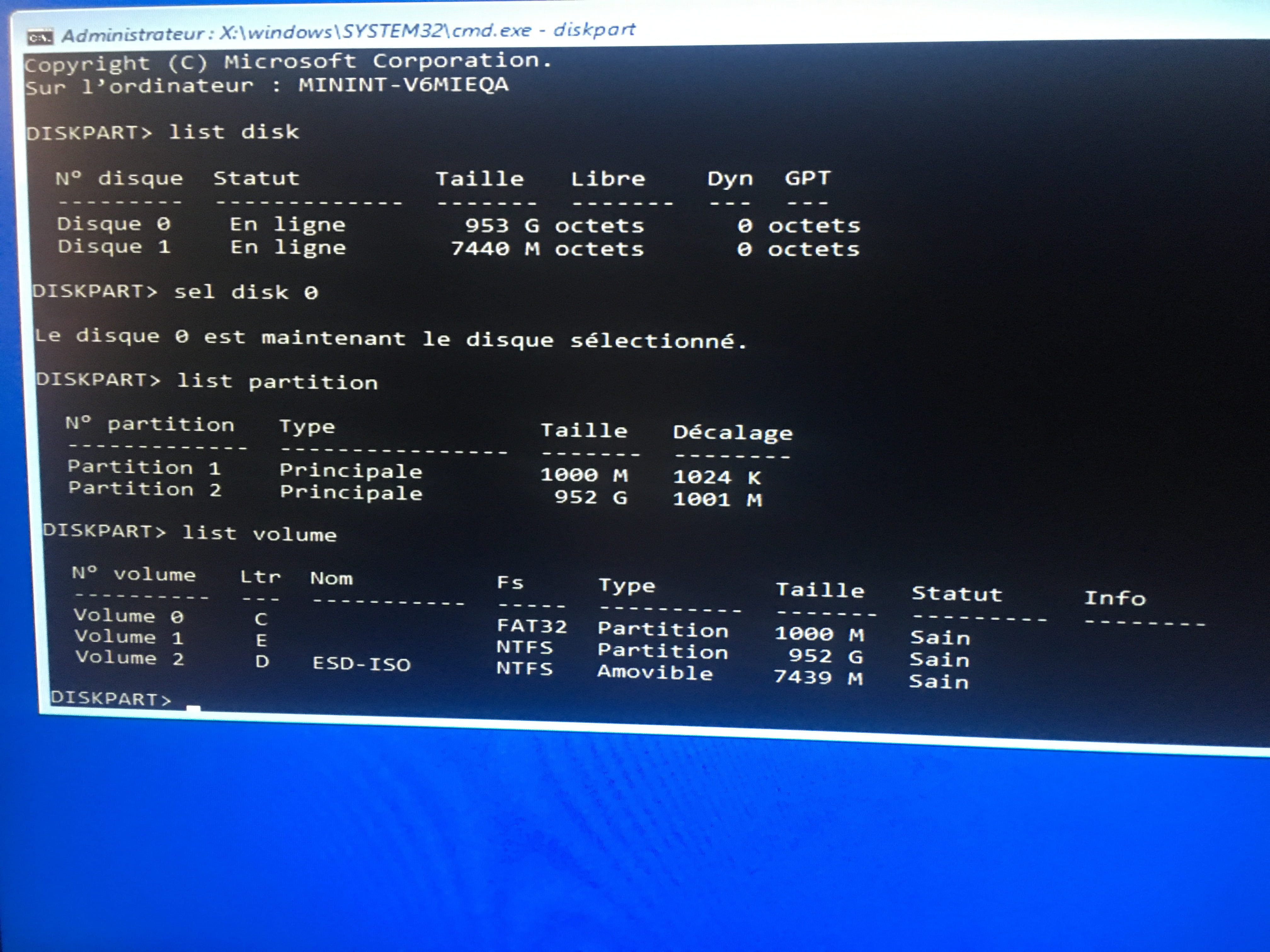
- type diskpart and press enter
Give the result of the following commands:
list disk
sel disk 0
list partition
list volume
exit
Take a photo of the result and provide the result as a screenshot.
And give the result of the command:bcdedit /v
Take a photo of the result and provide the result as a screenshot.