
GPU that uses very little GPU memory and shared memory.
Hello, while playing CS:GO and being curious, I went to the task manager. I noticed that my GPU was using only 1/4 of its memory. My PC has a bit of trouble running CS:GO since I don't have a top-notch PC. I'm getting around 50-60 FPS, and I wondered if this is normal? 
(The screenshot above was taken while I was playing)
Here is my PC setup:


By the way, I've never seen the dedicated GPU memory being used, is this normal? (I have an integrated graphics card which could explain this)
I don't know much about computers, so my question is: Is this normal or not?
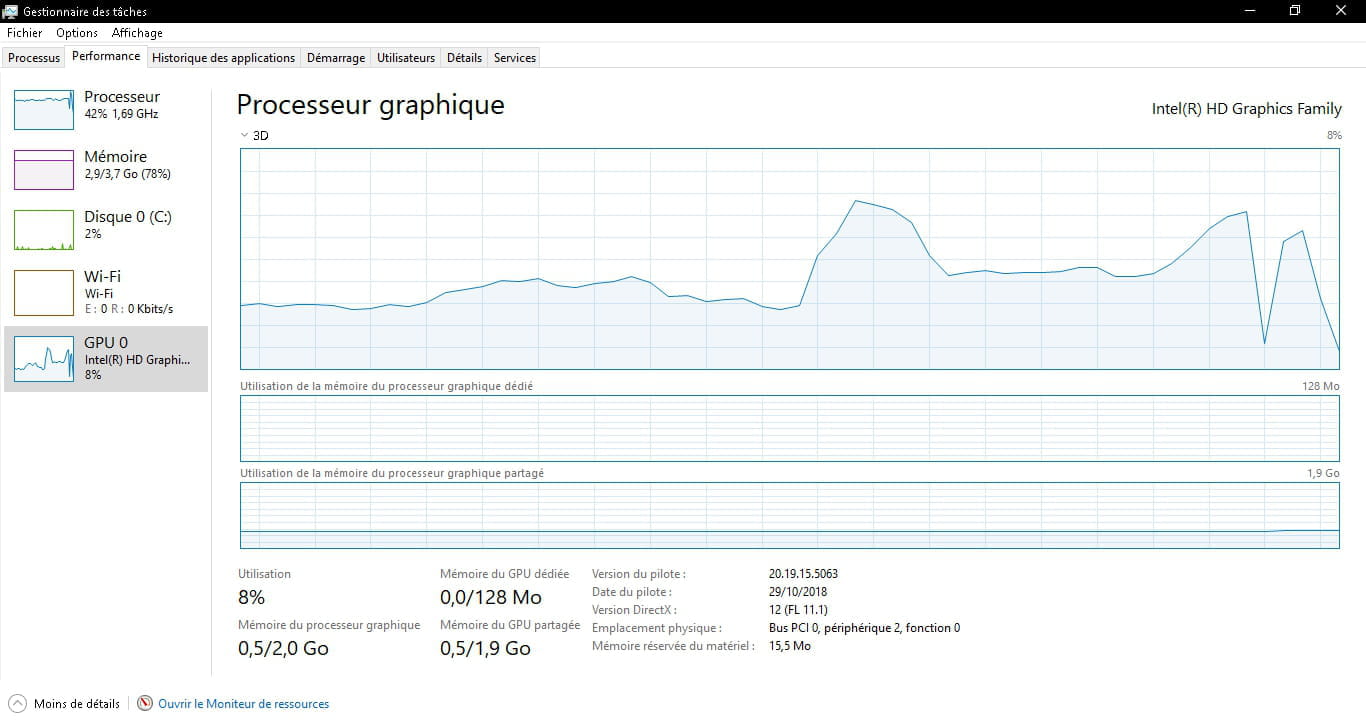
(The screenshot above was taken while I was playing)
Here is my PC setup:


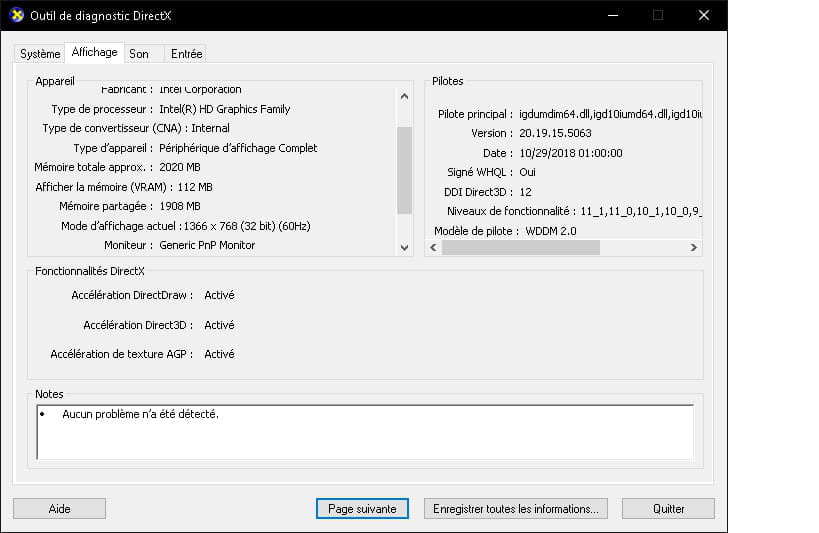

By the way, I've never seen the dedicated GPU memory being used, is this normal? (I have an integrated graphics card which could explain this)
I don't know much about computers, so my question is: Is this normal or not?
1 answer
-
Hello,
This laptop does not have a real GPU. Display is managed by the CPU's IGP. This IGP also doesn't have any VRAM, which means memory dedicated to the GPU. It draws from the main RAM (CPU) for its video RAM. That's why you don't see exactly 4 GB of RAM displayed in the Task Manager by Windows, even though there is actually a capacity of 4 GB of RAM; a portion is allocated for the graphics part.
Adding to that a rather weak CPU, only 4 GB of RAM, and an incompetent IGP for gaming, it's already quite good to have 50-60 FPS on CS:GO.
The memory allocated to the IGP is not the problem; it's just that the PC doesn't have components suitable for gaming.
Sometimes the RAM allocated to the IGP can be configured in the BIOS if you want to change it...
-
Good evening, thank you for shedding some light on the subject. But it seemed a bit strange to me that in the properties they displayed that there was 128 MB of VRAM when there isn't any.
And to finish, my BIOS/UEFI is quite limited since I don't have access to the ''Advanced'' tab in the BIOS, which is a bit annoying, but oh well. -
If your UEFI does not allow you to change the RAM allocated to the IGP, there is not much you can do except for some tinkering under Windows, which is not "clean." And in your case, it wouldn't make much sense to change it.
Moreover, it generally doesn't make much sense to allocate more RAM to the IGP, as its performance is often too weak to justify a larger amount of allocated RAM. That's why manufacturers often allocate, for example, 256 MB by default; since there's usually no point in increasing it, the option often doesn't exist. However, lowering the allocated RAM can sometimes be interesting to gain a bit of RAM usable by Windows on a purely office-use PC.
-
