AMD Radeon HD 6300M Series bad drivers
Solved
kcric
Posted messages
16
Registration date
Status
Member
Last intervention
-
kaneagle Posted messages 86298 Registration date Status Moderator Last intervention -
kaneagle Posted messages 86298 Registration date Status Moderator Last intervention -
Hello,
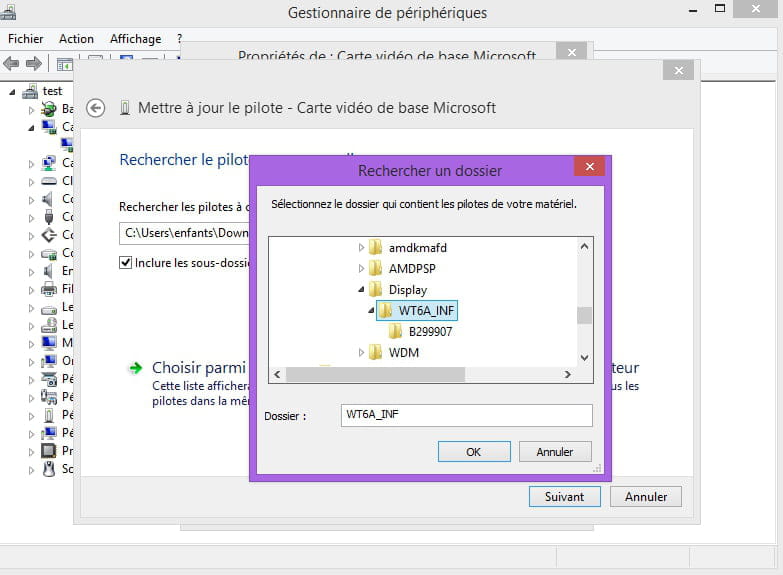
Following a reinstallation of my Windows 8.1 OS, I can no longer get the graphics drivers for the AMD Radeon HD 6330 M integrated into the motherboard of my HP G62 454Sf laptop to work. It restarts and fails to load the driver, so I have to restart in safe mode and use amdcleanuputility-x64.exe to clean up and test another driver... Without success.
I updated my BIOS, downloaded the drivers from HP's website, then from AMD, Crucial, Drivers Guide, etc... without success!
I tried the solution of changing the atikmpag.sys file, since I occasionally received this message: Blue screen with video driver issue atikmpag.sys VIDEO_TDR_FAILURE
I followed this procedure:
I renamed atikmpag.sys in C:\Windows\System32\Drivers to atikmpag.sys.old
I copied the one found in C:\AMD and pasted it into a directory...
In the command prompt (CMD), I typed this: expand.exe atikmdag.sy_ atikmdag.sys
I retrieved the file and pasted it into C:\Windows\System32\Drivers
The PC restarted correctly, but in Device Manager, there is a little yellow exclamation point on the graphics card indicating that the driver is incorrectly installed! Yet the restart gets to Windows without any issues..
Thank you for helping me if possible because I don't know what else to do!
I changed the memory and the hard drive in vain...
Following a reinstallation of my Windows 8.1 OS, I can no longer get the graphics drivers for the AMD Radeon HD 6330 M integrated into the motherboard of my HP G62 454Sf laptop to work. It restarts and fails to load the driver, so I have to restart in safe mode and use amdcleanuputility-x64.exe to clean up and test another driver... Without success.
I updated my BIOS, downloaded the drivers from HP's website, then from AMD, Crucial, Drivers Guide, etc... without success!
I tried the solution of changing the atikmpag.sys file, since I occasionally received this message: Blue screen with video driver issue atikmpag.sys VIDEO_TDR_FAILURE
I followed this procedure:
I renamed atikmpag.sys in C:\Windows\System32\Drivers to atikmpag.sys.old
I copied the one found in C:\AMD and pasted it into a directory...
In the command prompt (CMD), I typed this: expand.exe atikmdag.sy_ atikmdag.sys
I retrieved the file and pasted it into C:\Windows\System32\Drivers
The PC restarted correctly, but in Device Manager, there is a little yellow exclamation point on the graphics card indicating that the driver is incorrectly installed! Yet the restart gets to Windows without any issues..
Thank you for helping me if possible because I don't know what else to do!
I changed the memory and the hard drive in vain...