Printer not detected as printer
Solved
ShiroTaka
Posted messages
25
Status
Member
-
Pierr10 Posted messages 13860 Registration date Status Moderator Last intervention -
Pierr10 Posted messages 13860 Registration date Status Moderator Last intervention -
Hello,
I have a CANON I-SENSYS MF 4120 printer, and I am on Windows 10.
Since it does not automatically install the driver after I plugged it into my PC, I chose to search for the driver on the internet manually.
After installing it, the printer, which was previously detected as an unknown device, is now detected in the device manager as "Image Acquisition Device", which prevents me from using it as a printer, and therefore from printing documents.
I'm not quite sure what to do, as the driver does not seem to be faulty since the device is recognized, but in any case, I can't use it to print my documents.
I'll show you some screenshots that may explain things a bit better.
I remain at your disposal for further information or suggestions.
Thank you
ShiroTaka

Configuration: Windows / Firefox 65.0
I have a CANON I-SENSYS MF 4120 printer, and I am on Windows 10.
Since it does not automatically install the driver after I plugged it into my PC, I chose to search for the driver on the internet manually.
After installing it, the printer, which was previously detected as an unknown device, is now detected in the device manager as "Image Acquisition Device", which prevents me from using it as a printer, and therefore from printing documents.
I'm not quite sure what to do, as the driver does not seem to be faulty since the device is recognized, but in any case, I can't use it to print my documents.
I'll show you some screenshots that may explain things a bit better.
I remain at your disposal for further information or suggestions.
Thank you
ShiroTaka

Configuration: Windows / Firefox 65.0
3 answers
-
Hello,
"Not automatically installing the driver after connecting it to my PC, I choose to search for the driver online manually."
From which source?
What do you deduce from that? Wasn't it a mistake?
Try to reinstall the drivers correctly.
https://www.canon.fr/support/consumer_products/products/fax__multifunctionals/laser/laserbase_mf_series/i-sensys_mf4120.aspx?type=drivers&language=&os=Windows+10+%2864-bit) -
Hello,
Thank you for your response.
I searched for the driver using the printer reference and installed it from the same link you provided.
I tried reinstalling the driver correctly, but it doesn't seem to resolve the issue.
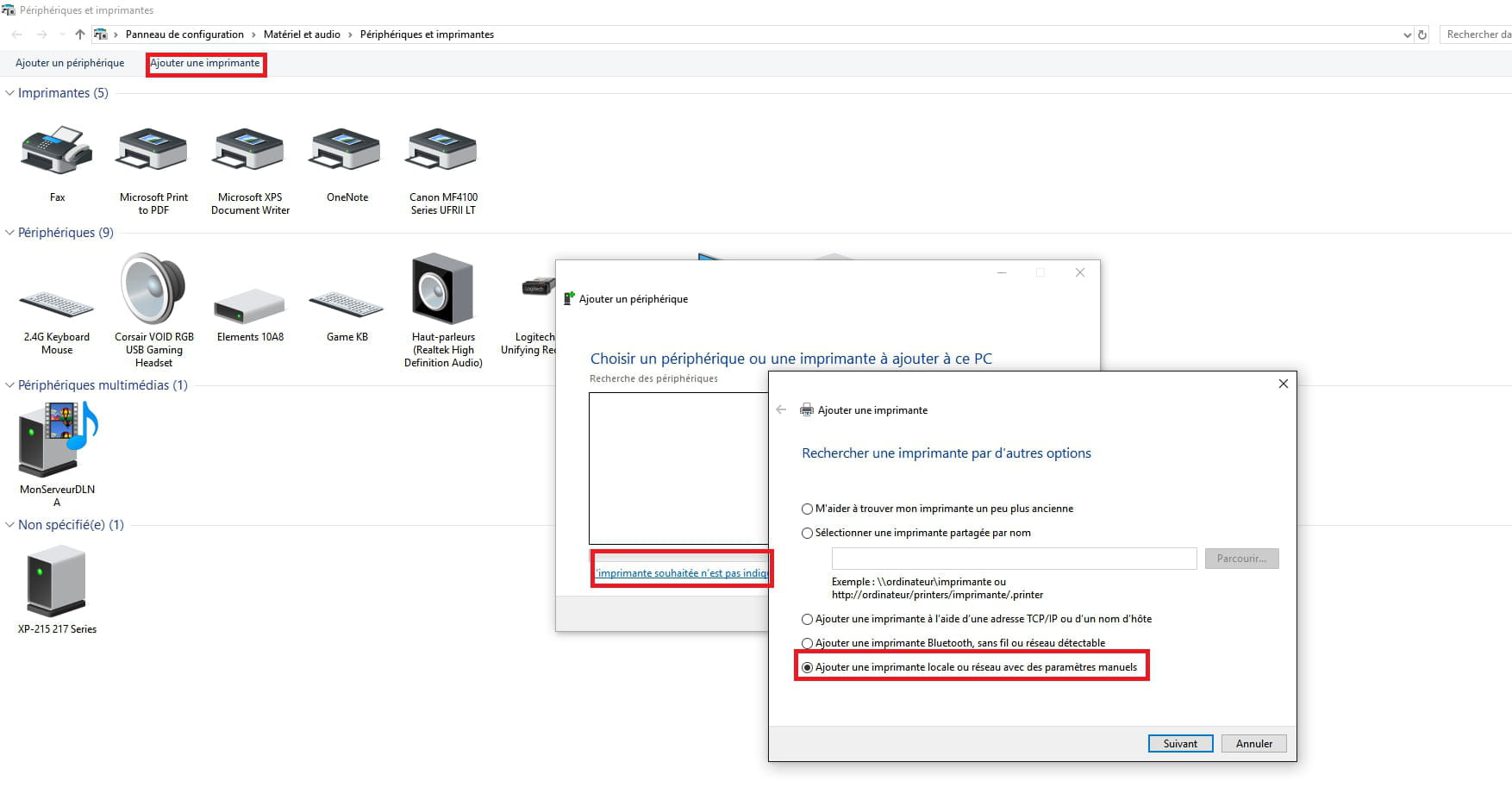
EDIT: I found the solution; I did it using the Windows menu as shown in the attached photo.
Thank you for your help!
-
Hello,
It is normal for your printer to show up as "Image Acquisition Device." That corresponds to its scanning function.
But it should also appear under "Printers" in the device manager.