
Impossible to copy and paste images from a file into an Open Office document
Solved
sefer63
Posted messages
7
Status
Member
-
OOoForum Posted messages 3871 Registration date Status Member Last intervention -
OOoForum Posted messages 3871 Registration date Status Member Last intervention -
Impossible to copy/paste images into an Open Office file from a Paint file!
-> the "pasted" image does not display! ... See attached screenshot

What to do? Please, thank you.
-> the "pasted" image does not display! ... See attached screenshot
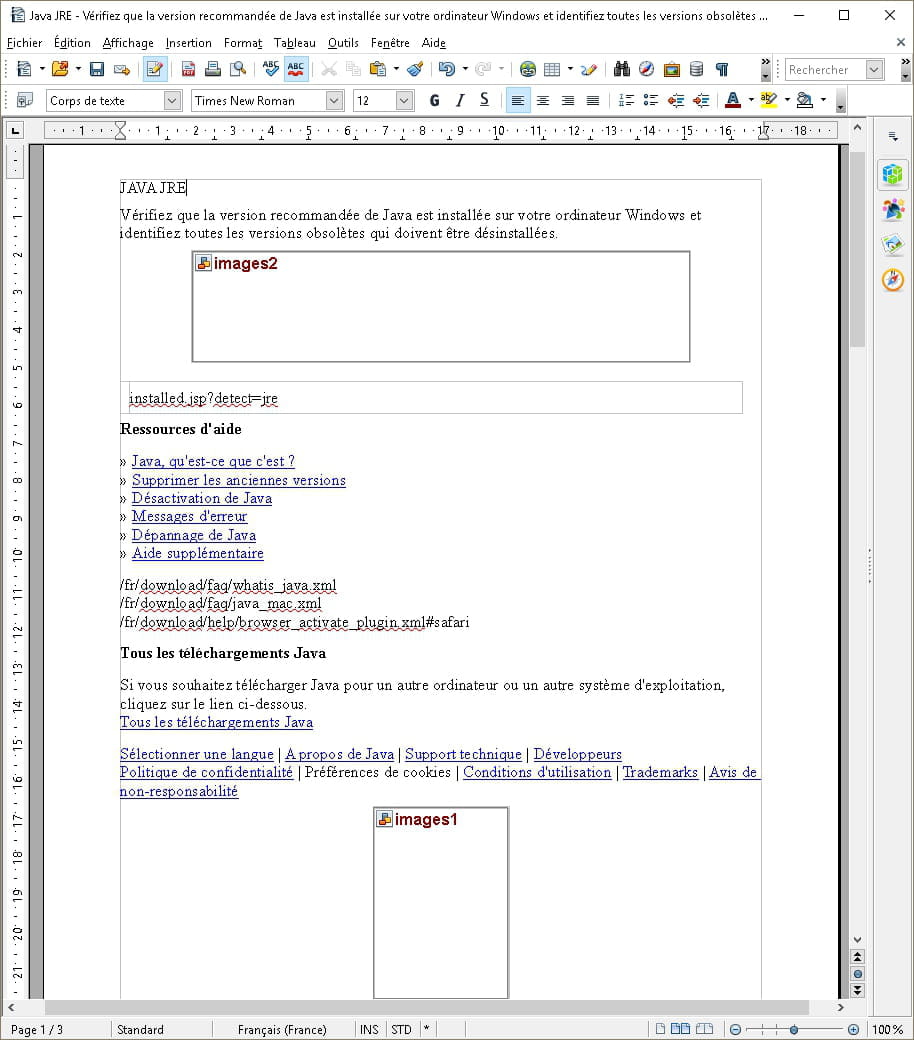
What to do? Please, thank you.
2 answers
-
Hello,
I use LibreOffice; but I suppose the menus are pretty much the same as in OpenOffice.
Go to Tools => Options => View
Make sure "Images and Objects" is checked.
OpenOffice has hardly any updates anymore. You'd better migrate to LibreOffice.
If the problem is solved, please mark the message as "Resolved" (Click on the gear icon at the top right of your initial message).-
Thank you for not spreading nonsense: OpenOffice only has one update per year and the latest one was in November.
-
Absolutely, Pierr10!…
There's no point in being aggressive… See OOoForum!…
Especially since thanks to you (Pierr10) my problem is solved!…
Thanks again!
However, I wonder why, even though it always worked until now, it suddenly stopped working!?…
The change of year?!…
I will follow your advice… i.e., use Libre Office instead of Open Office!…
-
-
When I see the length of the document name on your screenshot, I caution you about the risk of corruption.
.
--
Why hack MS-Office when there is a free solution available?
Use OpenOffice

