
You need to format the G: drive before using it.
samad13dz
Posted messages
168
Registration date
Status
Member
Last intervention
-
quentin2121 Posted messages 9011 Registration date Status Member Last intervention -
quentin2121 Posted messages 9011 Registration date Status Member Last intervention -
Good evening everyone!
I just plugged in my USB stick into one of the ports of my PC before getting the following dialog box:

I thought about trying to repair it with check disk: this is what I got:
I also tried to repair it with the utility testdisk and at the end of the analysis step, this is what I got:
I'm trying to avoid formatting as much as possible, but in this case, am I forced to format it? Or is there another solution?
Thank you and have a good evening everyone :)
I just plugged in my USB stick into one of the ports of my PC before getting the following dialog box:
I thought about trying to repair it with check disk: this is what I got:

I also tried to repair it with the utility testdisk and at the end of the analysis step, this is what I got:
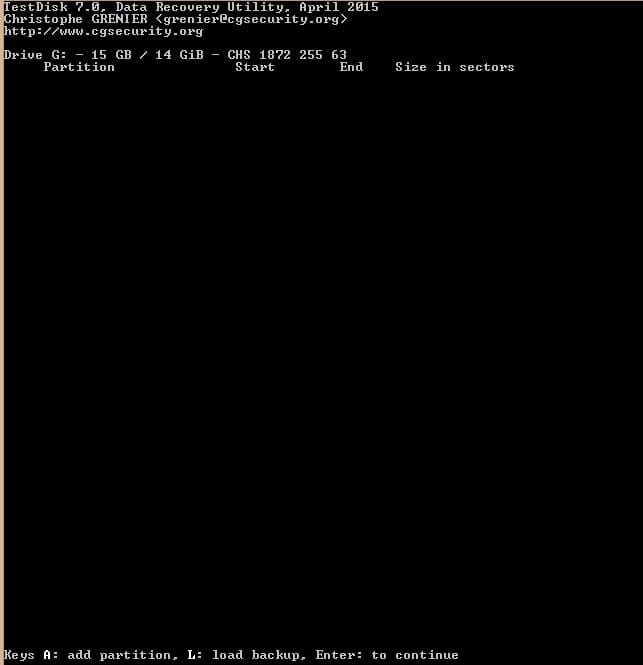
I'm trying to avoid formatting as much as possible, but in this case, am I forced to format it? Or is there another solution?
Thank you and have a good evening everyone :)
2 answers
-
Hello,
The command to repair is as follows:
chkdsk e /F /R
Then, if that doesn't work, you can assign a different letter using the administration tool, then disk management, right-click on the drive, change the letter
Unfortunately, if it's in RAW format due to a bug or power interruption, etc., the solution will likely be to format it. Before that, try EaseUS Partition Master Free to attempt to recover your files. Good luck!
--
“Take your chance, hold your happiness and go towards your risk. They will get used to watching you.” René Char

