Network Card Issue
Solved/Closed
Zaxcube
Posted messages
32
Status
Member
-
Bog -
Bog -
Hello, I wanted to let you know that for the past few days I have uninstalled my WiFi and LAN network card and
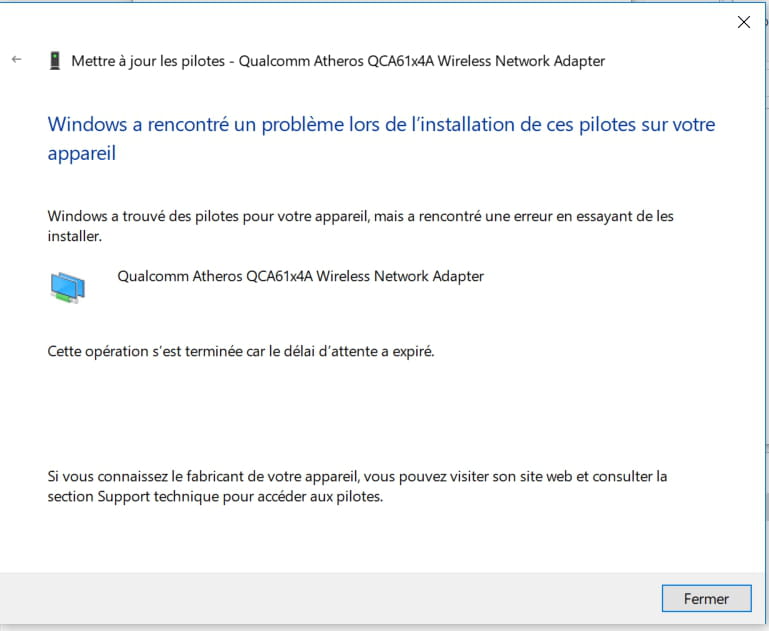
I restarted my PC and my connection displayed a white cross on a red background with the Ethernet icon in the background. So I tried to reinstall my drivers but nothing works
I also tried to reset my PC in the computer settings
And when I installed my LAN driver, a message appeared in a box with a yellow background and an exclamation mark saying: The Realtek Network Controller was not found. If Deep Sleep Mode is enabled, please plug the cable. And with the title: Realtek Ethernet Controller Driver - InstallShield Wizard
Here are the images:


Configuration:
OS: Windows 10 X64 - Acer Aspire VX5-591G
Name of my LAN card: Realtek PCIe GBE Family Controller
Name of my WiFi card: Qualcomm Atheros QCA61x4A Wireless Network Adapter
Processor: Intel(R) Core(TM) i7-7700HQ CPU @ 2.80GHz
I restarted my PC and my connection displayed a white cross on a red background with the Ethernet icon in the background. So I tried to reinstall my drivers but nothing works
I also tried to reset my PC in the computer settings
And when I installed my LAN driver, a message appeared in a box with a yellow background and an exclamation mark saying: The Realtek Network Controller was not found. If Deep Sleep Mode is enabled, please plug the cable. And with the title: Realtek Ethernet Controller Driver - InstallShield Wizard
Here are the images:


Configuration:
OS: Windows 10 X64 - Acer Aspire VX5-591G
Name of my LAN card: Realtek PCIe GBE Family Controller
Name of my WiFi card: Qualcomm Atheros QCA61x4A Wireless Network Adapter
Processor: Intel(R) Core(TM) i7-7700HQ CPU @ 2.80GHz