Driver for my Epson 1660 Photo scanner
jimmydujura
Posted messages
8
Status
Member
-
kaumune Posted messages 22605 Registration date Status Contributor Last intervention -
kaumune Posted messages 22605 Registration date Status Contributor Last intervention -
Hi. I still have an Epson 1660 Photo scanner… which I want to keep at all costs, given the quality of the product. When I moved from Windows XP to Windows 7, Epson didn't find it necessary to release an update for the 1660, so users of this hardware were able to continue using their scanner thanks to the software of the 1680 compatible with the 1660... and it worked for a few more years. I still have Windows 7, but after a move and a change of screen, I can no longer get my Epson scanner to work. Does anyone have a solution to continue using an old 1660 Photo, perhaps through the compatibility of a recent Epson driver (given my small pension, I can't afford to buy a new scanner)? Thank you in advance.
6 answers
-
-
-
Thank you again, but the translation of the first line of the document leaves me perplexed...: We are sorry, but what you are looking for is not available in this country... etc. On that note, we are offered Epson printers... no interest there. I am simply looking for a (free) driver that allows me to use my 1660 Photo.
-
-
-
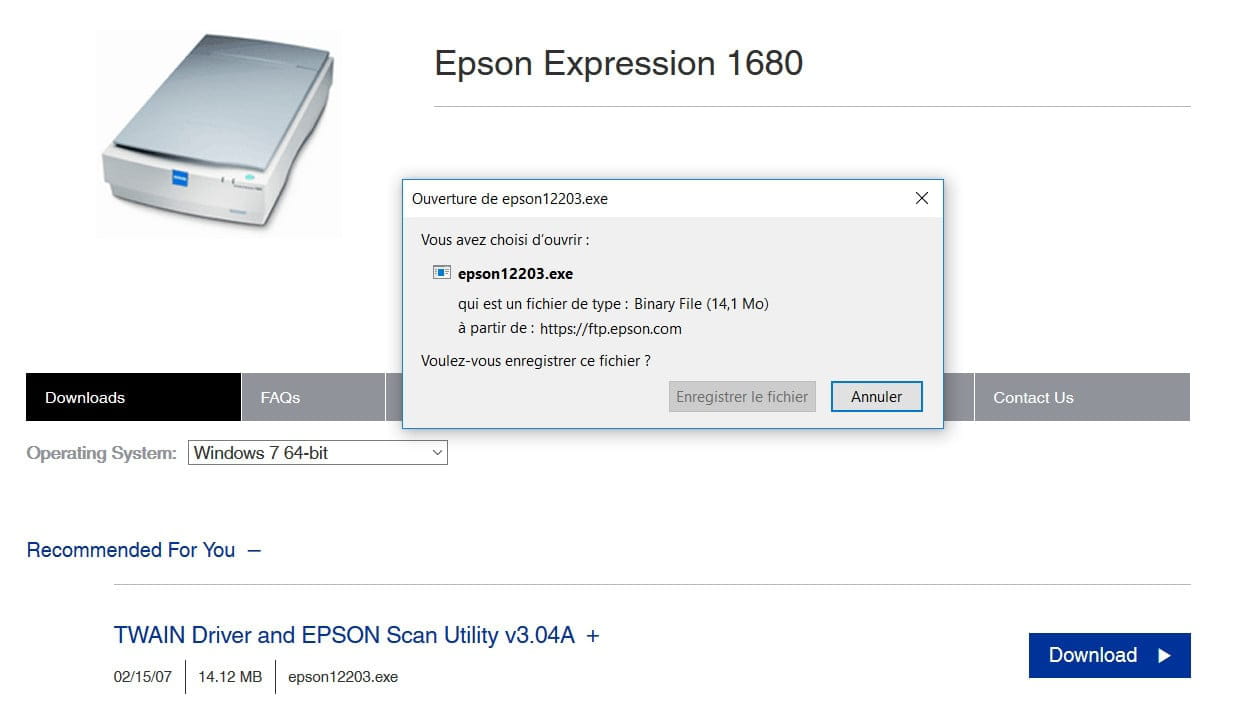
I fear I may have been stubborn for nothing. In fact, the driver for the 1680 that I used 2 or 3 years ago is the 'Perfection 1680 Photo', which has nothing to do with the link for the 'Expression 1680'... These are two completely different scanners. Moreover, for the latter, the download button remains inactive, which is why I'm having trouble achieving my goals. Should I resign myself to buying a newer one?!!
-
It is true that the 'Download' button was active once. I was well advanced in the process of getting my scanner back up and running, until I got stuck (as I mentioned in a previous comment) at the step 'Modify Settings'... I couldn't find where it was indicated!! It's too bad that I can't scan the document where I have all the information to reach the final result. I need to have it photocopied to send it to you in this section. I'm not giving up. Thanks again to those who are following and responding to my 'difficulties'.
-
We don't understand anything
Did you download and run the file epson12203.exe or not?
I asked you what parameters needed to be changed (yesterday at 5:07 PM)
You didn't respond
Send us screenshots of the "problem"
How to take a screenshot
-
-
Why 'WE'?... You shouldn't generalize! Yet I think I'm being quite clear! Let me try again: on one occasion, I was able to download and run epson12203.exe and continue with other steps until that famous 'Modify Settings'. (Since then, the 'downloads' button remains silent). You ask me 'which settings'?. I'm sorry, but 2 or 3 years have passed since I made those changes... so I don't remember; I just followed the instructions from A to Z that I found on the internet. It's worth noting that there are about twenty steps to get your 'Perfection 1660 Photo' scanner working again. I'm eager to share the document that helped me uninstall and reinstall the new driver a few years ago on this page. By the way, my browser is I.E.
-
No, you're not clear at all
We don't know exactly what you're doing and where you are precisely
At no point during the installation of the file epson12203.exe is there any mention of "Modify settings"
The only thing required is to provide the model of the scanner.
At the end, an Epson Scan icon appears on the desktop
Then we launch it and the Epson Scan window opens
Ok, never mind... good luck

-