No more navigate to button on Google Maps
Solved
bidounet84
Posted messages
476
Status
Member
-
Pascal -
Pascal -
Hello,
Currently on vacation, it's the time when I use Google Maps the most because when I'm walking, the rest of the year I use Waze.
When I search for a place, it suggests a route, but I no longer have the blue arrow "navigate to".
Something has changed in the app. I went to the Play Store to make sure I have the latest version.
Thank you in advance.
Currently on vacation, it's the time when I use Google Maps the most because when I'm walking, the rest of the year I use Waze.
When I search for a place, it suggests a route, but I no longer have the blue arrow "navigate to".
Something has changed in the app. I went to the Play Store to make sure I have the latest version.
Thank you in advance.
8 answers
-
Hello,
Does it work in France?
--
Thank you for keeping me updated => “Still at a standstill” “It’s resolved thanks to/because I found it was necessary”
because I often have several steps and always a trick up my sleeve!!! -
I can force stop in the application manager, however I don't see anything about uninstalling updates, it remains in version 9.***
-
Hello,
Alternative: the OsmAnd app
OsmAnd is available on Android and can be moved to a microSD card.
You can download a complete geographical area or just the road network using Wi-Fi (or your mobile operator's data if you don’t pay extra where you are - it can be extremely expensive depending on the country, be careful!!!).
The advantage over Google Maps: it keeps a large area in memory, gives more information, and works in all countries. For example, Google Maps is blocked in Thailand!
=> 7 free downloads (you have to delete one of the 7 to get an “8th”)
Nature/walking lovers:
No problem, paths for hiking or cycling are marked.
Like Google Maps, it displays your position with orientation (compass) on the map, you can adjust the map to face the direction of movement: not necessarily north at the top!
It is possible to see GPS coordinates (the position on the map by a blue dot) if location services are enabled, of course.
Route/GPS:
Settings
Personal / Privacy
Location => Enable location services
Open OsmAnd
Menu (3 horizontal lines)
Add-ons manager
Debugging and development
Go back and it will work:
"Navigation Arrow"
Car, Bike, or Pedestrian
From xxxx
To xxxx
“Go”
Thank you for keeping me updated => “Still stuck” “It’s resolved thanks to/to I found out it was necessary”
because I often have several stops and always one trip in my bag!!! -
I have a problem! How can I redirect to Google Maps by clicking on the coordinates that are in a PHP form? I want to know this code, I ask for your help, I am waiting for the answer.
-
Are you on the latest version? Good.
So go to the home page, then go to Settings > Apps > Maps. You should be in the Maps window in the settings.
Then what you do is Force Stop the app and then Uninstall the updates of the application.
Obviously, now that Maps is on the oldest version installed on your device (6.X or another), you will restart it (I think you know how to do that, right?) normally.
Is it restarted? Go to the Play Store and search for Google Maps in the search bar. Does the green button say "Update"? Click on it and wait (the download time varies depending on the speed).
Now go back to the app and check.
I hope it works. - ed.inc
--
If I'm here, it's for help! -
Hello again,
To reset (factory reset) the Google Maps app, you will need to download this app:
https://forums.commentcamarche.net/forum/affich-35020978-mobile-teeno-spam#p35308125
Hoping this will solve the problem ;)
PS:
I also have the latest version of Google Maps, and I was able to easily navigate on foot with internet.
If you download ("ok maps" in the search bar), only driving routes are offered, is that your case?
Without internet: OsmAnd offers walking and cycling routes (if you have previously downloaded the map of the area).
Please keep me posted => "Still stuck" "It’s resolved thanks to/ I found that I needed to"
because I often have several stops and always a detour in my bag!!! -
Hello,
When I search for a place, it offers me directions, but I no longer have the blue arrow "navigate to."
It's the same thing, right? No need to restart or force anything ;)
--
@+
Buno, Modo CS-CCM
The urgent is done, the impossible is underway. For miracles, provide for a delay...-
In fact, I do have the directions button.
But when I start using it, the map doesn't move at the same time as my position; I have to recalibrate the map, and the countdown to arrival doesn't work, it still shows the time and mileage from the start.
With the navigate to button, all of this worked. To temporarily solve the issue, I'm using Here WeGo, but I find it a shame to add an app to my phone when I already have Google Maps. -
-
-
-
-
-
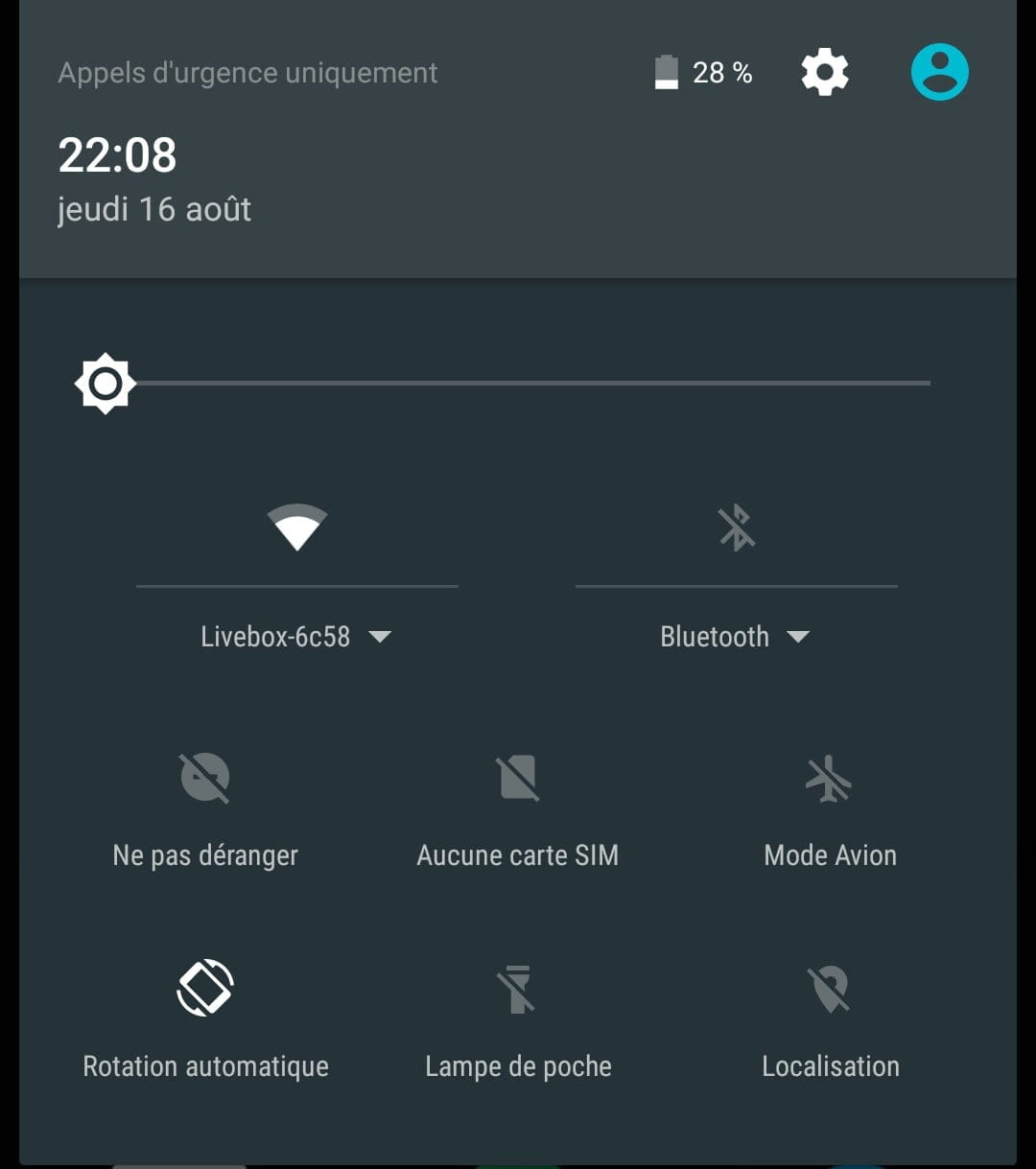
When you say "Location", are you talking about the icon at the top of the phone that can be turned on or off like Wi-Fi, mobile data, and flashlights...?
Or a setting in Google Maps that might have been turned off by mistake on my part?