
Fill cell if the other one is filled.
Solved
TheCrazyMod
Posted messages
3
Status
Member
-
TheCrazyMod Posted messages 3 Status Member -
TheCrazyMod Posted messages 3 Status Member -
Hello,
I am currently creating an Excel (2016) file to manage my accounts.
I would like the Entries and Exits (of money) columns, when I fill a cell in Entries with a value (which will automatically turn into €), for the Exit cell on the same row to automatically fill with a " / ". And vice versa, of course.
I tried with =IF(B5="","/") in cell C5, it works, but I cannot put =IF(C5="","/") in B5 because that would create a circular reference.
I hope you understand my problem.
I can't link my file, but here is what my sheet looks like for now:
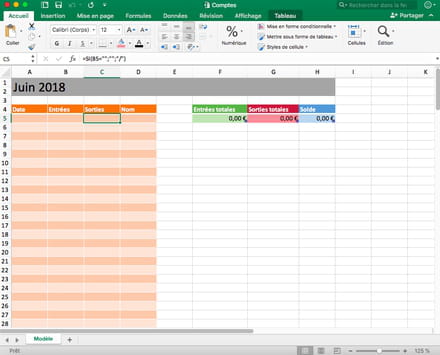
Thank you for your future responses,
Victor
Configuration: Macintosh / Firefox 59.0
I am currently creating an Excel (2016) file to manage my accounts.
I would like the Entries and Exits (of money) columns, when I fill a cell in Entries with a value (which will automatically turn into €), for the Exit cell on the same row to automatically fill with a " / ". And vice versa, of course.
I tried with =IF(B5="","/") in cell C5, it works, but I cannot put =IF(C5="","/") in B5 because that would create a circular reference.
I hope you understand my problem.
I can't link my file, but here is what my sheet looks like for now:
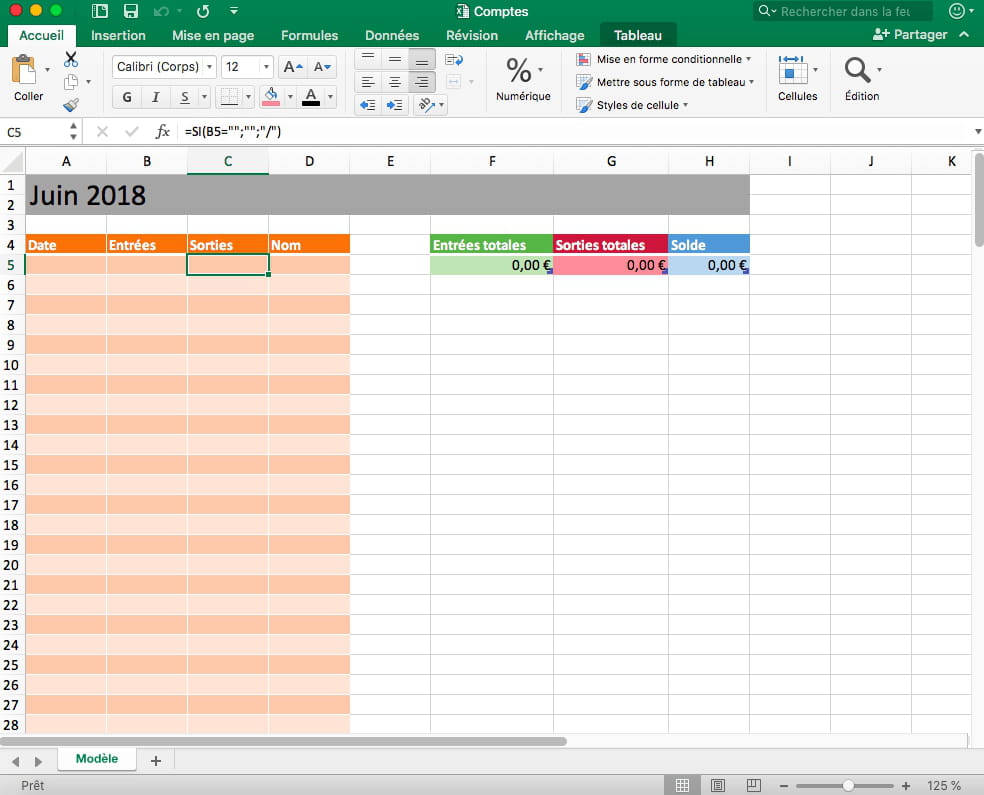
Thank you for your future responses,
Victor
Configuration: Macintosh / Firefox 59.0
5 answers
-
Hello
To send a file, you need to go through a file sharing site like cjoint.com
Go to this site: https://www.cjoint.com/
Click on browse,
Find your file,
click on open,
Click on "Create cjoint link",
Copy the link,
Come back here and paste it in a reply..
Best regards -
Hello
this can only be done in VBA, because placing formulas in cells that can receive keyboard values carries a huge risk of data loss as progress is made
moreover, if you place such a character in a cell, you will compromise all subsequent calculations that could rely on these columns as they are text values
I recommend:
1°) as a priority, to shade or highlight via conditional formatting the cell in the row that does not contain a value
2°) possibly for safety, to prevent by custom validation from filling a cell if the other one is already filled
if you want to know more in this direction, follow the excellent advice of our friend jc80 (hi)
and upload a file as recommended
looking forward to hearing from you
best regards
-
Your return file
https://mon-partage.fr/f/9wws8IoR/
the explanations for the two positions are in the sheet
get back if there's a problem
best regards
--
The quality of the answer mainly depends on the clarity of the question, thank you! -
Thank you for your responses!
Here is the link to my file: https://www.cjoint.com/c/HFBnM61H62M
I would appreciate it if you could explain to me how to proceed with conditional formatting if that is the only solution. -
Thank you very much for your help Vaucluse, it fulfills the function I was looking for very well!
Have a good week,
Victor

