"Unauthorized changes blocked" W10
Solved
Hello everyone,
Since the last Windows update, I often get stuck when I launch a program.
The computer refuses to open the program and shows me a message in the notification center: Unauthorized changes blocked. See screenshot below.

I have to go and authorize the program in the settings and it's very annoying. Do you have a solution or any information about this please?
Thank you
--
After all this time? Always
Since the last Windows update, I often get stuck when I launch a program.
The computer refuses to open the program and shows me a message in the notification center: Unauthorized changes blocked. See screenshot below.
I have to go and authorize the program in the settings and it's very annoying. Do you have a solution or any information about this please?
Thank you
--
After all this time? Always
9 answers
-
ContributorHello,
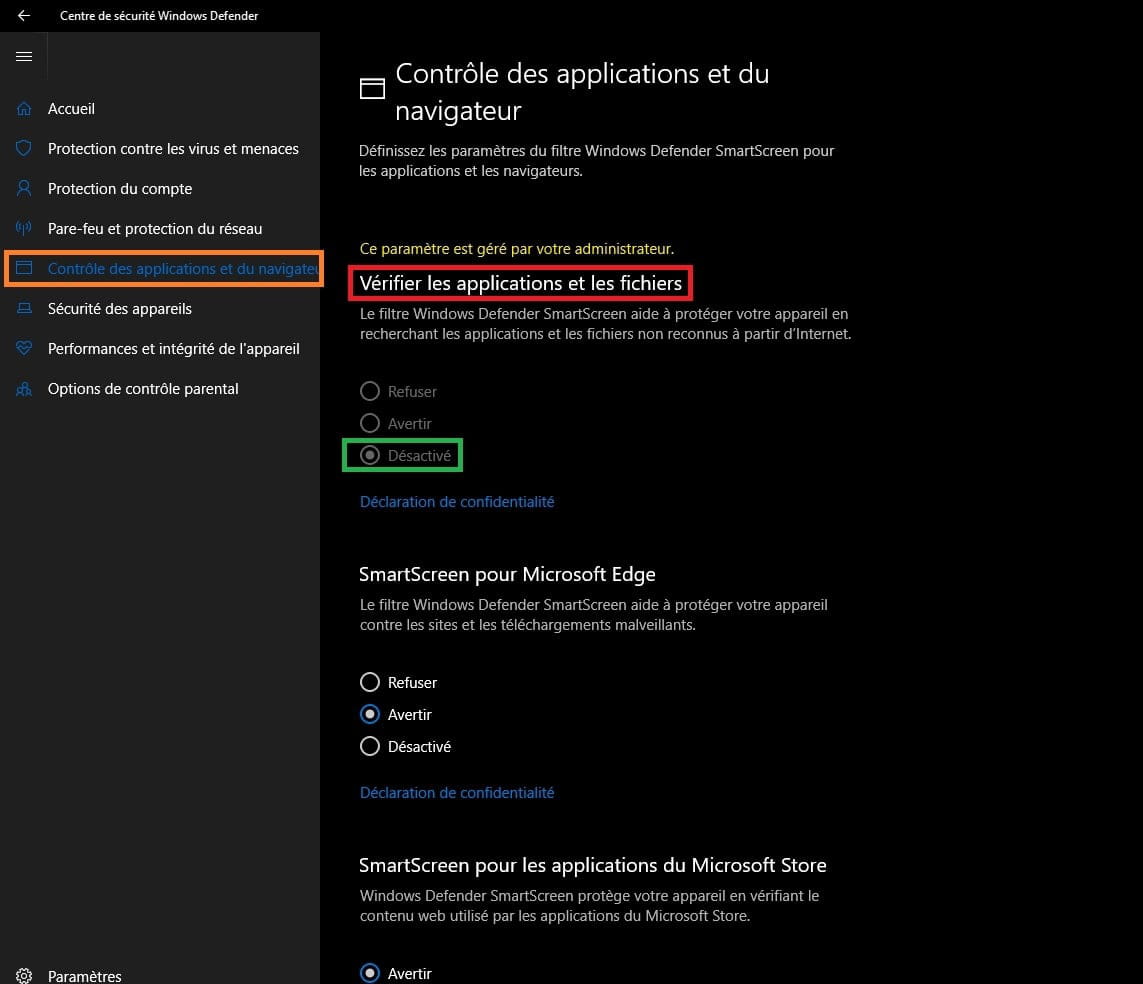
Windows Defender has an option to check applications and files
Disable this option
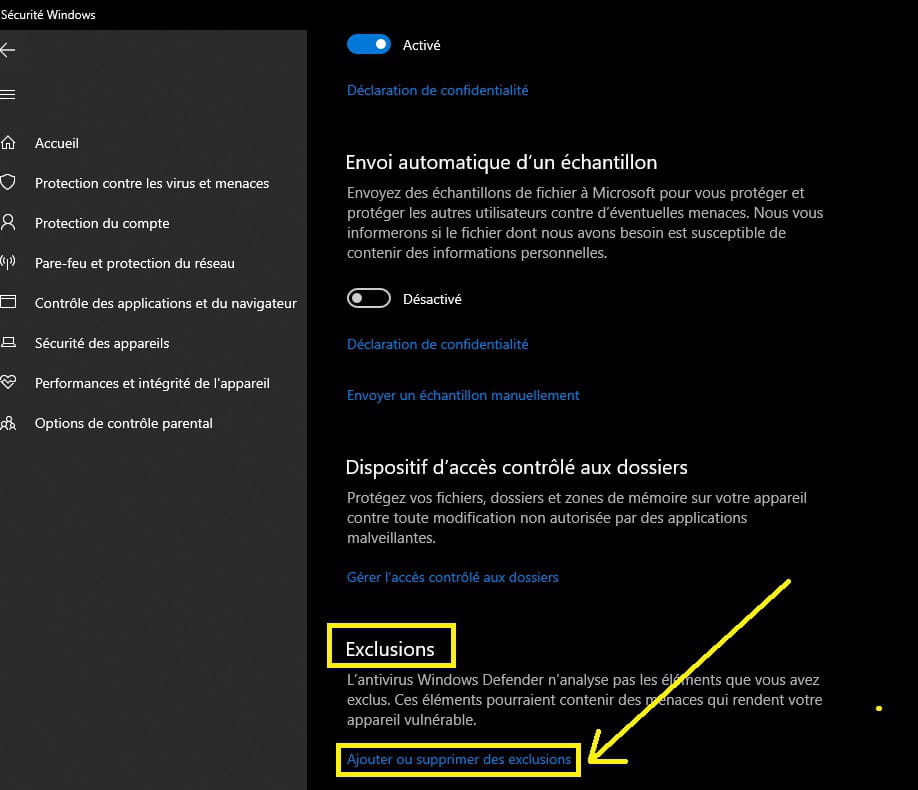
Open Windows Defender from the taskbar, sometimes in the hidden icons or type in Cortana
→ Windows Defender Security Center
The dashboard opens
Go to → App and file control
Go to the line → App and browser control
Section → check apps and files
Check the box → Disabled

Go back to the dashboard (home)
You will have an exclamation point on → App and browser control
just click on → Ignore

--
pistol