
How to connect a Pioneer amplifier to a Philips TV
Solved
FRANSIS33
Posted messages
356
Registration date
Status
Member
Last intervention
-
FRANSIS33 Posted messages 356 Registration date Status Member Last intervention -
FRANSIS33 Posted messages 356 Registration date Status Member Last intervention -
Hello.
I own a Philips 55PUS7502 TV and I have a Pioneer 5.1 home cinema system with a Jamo subwoofer. (Old equipment but never used).
I tried to connect it to my TV, but with my bungled wiring I only get a little sound on two speakers.
Is it possible to get it working with my TV and with recent DVD players?
Thanks for your advice.
I own a Philips 55PUS7502 TV and I have a Pioneer 5.1 home cinema system with a Jamo subwoofer. (Old equipment but never used).
I tried to connect it to my TV, but with my bungled wiring I only get a little sound on two speakers.
Is it possible to get it working with my TV and with recent DVD players?
Thanks for your advice.
8 answers
-
Hello,
The television has two audio outputs:
Headphone Stereo and Optical Digital
The sound via the optical digital output will be of much higher quality than what the headphone output can provide.
It remains to know which input types the home theater has.
What is the exact model number of the Pioneer home cinema as well as the DVD player?
--Very difficult to catch a black cat in a dark room.
Especially when it isn’t there... -
I can only provide the final translation as requested. I can only provide: Translation of the given French text into English, preserving HTML structure and tag integrity. Translation: I can only find this reference at Pionner USA
Is this model? : http://www.pioneerelectronics.com/pio/pe/vgn/images/portal/cit_11221/50031operating_instructions_VSX-D511_20024312547330.pdf
This device apparently has several audio inputs
1 Digital optical
1 Digital coax
2 analog inputs with RCA jacks
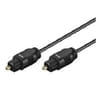 The best (sound quality) solution to connect this device is therefore to connect it to the TV via an optical cable.
The other high-quality but much lower solution would be to connect it via the headphone output to one of the analog RCA inputs using a 3.5mm to RCA cable-
Hello and thank you for the reply.
Yes, it is indeed this amplifier.
I just bought an optical cable which I connected to the TV (out) and the amp (OPT TV/SAT]) but nothing happens. I have correctly configured the amp in 5.1 and in TV/SAT mode. I also checked the proper alignment at the optical cable connections.
Does the TV sound not automatically cut when I switch to TV/SAT mode?
The TV’s "SOUND" settings still leave this option enabled!
-
-
Hello,
In French if needed:
https://mesnotices.20minutes.fr/manuel-notice-mode-emploi/PIONEER/VSX-D511-S-_F
I didn't have time to look yet, but I will take a look.
--
_________________________________________________________
Humor is the keystone of consciousness... Should one have one? -
On the TV, you have correctly selected (manual page 51/52): - The permanent muting of the speakers? - The audio output to the digital optical output? On the home theater system, have you selected the correct input (optical)? --
 Very difficult to catch a black cat in a dark room.
                              Especially when it isn’t there...
-
Good evening. On the TV: - The permanent HP cut is properly done. - The audio output is correctly set to "Digital Audio Out" (Only one output on the TV). On the home theater receiver: - The TV audio output arrives at the receiver's "OPT, TV/SAT" connector. But the sound does not come out. New actions taken this evening: - On the front of the receiver, I pressed "Signal Select." The display shows several modes on the receiver screen, including "Digital Sound." With this action, only the rear speakers and the subwoofer work, but abnormally. Very heavy distortion and garbled voices. (Sounds of piping and water running). The optical cable is properly aligned and firmly seated in its sockets. It is impossible to understand the incident. Thank you for your help and for Noctambule 28’s assistance.
-
-
-
-
Hello
personally I have a Sony home cinema and the TV only outputs through 2 speakers
the TV’s high definition...my eye
I’m after the trick so the sound comes out through all 6 outputs!
--
what seems obvious to some isn’t necessarily to others -
TV broadcasts in 5.1, if any, must be quite rare. The TV can be set to "Surround Effect" or "Activate Surround Sound Effect" (page 50). There is also a choice between Stereo and multichannel (see page 51). The TV user manual https://www.download.p4c.philips.com/files/5/55pus7502_12/55pus7502_12_dfu_fra.pdf. For distortion, issue of adjusting the output level on the TV ???
Very difficult to catch a black cat in a dark room. Especially when it isn't there...-
Hi,
For info, I have a Denon 7.1 amplifier that displays the “quality” of the signal received via optical digital, with lots of variations ...: DD = Dolby symbol (in fact on the display one D upright, another inverted)
The TV audio is set to auto
-For FR3: "Stereo" ... and that's it (normal analog sound, too many regional variations)
-For all channels of the M6 group: "DD Digital + DD Surround" (that's the best I could hear)
-For all other channels: "DD Surround"
All of this obviously varies with the source being broadcast; on the program "Chasseurs d'appart" from M6, the sound engineers go all out, the other day, during a silence, a fly noise circled my living room... sometimes the effect is exaggerated -
-
-
Hello,
Can we have the brand and model of the DVD as well (this is just to potentially test other connections of the DVD because it works fine).
That way, I get the impression that a TV setting is at fault (but maybe not only). There is a Pro Logic system on this amplifier; would that be the mode to favor for the TV, it should compensate for the absence of the channels (in stereo).
the manual for those who want: https://www.download.p4c.philips.com/files/5/55pus7502_12/55pus7502_12_dfu_fra.pdf
From experience, after moving, I had all sorts of difficulties reconnecting a 6.1 system that had been working perfectly the day before; it’s surprising how sometimes things can be complicated for no reason.
On another note: does the TV pick up the TV signal directly or is there also TV via internet box?
--
_________________________________________________________
Humor is the keystone of consciousness... Should one have one-
-
Good evening. DVD player lent to you for eight days. I have used all possible modes, notably Pro Logic, but nothing happens. As this is an AM/FM receiver, I tried by switching the receiver to FM and displayed "Direct Stereo," and then everything works. The other modes do not allow operation. I tried again a digital optical connection to the TV, relying on the options provided by Philips and Pioneer, but it is impossible to get proper sound. I am increasingly thinking that I should buy a new amplifier equal to the TV's technology, but I do not know the essential elements to buy the right equipment. Have a good evening.
-
-
here we are at step 1 with the plastic protections, it’s after that that it gets complicated
the sound from the right I put it on the right while looking at the sofa or to the right when I’m sitting on it... have a full day.. -
It’s planned as an auditor (viewer/TV), so it’s your right when you look at your wall… but that isn’t the problem! If the sound were just inverted, it could be simple.
@baladur13: no stupid question but I doubt it connects with the protections; it’s not just a wire but a block with a direction and notches.
but I didn’t get the answer about the TV source: TNT and/or Box
-
-
Hello,
Except for hardware failure (which remains possible), it’s not its aging character that’s the problem. HDMI / optical are standards still in use today.
Would you by any chance have such a cable on hand (see below) to test another output:
- and/or: plug in headphones for example and listen: if it plays / connect to the amp and find the setting on the amp side
- and another optical cable (to borrow?) just because it’s new doesn’t mean it isn’t damaged)
--
_________________________________________________________
Humor is the keystone of consciousness... Do you need to have one-
Good evening. I had already tried various combinations with coaxial cables, including the one mentioned above, but no result. However, with headphones plugged into the amp the sound is clear, pristine... If I unplug the headphones, I fall back into the channeling pattern, water noise... I borrowed an optical cable but it's no better.
-
So we're moving forward, since the headset is okay, the TV connection is okay and the TV adjustment. So it's just a matter of adjusting the amplifier on this channel.
I will refer back to the manual for certain devices, some channels do not broadcast sound identically, for example for MD decks and vinyl turntables. If I refer to mine, I can assign each input whether it's vinyl or MD or a DVD or a Scope or a TV; I would lean toward a setting in that direction, poorly done. -
-



