
Toolbar disappearing in Word 2007
Solved
Emilievasion
Posted messages
277
Registration date
Status
Member
Last intervention
-
Anonymous user -
Anonymous user -
Hello,
I would like to know how to keep that bar in Word 2007 that disappears every time I write text.

I want it to always be present; and I haven't found
Thank you for your solutions.
I would like to know how to keep that bar in Word 2007 that disappears every time I write text.
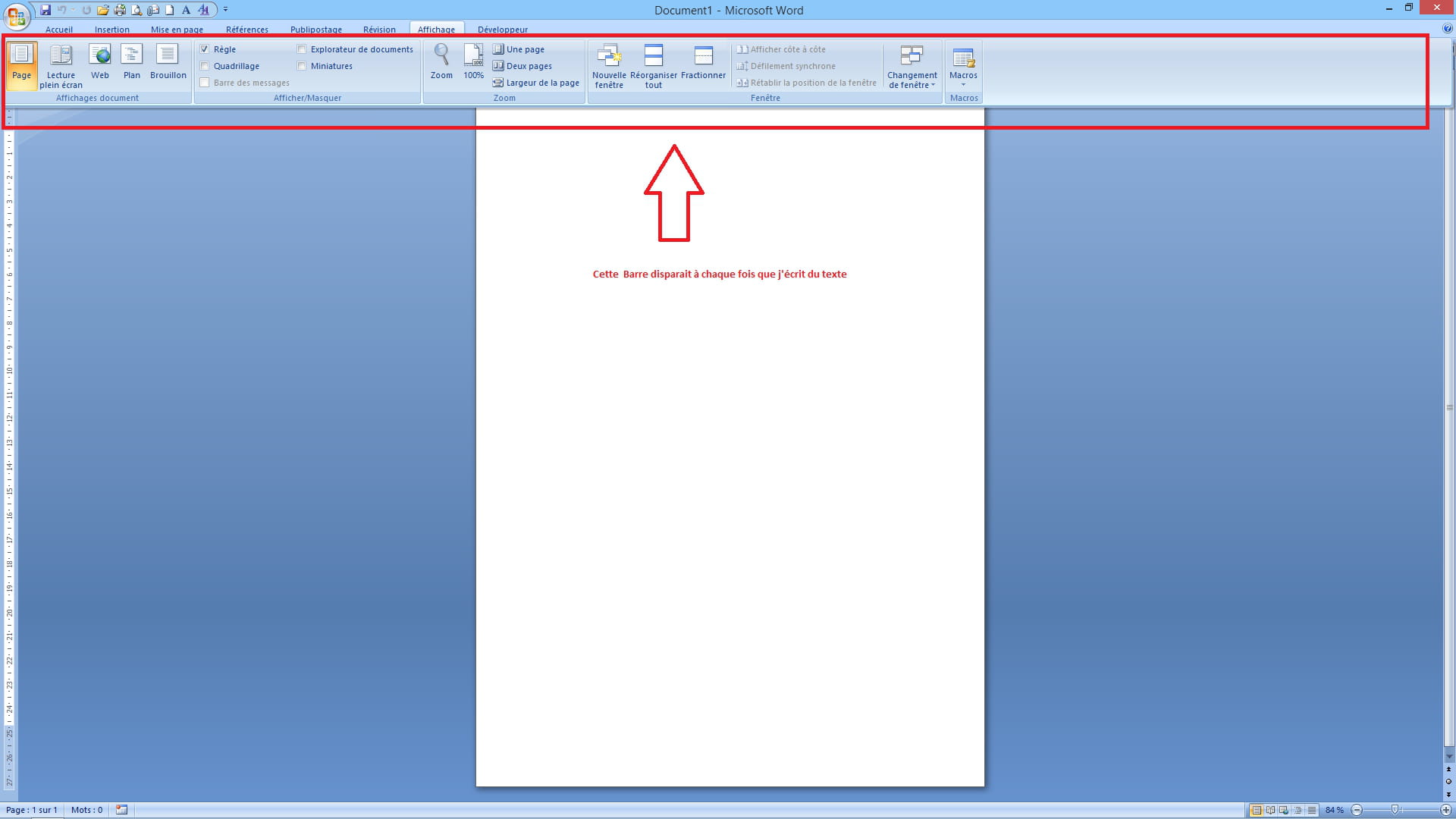
I want it to always be present; and I haven't found
Thank you for your solutions.
2 answers
-
Hello Emilievasion,
Your issue seems quite unusual!
Just in case, try <ctrl><f1> and see if that resolves the problem.
If not, try repairing your Office software: close Word;
Control Panel, Programs and Features =>
a window with the list of programs installed on your PC;
select the line "Microsoft Office ... 2007," then click
on the "Repair" button.
If your problem is resolved, please go to the top of the page
to click on "Mark as resolved."
Best regards. :)</f1></ctrl>-
Hello albkan
Nothing out of the ordinary... :) especially since you provide the solution! There is indeed a way to choose the ribbon display. Ctrl+F1 is the right solution. You can also use the Minimize the Ribbon command accessible via the drop-down arrow on the Quick Access toolbar.
m@rina
Hello m@rina,
Unfortunately, it’s not that simple! < Ctrl >< F1 > allows you to show/hide the ribbon,
but Emilievasion says that it’s by typing text that the ribbon disappears!
And that’s what I find abnormal! Because on my own Word 2007, that has
never happened to me before! It’s so strange that I suggested a repair!
Best regards. :)
- Hi,
I read your message before you deleted it!
My problem is well resolved and my question is well posed; the only thing I might not have mentioned is that I work with a dual screen setup from a 15" laptop and a 27" monitor.
The comfort is better for working on a large screen. Maybe that's why it doesn't work for you. Indeed, I should probably move my bar again once I'm done on the 27". - @Emilievasion: I have read your message #8, and I thank you for
your additional information about the screens. Best regards. :)
-
It's normal when you choose not to display the tabs fully: if you click on a tab to use a command, the ribbon appears. But as soon as you start typing your text, it hides... this prevents, for those with small screens who find the ribbon too cluttered, an automatic behavior that hides the ribbon every time it’s no longer needed.
m@rina
-
-
Hello,
Thank you both, it works wonderfully
Have a great day

