Vertical rule
Solved/Closed
Hello,
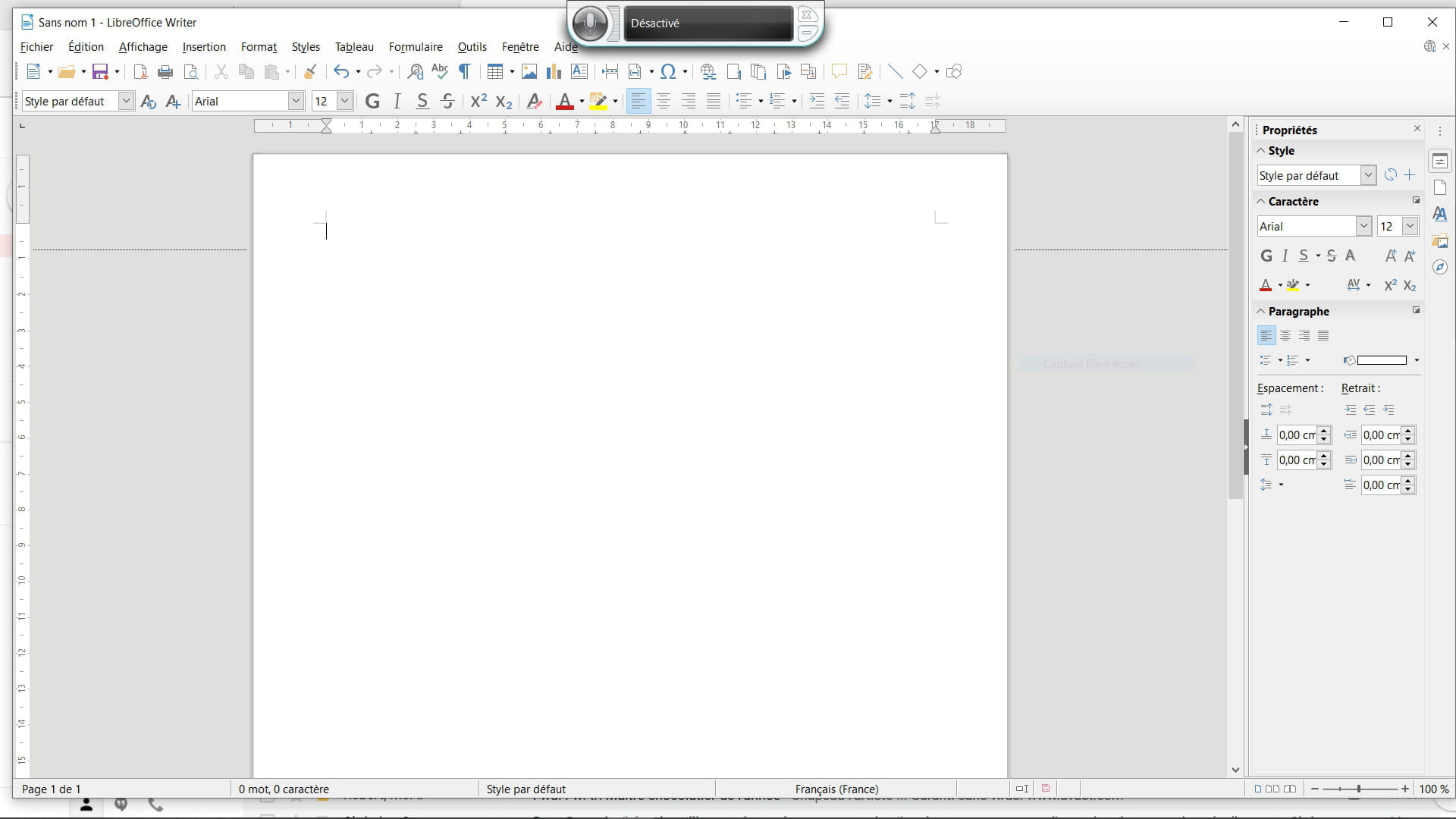
I bought Office and I'm stuck on a vertical ruler issue in Word; I can see the ruler but not the adjustment marker. I followed the procedure outlined in the help section but nothing changes, I’ve requested assistance from Microsoft but I’ve been waiting a long time for a reply. If anyone has any idea, I would appreciate it.
Thanks
gbko
Configuration: Windows / Edge 86.0.622.43
I bought Office and I'm stuck on a vertical ruler issue in Word; I can see the ruler but not the adjustment marker. I followed the procedure outlined in the help section but nothing changes, I’ve requested assistance from Microsoft but I’ve been waiting a long time for a reply. If anyone has any idea, I would appreciate it.
Thanks
gbko
Configuration: Windows / Edge 86.0.622.43
5 answers
-
ModeratorHello,
We don't know what you mean by "adjustment stop"...
On the horizontal rule, we can place stops, but I don't quite see how it works on the vertical rule...
As for the procedure outlined in the help, what are you talking about?
m@rina
--
From now on, if a user tells me "it doesn't work" without any further info..., I'm done! -
ContributorHello bgko.
- There is no stop in the vertical rule, as there is no vertical tabulation.
- There is no procedure in the Help for a tool that does not exist. You must be confused.
- An individual has very little chance of getting a direct response from Microsoft.
--
Retirement is great! Especially in the Caribbean...
Raymond (INSA, AFPA) -
M@arina Raymond thank you
To better understand my issue, I'm attaching 2 screenshots:
_ one from Office purchased on my desktop
_ one from LibreOffice loaded on my laptop,
in LibreOffice I have the ruler with the vertical adjustment tab while in Office I have the ruler but no tab and when I open a new page I don't even have a margin at the top of the page despite a configuration requiring a 25mm margin. The only solution is to go down with the "enter" key
there's my issue, not serious but bothersome
if you have any ideas I would be very interested
Thank you

-
ModeratorHello,
It seems there is a vocabulary issue. What we call a "taquet" is this:
The "taquet" only concerns the horizontal ruler.
To adjust the top margin, which in your case is set to zero, move the mouse cursor to the top of the ruler. It will change into a two-headed arrow to adjust the margin.
You can also go to Layout > Margins to set your margins, either with the predefined values or with custom values.
--
What is well conceived is clearly expressed,
And the words to say it come easily.
(Boileau) -
Pierr10 thank you I succeeded but it didn't appear at first and now it opens every time I open a new file
long live how it works which always finds everything thanks to its active participants
thank you
gbko