
More wireless network other devices network controller
Solved
amnefixs
Posted messages
34
Status
Member
-
amnefixs Posted messages 34 Status Member -
amnefixs Posted messages 34 Status Member -
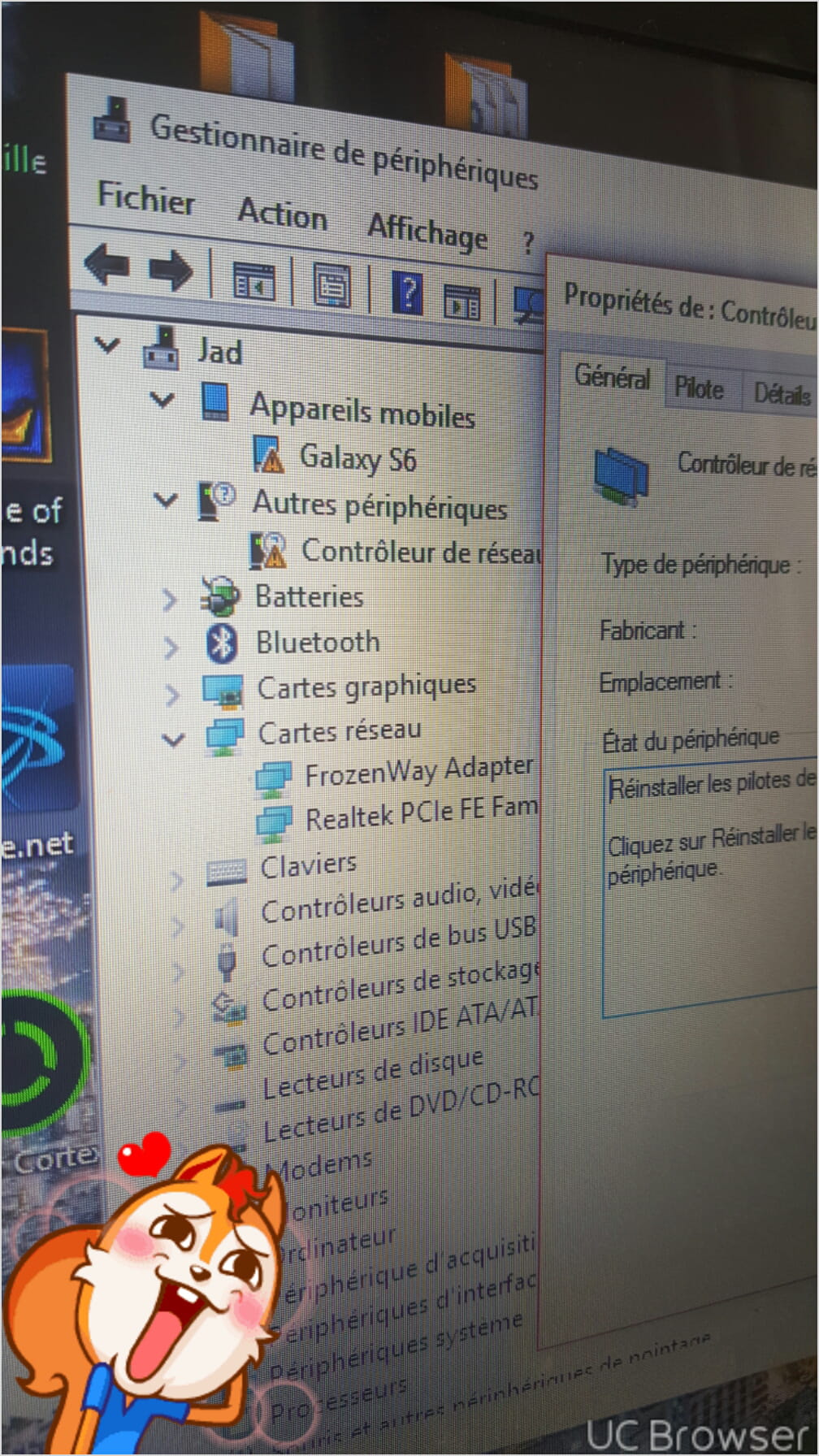
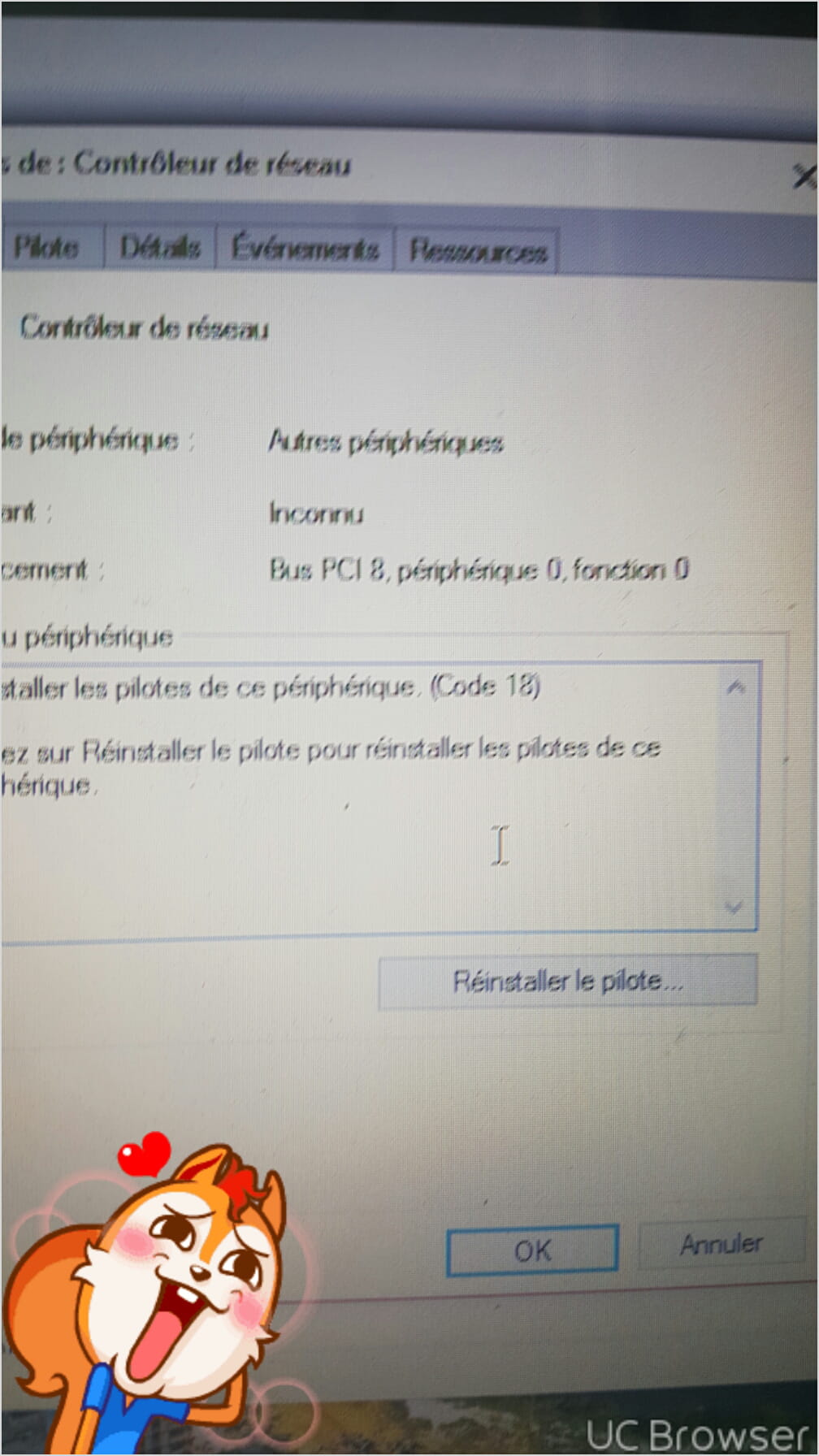
So here it is, I can no longer see or connect to wireless networks, and I can't connect via ethernet (so there's no need to ask me about that :) in the device manager my wireless network card is not in the network card category but under other devices there is a network controller I click on it and I can reinstall the driver I click on reinstall the driver I select search automatically for an updated driver and I get a message: Windows has found a driver for your device but encountered an error while trying to install it with the name of the card Ralink RT3290 802.11bgn Wi-Fi Adapter
And below Invalid data. Help I can no longer connect and I am writing just from my smartphone sorry for the quality of the screenshots


And below Invalid data. Help I can no longer connect and I am writing just from my smartphone sorry for the quality of the screenshots
16 answers
-
-
help I don't want to reset just for that
--
Posted from CCM Live forum for Android -
the Ethernet cable isn't working either
--
Posted from CCM Live forum for Android -
-
Hello, it says "installation complete" but I've restarted and it's still not working :/
--
Posted from CCM Live forum for Android -
Go to Start
In the search bar
Type --> devmgmt.msc and hit OK.
If the device is still alert in --> Other Devices
Provide the hardware ID number of the device
Right-click on the device
Properties
Details tab
Select the hardware ID number.
It's a number that should look something like this as an example:
--> PCI\VEN_1969&DEV_1026&SUBSYS.......
If needed, check --> here
What do you have in Network Adapters?
--
Human beings are at their best when things are at their worst. -
I have PCI\VEN_1814&DEV_3290&SUBSYS_18EC103C&REV_00
PCI\VEN_1814&DEV_3290&SUBSYS_18EC103C
PCI\VEN_1814&DEV_3290&CC_028000
PCI\VEN_1814&DEV_3290&CC_0280
and in the network card it doesn't even display anymore, I have nothing left.
--
Posted from CCM Live forum for Android -
--> Operating system?
--> 32 or 64 bits?
Still try this one --> Ralink
Human beings are at their best when things are at their worst. -
-
Download the Ralink driver (sp66089.exe)
Download and install --> 7Zip 64 bits
Right-click on the driver --> sp66089.exe
Choose --> 7Zip
Choose --> extract to sp66089
Go to Device Manager
Right-click on the device in question
Update driver
Search for a driver on my computer
Browse
Go to the folder of the unzipped driver --> sp66089
Folder --> drivers
Folder --> win8
Select the folder --> X64
OK, next
Restart
Human beings are at their best when things are at their worst.-
Hello, thanks again. I have a question: do we install the file you told me to download (Ralink)? I've followed all your steps, and after clicking on next, I still receive the same error message as in screen 3 of the question (invalid data). I restarted and still have the same problem. I think I'm going to end up resetting if I can't find a solution. :/
--
Posted from CCM Live forum for Android
-
-
 I don't even have the Wi-Fi icon
--
Posted from CCM Live forum for Android -
I can't even reset my computer

--
Posted from CCM Live forum for Android -
I think I'm stuck
--
Posted from CCM Live forum for Android -
-
No more alerts in the device manager?
Human beings are at their best when things are at their worst.-
if I finally restored from a restore point
the one that has a problem like mine which is very rare because normally we don't receive the error message with invalid data
I couldn't restore or reset my computer I had an error message I restarted my computer
I was in my closed session and I had to enter the password and I opened the secret menu of Windows 10 (Shift + Restart) see the video below: https://www.youtube.com/watch?v=JvrJKdSKEaM&feature=youtu.be (just the first 2 minutes where the kind person shows us how to enter this menu) here we can reset or restore our computer I tried to restore, it's good everything is fine the restoration starts at 1% and progresses I was happy when it reached about 20% I received the same error message as usual. Still in the secret menu I tried to restore from a Microsoft software that I had installed the morning of the same day I had my problem and there... BAM it worked I waited 30 minutes and my computer powered on and the wifi network is activated, my card is fine in the device manager.
Thanks to Kaneagle the one and only but very kind person
--
-
-
Content for you.
Have a nice day.
--
Human beings are at their best when things are at their worst.

