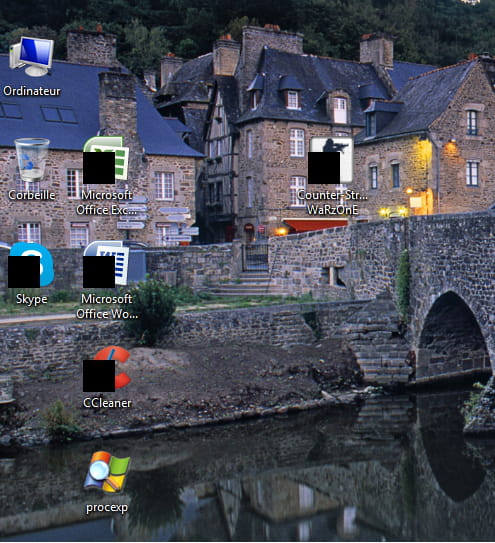
Black squares on some desktop icons
Solved
axe1888
Posted messages
4
Status
Member
-
aXurit66 -
aXurit66 -
Hello,
Black squares are appearing on some icons on the desktop (shortcuts).
What should I do, please, to make them disappear???
Help!!!!
Thank you.

Black squares are appearing on some icons on the desktop (shortcuts).
What should I do, please, to make them disappear???
Help!!!!
Thank you.
2 answers
-
Hello,
Go to Start
All Programs
Accessories
Right-click on --> Run
Choose --> Run as administrator and confirm
Type --> regedit and OK.
Follow this tree:
HKEY_LOCAL_MACHINE\SOFTWARE\Microsoft\Windows\CurrentVersion\Explorer\Shell Icons
Double-click on value 29
Put 51 instead of 50, it should look like this:
--> %SystemRoot%\System32\shell32.dll,51
Close the registry
Restart the PC.
Human beings are at their best when things are at their worst.