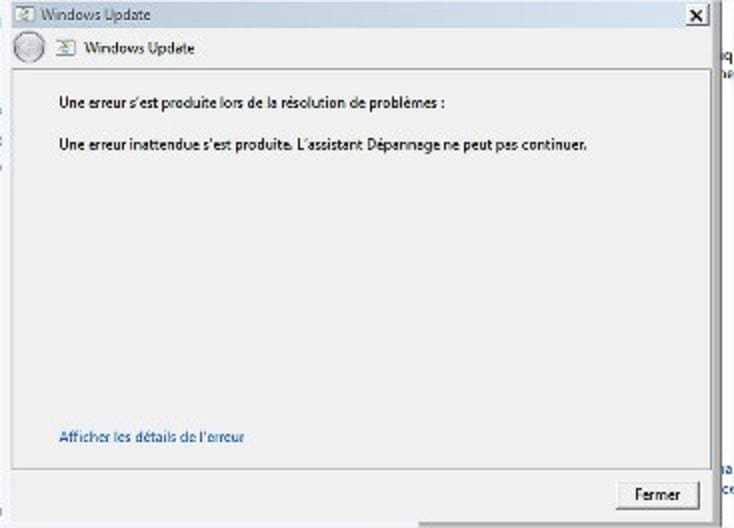
While researching a small issue installing older software, an screen shows:
" A problem prevents the troubleshooter from starting " error code 0x800706F7
My troubleshooter is broken...
I have the same problem, my troubleshooting assistant usually helps me re-enable the wifi on my network card because it keeps disconnecting, I can’t access the internet anymore...
Whymax
Hello! There are now 3 of us for this problem! Unable to connect to the internet via Wi-Fi due to error code 0800706f7, I plugged my Acer Aspire into the router with an Ethernet cable. In the Network and Sharing Center I disabled another network that was interfering, and the connection worked! This isn’t really a solution, more of a workaround! But at least I have internet and the possibility to install a Windows update which should not be long in theory. Hope I’ve helped you.. Best regards! Max
vad
Hello, I have the same problem. The Wi-Fi connection is visible but impossible to connect, even when plugging in the Ethernet cable. If I try to run the troubleshooting assistant, I get an error message with code 0x800706f7. I searched for the update kb3004394 mentioned in a previous message, but it is not installed. I can't restore, I'm at a dead end. Does anyone know a solution, thank you.
caline41
Hello, I’m encountering the same problem and there’s still no solution. I receive error code 0x800706F7 and the update KB3004394 isn’t in my list. What should I do? Thanks in advance.
speedXforce
Good evening everyone, I’ve found the solution. You need to uninstall the Windows update KB3004394. For those who don’t know how to do it, here is the procedure: - Start - Control Panel - Programs - Programs and Features - View installed updates - search for the update KB3004394 - right-click Uninstall - restart the PC For me it worked Have a good evening
carsly59
ok merci je tente !
carsly59
It worked for me! great, thanks
Rems 39
Hello! As far as I’m concerned, after new automatic updates that occurred today everything is working again normally!
darkj56
idem for me une personne a t'elle une réponse pour résoudre ce problème s'il vous plait ?
speedXforce
Hello everyone, I think this started happening since the latest Windows Update updates, because since then I have the same problem with Windows Defender not activating. I did a system restore and everything works again. I reinstalled the updates for confirmation and verdict: it reproduces. If someone finds a solution, let me know, thank you.
Mecaso
Good evening
Well, even in Safe Mode, the Windows 7 Troubleshooter is... resistant to any help....!!!!!
chrislene
same problem for me!
Keygendu6363
Your repairman is broken! What a nightmare :)
-- Keygen, the doctor of computers :)
Rems 39
Hello, same problem since yesterday, following an automatic Windows Update. No more assistant...
speedXforce
We are two now saying it comes from Windows Update but no idea how to fix the problem
marco58
Même problème avec Windows 8.1, aide !!
OnchePower
I've had the same problem since yesterday, it's also because of the Windows updates. I'm on Windows 7...
Mecaso
Good evening
Me too, my Windows 7 troubleshooting assistant is....broken!
Mecaso
Good evening
For me too, the Windows 7 troubleshooter is... broken!
Mecaso
Hello
Troubleshooter assistant still broken!
It's still strange that no one has a solution to fix us!
Mecaso
Good evening
Well, even in troubleshooting mode, the Windows 7 Troubleshooter assistant is... resistant to any help....!!!!!
Mecaso
Good evening
(Yes, it doesn't cost much)
I have the impression they will let us sort it out ourselves!
There are internet users with the problem, but there don't seem to be any with the solution.....
ma.
Hello, for quite some time now I’ve had the same problem...! No more troubleshooting assistant, I see that many of us have the same problem and we have no solution.. On top of that my computer keeps freezing, sometimes it freezes and only the mouse works, sometimes it freezes completely and sometimes it runs but with some lag.. I’d like to have a solution!!