
Virus Proxy http=127.0.0.1:8080;https=127.0.0.1:80
Solved/Closed
Hello everyone,
I’ll explain my “problem.” Yesterday, I was peacefully sitting at my computer after playing a game. I logged out, ran a scan with AdwCleaner to check for any issues, and AdwCleaner found a few problems, fixed them, and then I restarted my computer, but... No internet. I shut everything down.
Today, I turn on my computer, decide to fix the problem, and I realize that the internet wants to “force” me to use a proxy. So, I downloaded the software ZHPCleaner. After analysis and cleanup, everything is working again... But I still cannot access the “network settings” via Internet Explorer.
The message I receive is: “Some settings are managed by your system administrator.”
Just to note, I am the administrator, I did open Internet Explorer by right-clicking - run as administrator, yet it still denies me access to the settings. (I’m attaching a few screenshots before solving the problem)
Operating system: Windows 10 Home

 The only problem remaining is that I cannot access the settings, the area remains greyed out...
Thanks in advance o/
I’ll explain my “problem.” Yesterday, I was peacefully sitting at my computer after playing a game. I logged out, ran a scan with AdwCleaner to check for any issues, and AdwCleaner found a few problems, fixed them, and then I restarted my computer, but... No internet. I shut everything down.
Today, I turn on my computer, decide to fix the problem, and I realize that the internet wants to “force” me to use a proxy. So, I downloaded the software ZHPCleaner. After analysis and cleanup, everything is working again... But I still cannot access the “network settings” via Internet Explorer.
The message I receive is: “Some settings are managed by your system administrator.”
Just to note, I am the administrator, I did open Internet Explorer by right-clicking - run as administrator, yet it still denies me access to the settings. (I’m attaching a few screenshots before solving the problem)
Operating system: Windows 10 Home

 The only problem remaining is that I cannot access the settings, the area remains greyed out...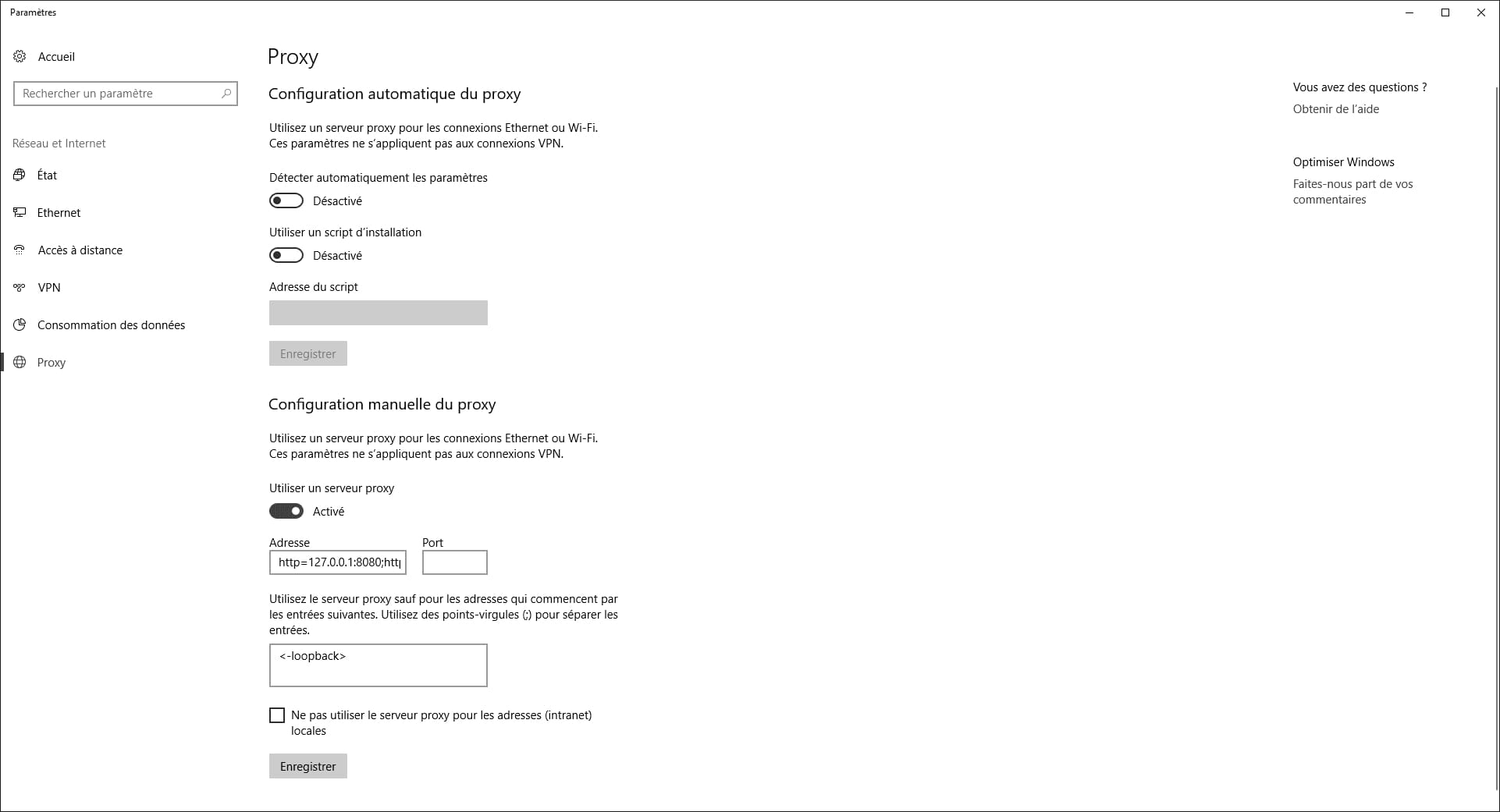
Thanks in advance o/
5 answers
-
ContributorIf Malwarebytes cannot remove it (the proxy)
Use FRST here
Take the 32 or 64 bit version depending on your PC
FRST should be on your desktop.
In Cortana type → notepad
Open it
Copy and paste these lines
HKLM\SOFTWARE\Policies\Microsoft\Windows\CurrentVersion\Internet Settings: [ProxySettingsPerUser] 0 <======= WARNING (Policy Restriction on ProxySettings)
ProxyEnable: [HKLM] => Proxy is enabled.
ProxyEnable: [HKLM-x32] => Proxy is enabled.
ProxyServer: [HKLM] => http=127.0.0.1:8080;https=127.0.0.1:8080
ProxyServer: [HKLM-x32] => http=127.0.0.1:8080;https=127.0.0.1:8080
RemoveProxy:
Go to File and then → Save as
Select → Desktop
In the field at the bottom, file name type → fixlist.txt
Then → Save
fixlist.txt should be on your desktop
Restart FRST and click on the button → Fix
FRST and fixlist.txt must be on your desktop
Restart the PC for safety
--
surgical knife

