
Advertising avast VPN
Solvedbazfile Posted messages 58536 Registration date Status Moderator Last intervention -
Hello everyone
For several days now, an Avast VPN ad keeps appearing on screen and I can't close it; I have to restart the PC, but after a few minutes it comes back
Has anyone had this problem and how to resolve it
Windows 11 & Firefox
Thank you all
2 answers
-
Hello,
If the situation only occurs when Firefox is launched (but it can very well be automatically at computer startup), there is either a notification that needs to be removed in Firefox settings, or an unwanted script that manifests when connecting to certain sites: go through NoScript.
If it is independent and in the absence of malware proper, there may be unwanted software, often installed at the same time as another if one is not careful; check the control panel to see if a dubious software should be uninstalled, use Autoruns to disable stray startup entries.
-
Hello.
These are nuisance notifications that you have stored in your web browser.
Two options are available to you.
- Either delete the nuisance notifications yourself; to do this read and also .
Or reset the concerned browser manually or with Reset Browser.
- If it’s still the same, download .
Once downloaded, save FRST to the desktop, then right-click FRST and choose Run as administrator, which gives this:
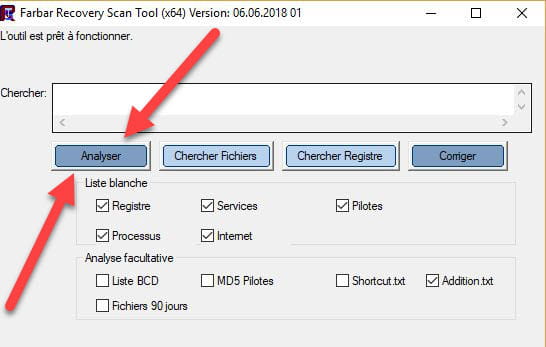

 Attendre que le message l'outil est prêt à fonctionner s'affiche puis cliquer sur Analyse.
Attention, attendre que les messages indiquant que l’analyse est terminée s’affichent.
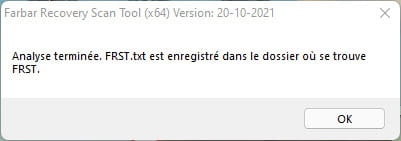

At the end of the analysis, the two FRST and Addition reports will be on the desktop.

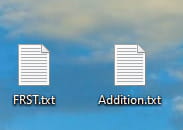

Send the FRST and ADDITION reports to .
Then paste the two links generated by in your reply.
For information:
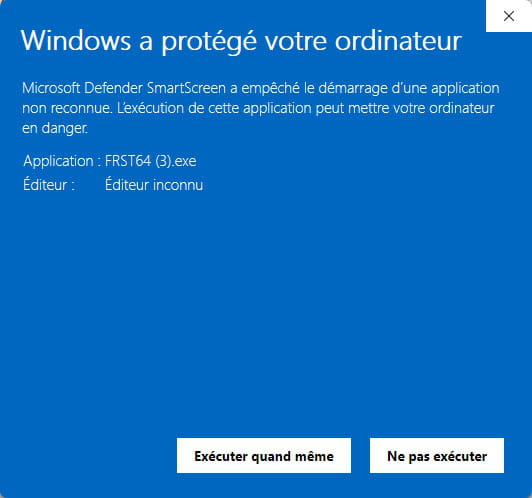
 Si l’ouverture de FRST déclenche une alerte de Microsoft Defender, ne pas en tenir compte, cliquer sur Informations complémentaires puis sur Exécuter quand même, voir ci-dessous.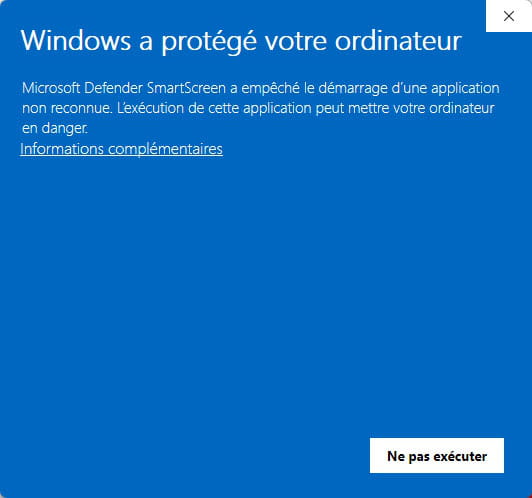


bazfile
Moderator/Security Contributor.
a hello, a reply, a thank you always makes you happy.
