
Quick launch bar
brucine Posted messages 25078 Registration date Status Member Last intervention -
Hi,
How to add an icon from the table to the Quick Launch bar? (to be able to launch a file while the screen is occupied by another one)
No problem with W10 but I can't manage it with W11)
Thanks
alainL
2 answers
-
Hello,
Which “tableau”?
You can reduce what’s open on the desktop with the small button at the far right of the taskbar or pin a Start menu shortcut.
But otherwise Windows 11 resists modifying the taskbar to add a shortcut or a custom toolbar.
You can work around it with Explorer Patcher (I don’t recommend it, it crashes Windows from the latest Windows 11 versions) or True Launch Bar (but which creates a customizable bar not in the taskbar but just above it, you lose a bit of space). -
Thank you. Yes, "bureau" rather than "table" . So no way to open a file directly if the screen is busy? What progress with Win11 !!!
-
We didn’t have anything better with Windows 10 except being able to put a shortcut to the desktop in the taskbar in addition to the far-right area of the taskbar that directly shows the desktop.
Otherwise you can only pin a shortcut to Quick Access or to the Start menu (which nothing prevents from accessing from that Start menu even if the desktop is occupied by something else) apart from minimizing the current window.
You can also try, if it works, to go through a Quick Launch customization (I remind you that user folders are hidden by default and you have to choose to display them).
https://forum.pcastuces.com/w11_et_barre_de_lancement_rapide-f16s2245.htm
Otherwise, as I reminded, except for subterfuge the taskbar is locked on Windows 11 and you can’t pull anything from it.The result with True Launch Bar and where, according to my choice, the icons represent shortcuts to applications or shortcuts to folders in containing, and where nothing stops me from placing a shortcut to the desktop itself.
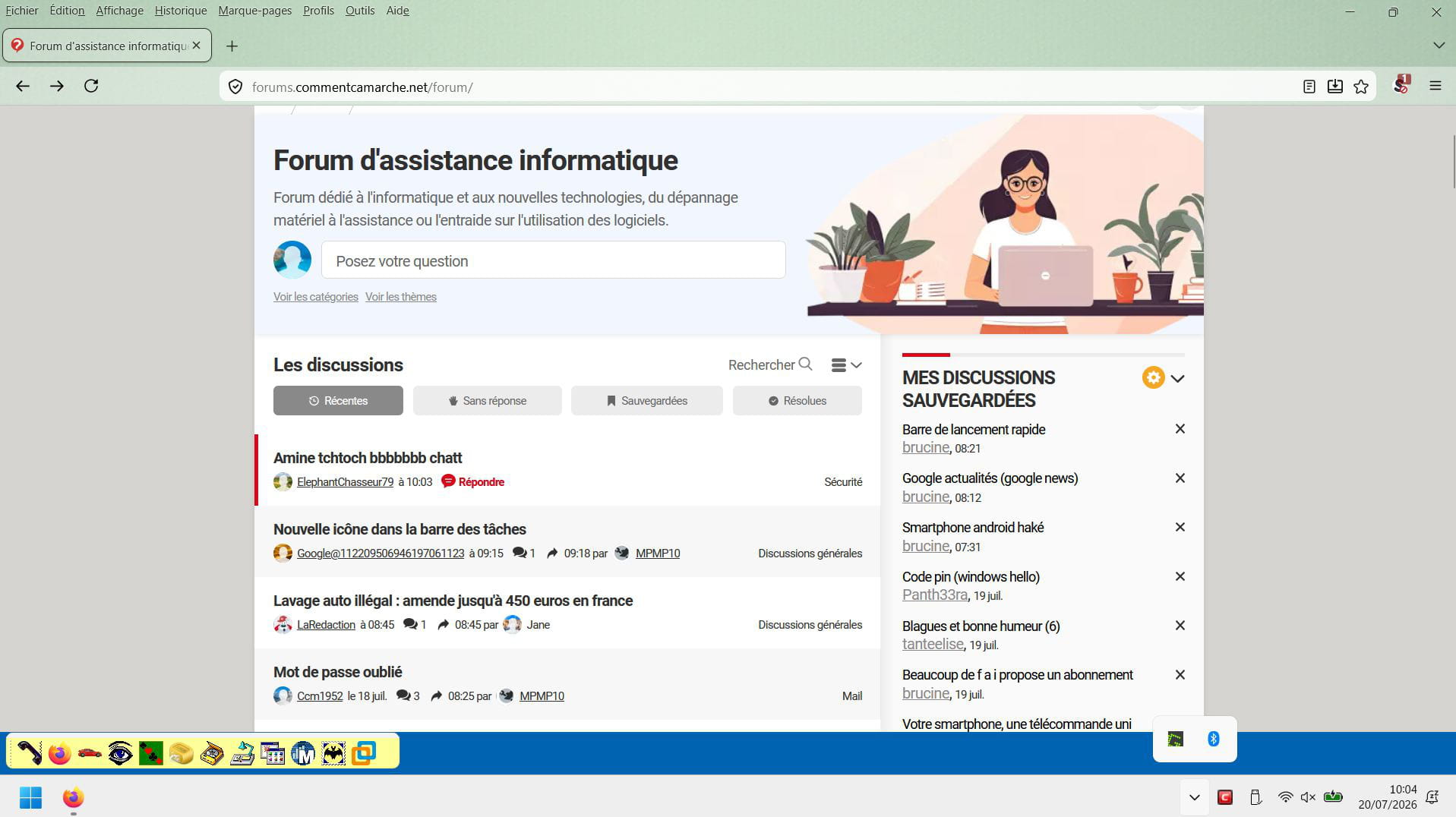
If now I only want the desktop, see the following tweak:
https://winaero.com/add-show-desktop-shortcut-to-taskbar-in-windows-11/
-