
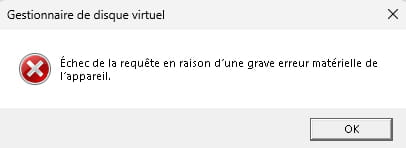
Request failed due to a serious hardware error.
ReliableBird29 Posted messages 160 Registration date Status Member Last intervention -

Hello,
I've been trying for hours and hours to connect an external drive to my laptop, but when I try to initialize it, an error message appears saying 'Request failed due to a serious hardware error.'
Please, if anyone could help me.
6 answers
-
Hello
Do a hard drive test with CrystalDiskInfo, feel free to do it also from another PC if you want.
For the temperature and the status, it should be green or blue to remain "in service"; if it's yellow or red, it needs to be replaced but "if we can" we should recover the data.
https://www.malekal.com/crystaldiskinfo-verifier-etat-sante-disque-dur/
Link from the publisher (available in portable version)
https://crystalmark.info/en/download/#CrystalDiskInfo
-
Try other USB ports, some external enclosures require a separate power supply, if that's the case, it is necessary.
-
Hello,
Thank you for the response, but I can't even see the disk that I connected to my PC on the Crystaldiskinfo application. I tried it on my friend's PC and the disk was perfectly usable there. I've been searching for the issue since yesterday by following YouTube tutorials, but nothing works.
-
Hello
What is the origin of this hard drive? new? used?
Because this kind of message means exactly what it implies: it is dead...
-
Hello
There are a few cases where the invisible drive is not defective:
Be careful going forward, especially if you just checked that the drive works well on its old PC: you must not format the drive at all until you have backed up its content. On the next page, certain operations will permanently erase the content of the external drive (formatting); they are only intended to allow the use of the drive completely reset to zero on this new PC. Therefore, they should only be attempted as a last resort.
https://www.malekal.com/disque-dur-externe-non-visible/
Another tutorial page when Windows refuses to initialize an external drive (same backup precautions apply):
https://www.malekal.com/ssd-disque-dur-non-initialise-ou-inconnu-windows/
-
Hello,
Based on what you explained, your hard drive doesn’t seem to have a problem per se, but it might be incompatible with your computer. You could try actions like updating the driver.

