
No network or sound card device on Thomson
kaneagle Posted messages 86298 Registration date Status Moderator Last intervention -
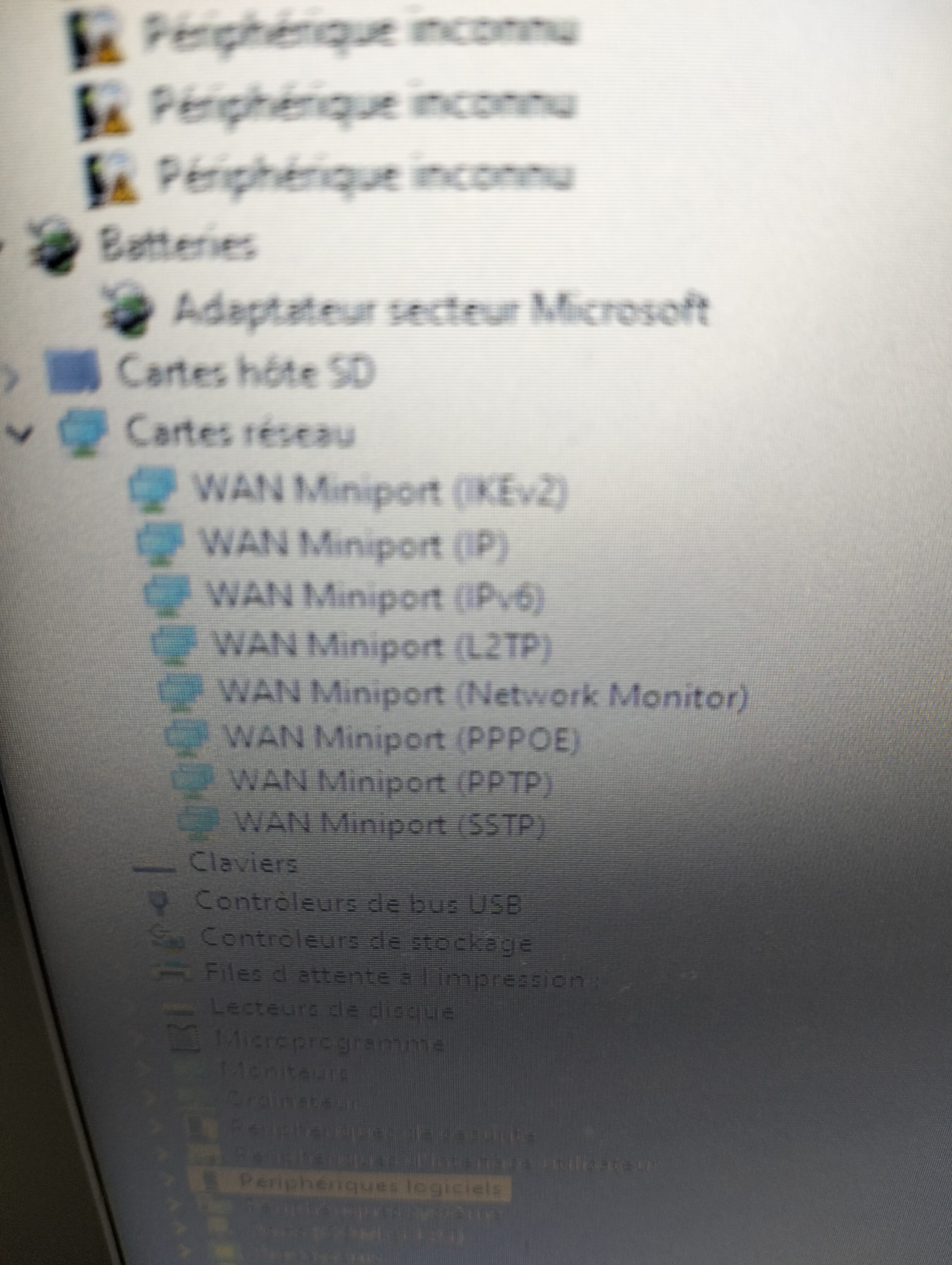
After some years, I reused my old laptop, but it was lagging a lot and had many bugs, so I created a Windows USB stick and uninstalled everything from the disk. After the installation, I no longer have Wi-Fi, sound, or battery drivers. It's a Thomson N14C4. Can I please get the Wi-Fi, sound, and battery drivers along with a simple way to install them?
3 answers
-
Hello
You need to perform the updates by connecting it with an Ethernet cable
This won't improve this PC, it will struggle to run under Windows 10
You can try a lighter basic Linux distro
https://www.justgeek.fr/distributions-linux-legeres-140693/ -
-
Hello,
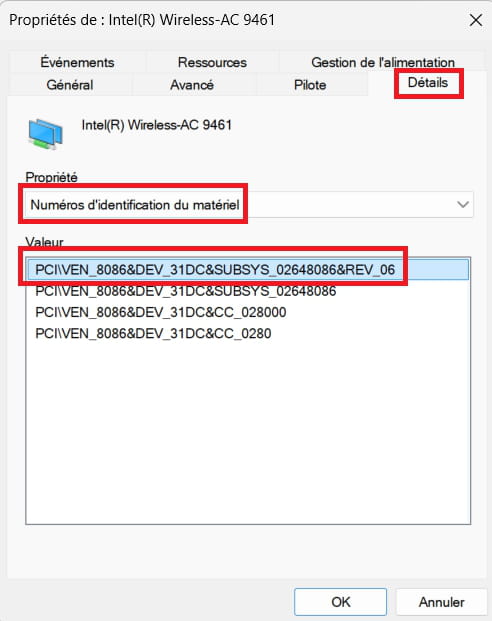
Go to --> Other devices
Right-click on a device
Properties
Details tab
Post the no. Hardware IDs of the problematic devices.Example image:
--------------------------------------------------------------------------------------------------------------
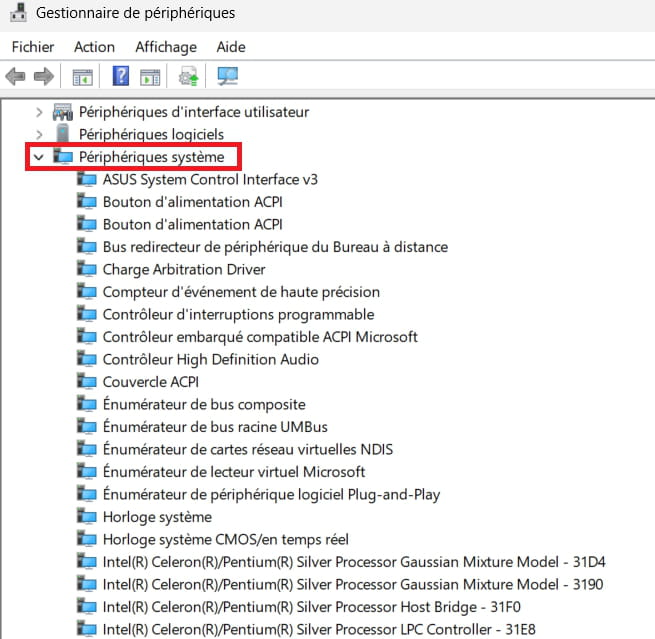
Check if there are problematic devices in --> System devices
-------------------------------------------------------------------------------------------------------------
Is Windows 10 32 or 64 bits?

