Partitioned mp3 player
smoothb68
Posted messages
2
Status
Member
-
Smoothb68 -
Smoothb68 -
Hello
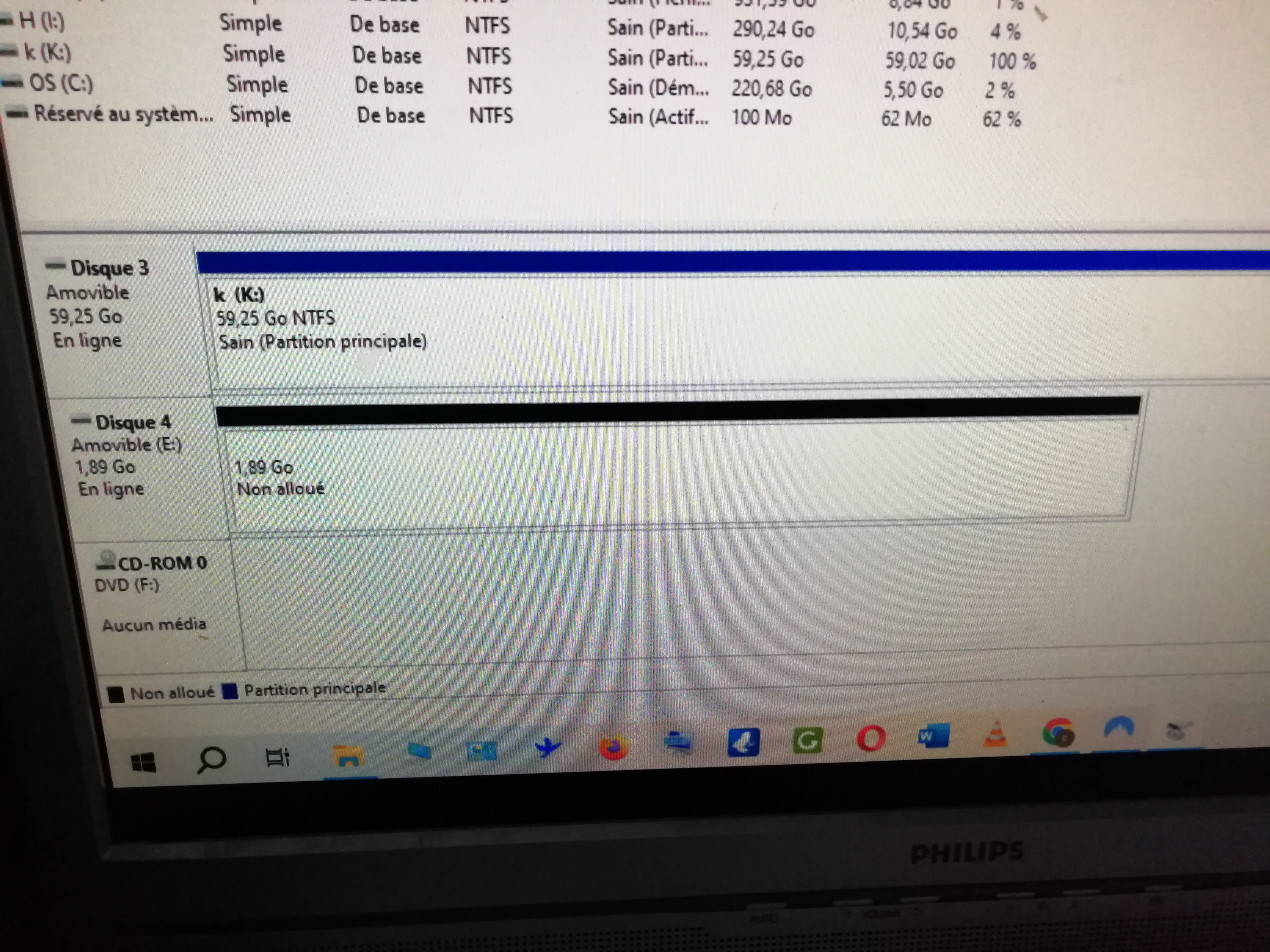
While formatting my Cowon, 2 partitions appeared (disk 3 and disk 4). Is there a possibility to delete disk 4 (unallocated) or to merge the 2 partitions?
Thank you for your help
Michael
4 answers
-
Hello,
I assume you are on Windows 10 or 11, so go to Disk Management. Right-click on partition 3, then click on Extend Volume. You will enlarge partition 3 by shrinking partition 4 until there is no unallocated space left.
-
Hello
Thank you for taking the time to try to resolve my issue. Yes, I am using Windows 10. The operation you suggest is not possible because the two partitions are neither adjacent nor non-adjacent. They appear in the disk manager one above the other.
-
If you can, please send us a screenshot of your Disk Management.
-