
Incomplete installation of ASUS PCE N15 driver
billmaxime Posted messages 50543 Registration date Status Contributor Last intervention -
Hello,
I have moved and I want to connect to Wi-Fi in the new house.
Unfortunately, during all my previous years, I was connected via ethernet, and today that is no longer possible.
When I initially bought my PC, I had included a way to connect to Wi-Fi (Asus PCE N15) but I threw away the installation disk during the move.
I then retrieved the drivers on a USB stick and transferred them to the PC (W10 64bit). During the installation, everything goes well, except when I reach the step after the restart. A window is supposed to open offering to use the Asus program, but this window never opens. Therefore, I never complete the installation nor have the possibility to continue the setup.
See step 6 of the manual.
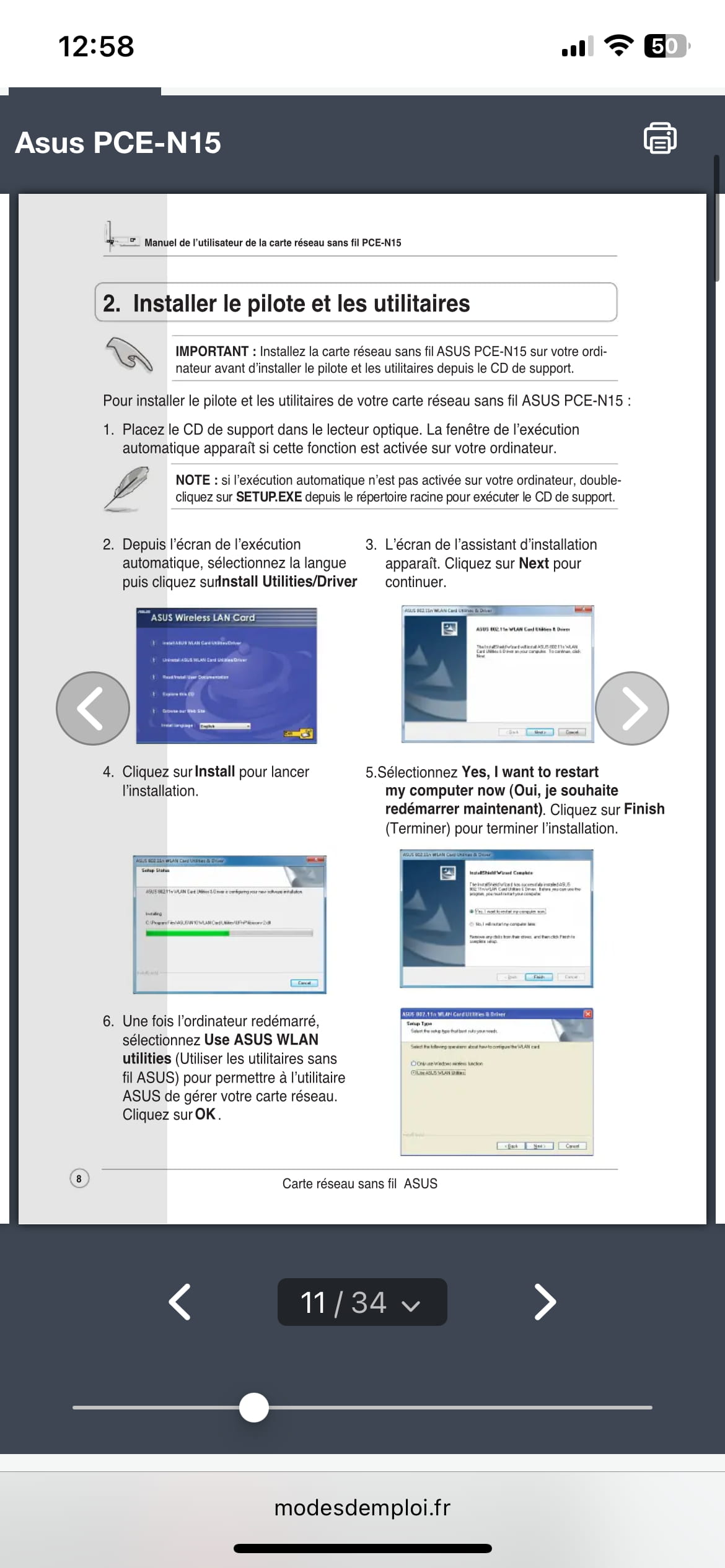
Do you have any idea for a solution?
Sincerely,
7 answers
-
Hello @DoublePierce StatusMember.
The driver is on this page.
You didn't mention your version of Windows, on the page we can see that Asus has not developed a driver for Windows 11.
bazfile
Moderator/Security Contributor.
a hello, a response, a thank you are always appreciated. -
hi
give the Wifi device identifier by posting it via a copy/paste
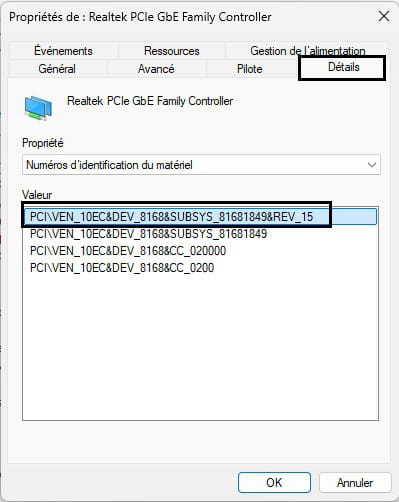
@+
-
@DoublePierce StatusMember .
I don't know where this information is located.
bazfile
Moderator/Security Contributor.
a greeting, a reply, a thank you are always appreciated. -
hi
I have the same driver as on the manufacturer's site (about four days apart)
post 1 screenshot of your device manager
@+
-
@billmaxime StatusContributor
It will be a good old photo of my screen like back in the day.
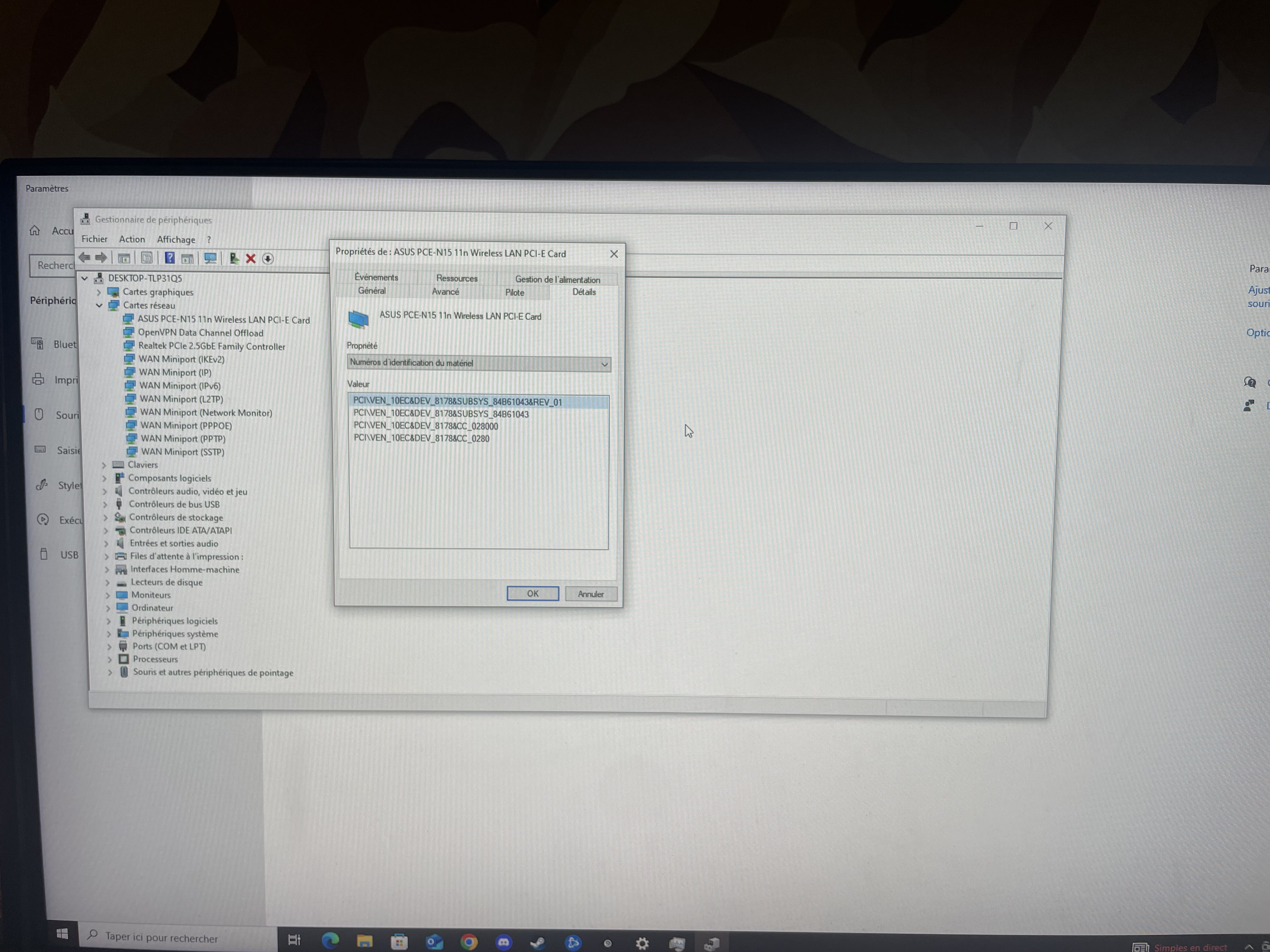
Thank you for the time you are giving me.
Hello,
Download and install --> 7Zip 64 bits
Download this driver --> Realtek (2023.2.1215.2014)
Right-click on the driver --> tca0166200e.exe
Select --> 7Zip
Choose --> extract to "tca0166200e\"Go to Device Manager
Right-click on the Asus wireless card ......
Update driver
-->> Browse my computer for driver software <<–
-->> Let me pick from a list of available drivers on my computer <<–
-->> Have Disk <<–
-->> Browse <<–
Go to the unzipped driver folder --> tca0166200e
Folder --> Win1064
Folder --> program files
Folder --> Realtek
Folder --> Wireless LAN Driver
Select the file --> netrtwlane.inf and OK.
Restart.re
on your screenshot, we can see that the Wifi device is properly installed (no ? or /!\) yellow alert
I moved and I want to connect it via wifi in the new house.
did you change your ISP (internet service provider)?
@+
hi DoublePierce,
okay, let us know how it goes :)
@+
-


