
DELL Precision T1700 mini tower - RAM not recognized
TmLvi Posted messages 3 Status Member -
Hello everyone
I have a problem with an old Precision mini tower model T1700 purchased 5 years ago for a bit of everything: music production, CAD, some gaming... The issue is that at one point I did a small upgrade by replacing the Quadro K2000 graphics card with a GTX 1060 because some games wouldn’t run.
Everything was fine until I got a blue screen with an error message and a necessary restart, but it never wanted to reboot.
I was only able to see the orange LED error code which indicated, according to the documentation, a problem with either the system card, the motherboard, or the memory. I think my PC emitted too much heat compared to what it could dissipate, and I must have overheated the entire system; the graphics card change occurred during a period of intense heat, it was very hot in the room (plus, upon disassembling the processor, the thermal paste was extremely dry).
I managed to find the 3 original parts of the same model (55 euros in total, I think it might be worth repairing it).
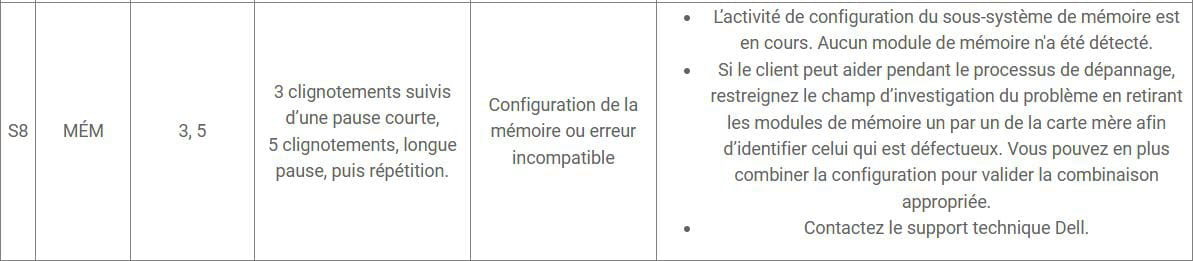
I started by changing the processor (Xeon E3 1240 V3), and still nothing, the same LED error code. I then changed the motherboard, finally a positive sign: the PC starts and stays on with the fans running. But I have a new LED error code this time related to the memory.
I remove the RAM sticks, restart, the PC beeps, so my motherboard is fine.
Final step, I put in the new RAM (original Samsung), and still the same memory-related error code. (So now I don’t even know if the old RAM is dead since I get the same message).
I should also mention that I have also performed the clear CMOS with both the battery and jumpers. I’m testing in minimal configuration: no graphics card, SSD, USB peripherals.
It hangs during the POST phase on the memory.
I’ve also learned while doing some research that PCs with Dell proprietary components are more complicated to modify and upgrade... etc...
So, if you have any solutions to suggest for this kind of problem.
Thank you in advance
4 answers
-
Hello,
Check that the memory (RAM) is the same as the one already installed in your PC.
-
Hello, thank you for your response.
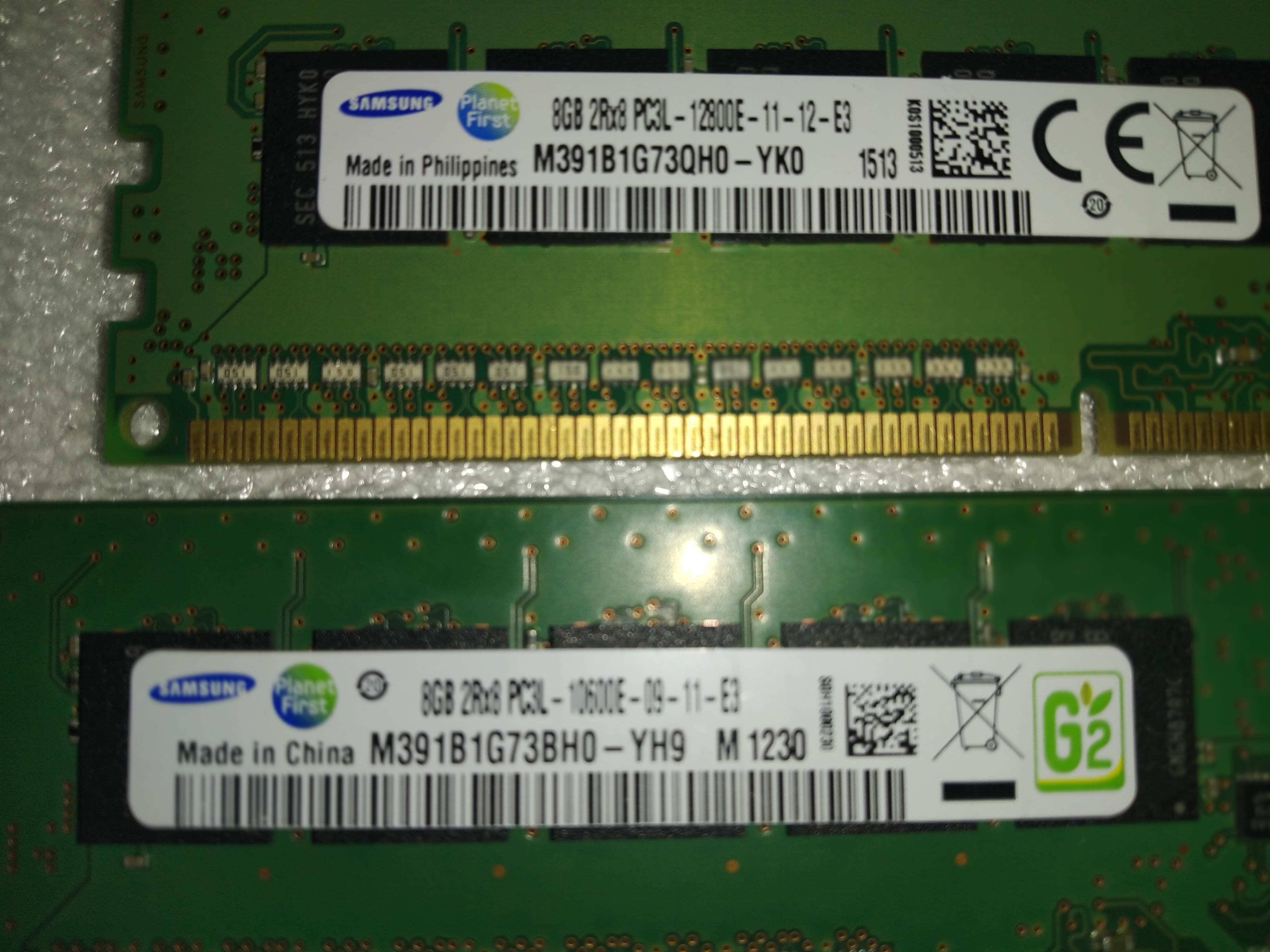
Indeed, when looking at the model numbers, there are slight differences, but the modules that were installed had different numbers. In this photo, there is the M391B1G73QHO-YKO which runs at 1600 MHz and the M391B1G73BHO-YH9 at 1333 MHz (it seems to me based on my searches on several sites).
Here is the one I bought which runs at 1600 MHz.
M391BG73BHO-CKO
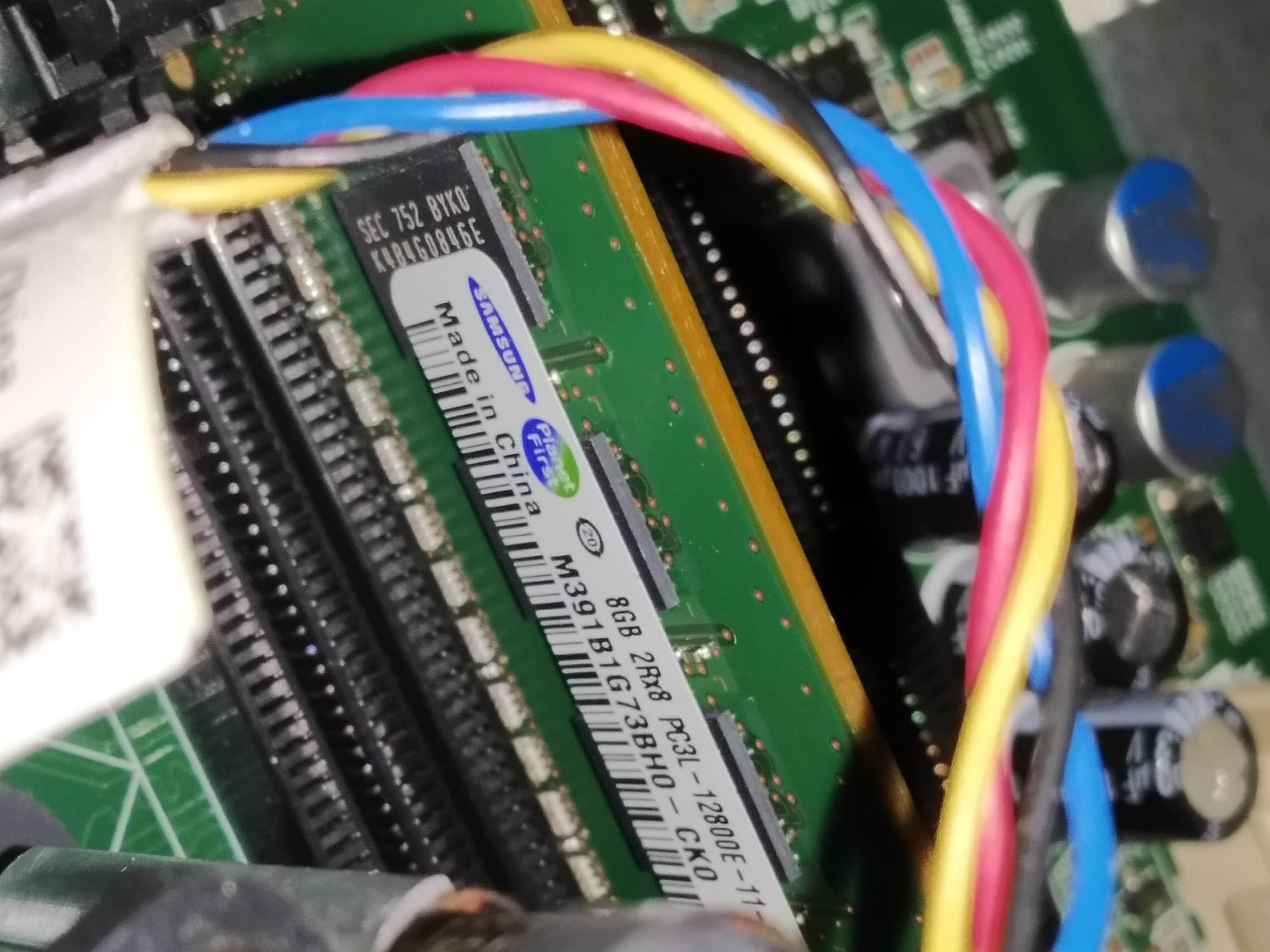
The last 3 letters are all different and there is a similarity in the last 3 letters between the original modules and the one I bought.BHO
I don't think this has an impact, but then again, I'm not an expert either.
Thank you.
-
Hello,
Have you changed your power supply? Unlike the Quadro K2000, the GTX 1060 needs to be connected with a PCIe 6-pin connector to a power supply of at least 400W.
-
Hello, no the original power supply is a DELL 80 Plus gold of 365W, and it is indeed equipped with a 6-pin connector for the graphics card. The GTX 1060 is max. 120W, the Xeon is 80W, I changed the 2 HDDs to SSDs, and after that it's all, motherboard, fans, USB peripherals I'm at a maximum of 300W.. The power supply is still working perfectly, the PC turns on and the fans are running
The documentation for the T1700 states that you can put a power supply of up to 150W max.
(after that, of course, prolonged use in an unsuitable case.... obviously... and after 4 years without having changed the thermal paste either, it was too much.
In any case, I'm testing minimally, without graphics card/SSD/peripherals connected. It still hangs during POST on the memory. If only I could access the BIOS....
Thanks again
