Printer with missing black print areas
SolvedRVT02 Posted messages 56 Registration date Status Member Last intervention -
Hello,
my Epson XP-205 printer is no longer printing correctly in black.
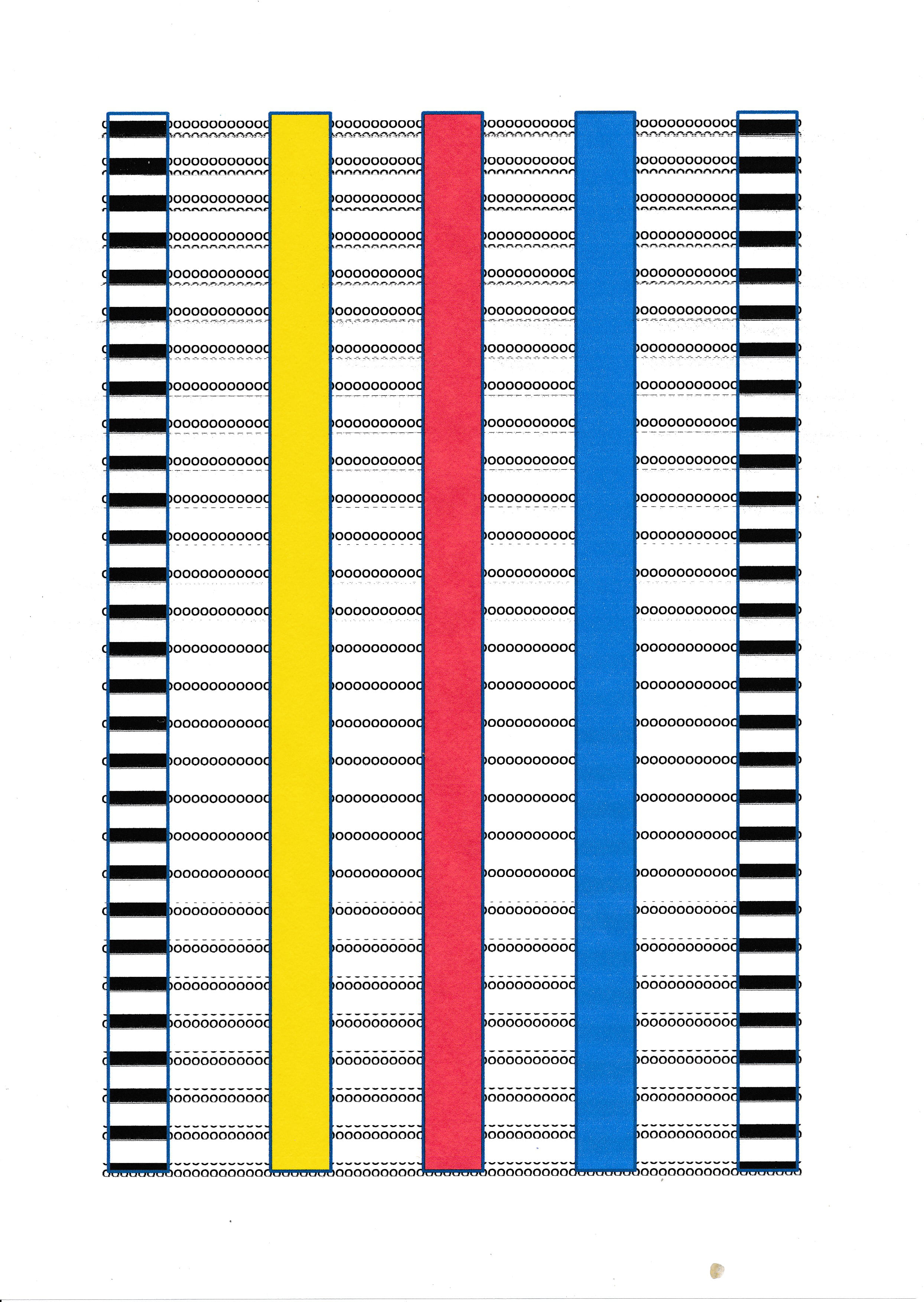
For example, a print of a 5cm wide vertical black band appears completely interrupted longitudinally at regular intervals on the sheet (with gaps of about 5mm where there is no black ink).
I have performed several cleaning commands, I have tested with another ink cartridge, nothing works, there is still this regular and straight portion where the black color is not printed, cutting the vertical black band into several regular parts.
The printing of vertical bands in red, blue, or yellow does not have this problem of missing ink, everything is perfectly printed for these 3 colors without any interruption in the band of each color.
Question:
Is my print head for the black color portion partially clogged or partially defective?
Can a nozzle for the black color only have a portion defective (a bit like an LCD screen having dead pixels)?
What do you think?
Thank you in advance
16 answers
-
Completely interrupted or a lack of ink that results in a less dense print?
Do you have the same result when lowering or increasing the print resolution? -
Good questions contrary
Yes, completely interrupted at these regular intervals of 5 mm in height (totally white) and fully printed in bright black outside of these intervals
I am in standard printing, if I switch to photo printing there is still this same unprinted interval
How are the black ink nozzles controlled?
The largest ribbon connected to the print head has about twenty wires, is it by powering certain of these wires that we reach the desired nozzle, and therefore in case of non-printing at regular intervals this could come from a cut wire?
-
There are several nozzles per color, and to achieve a resolution of over 1000 dpi, the print head passes over the same spot with a slight offset (especially in photo mode). Then the paper moves forward more significantly.
2 or 3 clogged nozzles could cause this phenomenon, just like a piece of adhesive or paper stuck under the print head..
There are 2 ways to print in black: either solely using the black cartridge or with the 3 colors (yellow, red, blue)
Make sure this occurs in both cases. -
Unfortunately, for this XP-205 printer model, it is not possible to print in black using color cartridges (the opposite, grayscale instead of color, is possible).
However, it seems to me that when the black cartridge is almost empty, it is suggested to temporarily print black using color cartridges, but how can I trigger that other than when the cartridge is almost empty? I would need to have a nearly empty black cartridge (removing the black cartridge is not an option because the printer refuses to print).
I don't think there is a problem with the alignment management (a significant misalignment that occurs at times, and especially regularly) because that would also happen for the printing of vertical stripes for the 3 colors.
As for the nozzles, to get an idea, how many can we expect for the black color?
I tested the head alignment procedure, everything is good for the 3 colors, but for the black, instead of printing a solid black square, it prints a truncated square (it forms an inverted U).
Next step when I receive the fluid, inject it in case some nozzles for the black color are dry. -
It would be nice if we could see exactly the result of the print..
Since you are registered, you can include an image in your message.
And please indicate the direction of passage in the printer... -
Okay, I'm going to print a vertical black bar, as well as the alignment test result, I'll scan them and post them on this forum.
-
For the alignment, the 1st test concerns horizontal alignment, the 2nd test concerns horizontal alignment in black. (Which one is more representative for the color black?)
In the 1st alignment test, #1 is abnormal because instead of a square, inverted Us appear (or more clearly, E's turned a quarter turn)
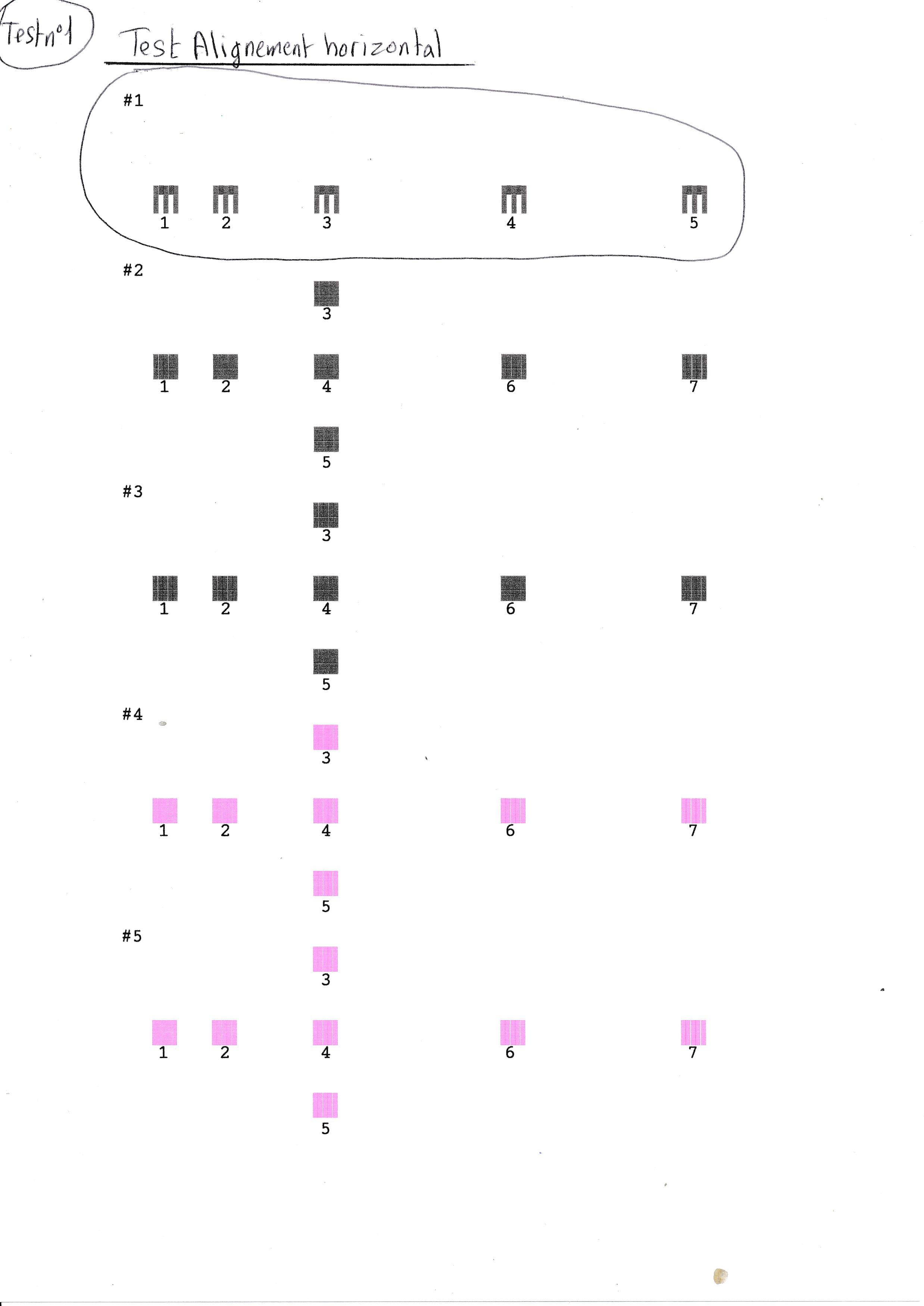
Horizontal alignment
In the 2nd alignment test, are the patterns from 1 to 7 normal?
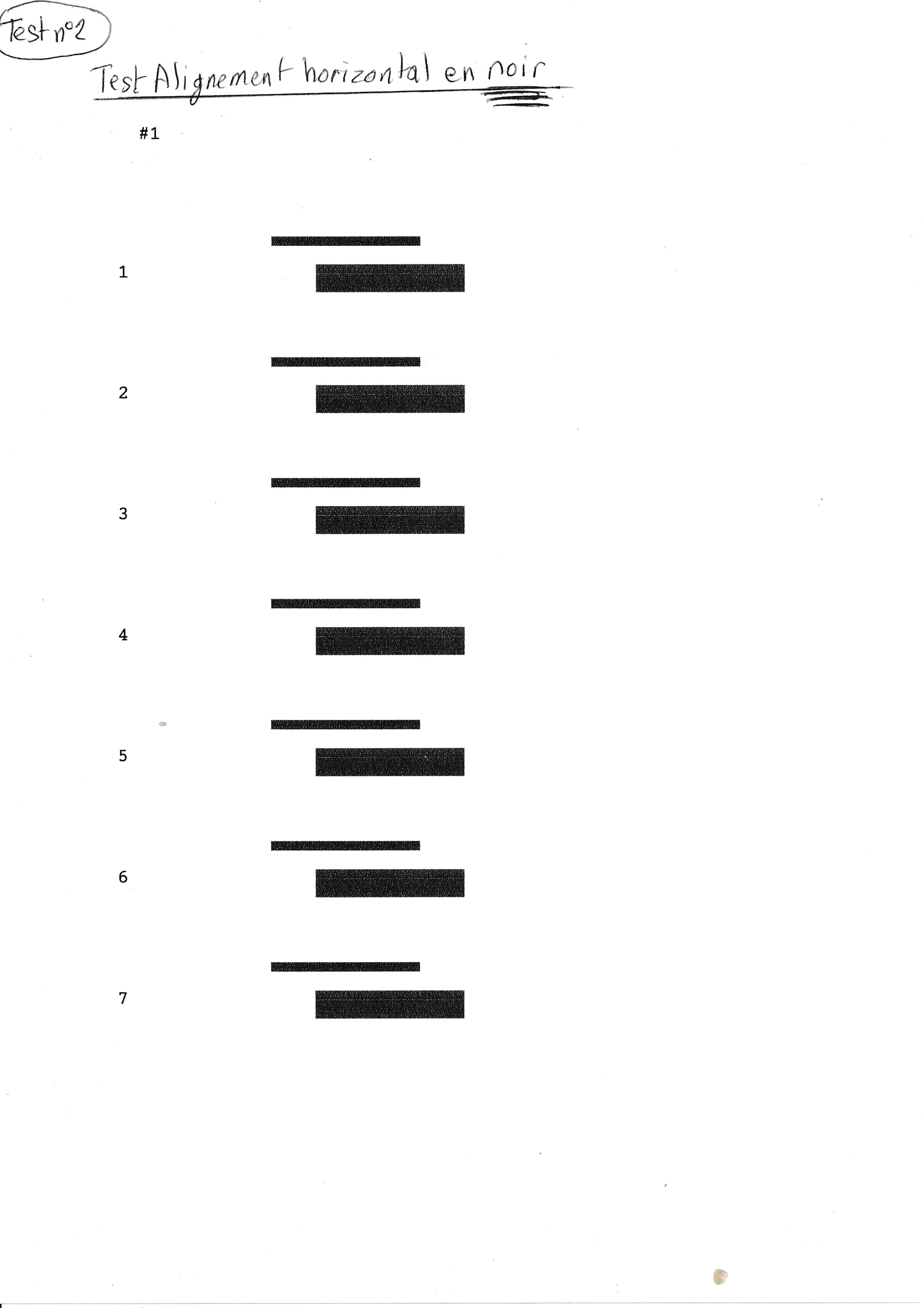
Horizontal alignment in black
For the "image and text" quality printing of a black bar, it appears interspersed with longitudinal and regular white portions.
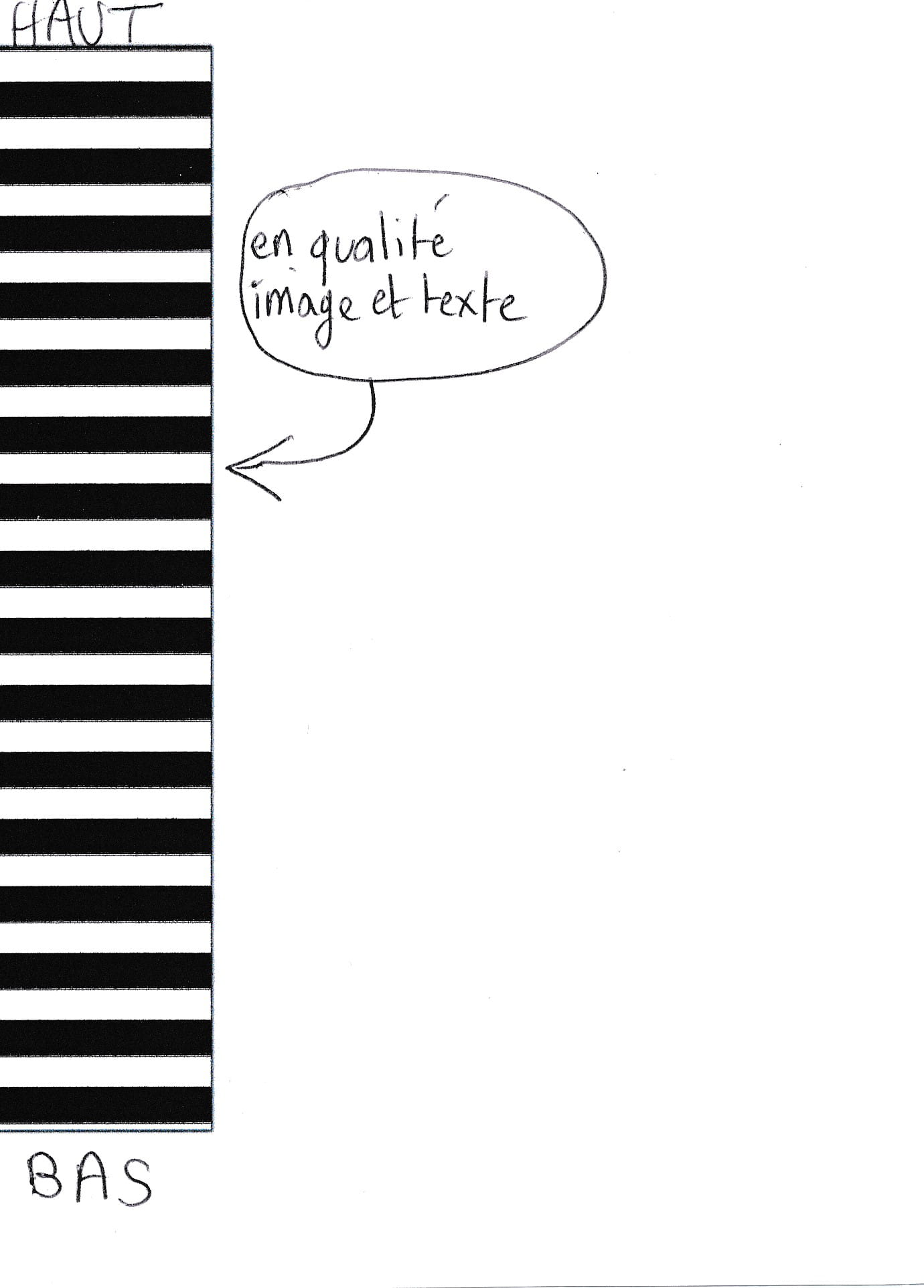
Fragmented black bar -
This is not a common problem and I don't think it comes from the print head...
Check if you have a more recent driver and use the one from the brand if it's available on their site (instead of the one from MS)
If there's no change, uninstall the printer and reinstall it. -
The driver is indeed the latest available on the Epson site; I have reinstalled it, but the printing problem persists.
The answer is probably in the meaning of the result of test #1 (horizontal alignment test) for the pattern printed in #1, but we need to determine what these 3 patterns printed in #1, #2, #3 correspond to and how they differ, knowing that only #1 is not good.
The next step will be to use a product to unclog any clogged nozzles. -
If you could download this test sheet and upload the scan here, it would give us a different perspective than just the print head alignment.
https://www.swisstransfer.com/d/56c1bcc4-45b4-41ee-8768-705969bfc835 -
Aside from the black square at the bottom, everything else appears normal.
I also tested with a full page of "o" mixed with 4 bands of color, and the problem is clearly visible; there are missing lines of "o" and the vertical black bands are interrupted at the same points as the "o".
The problem occurs when I print text or vertical black bands.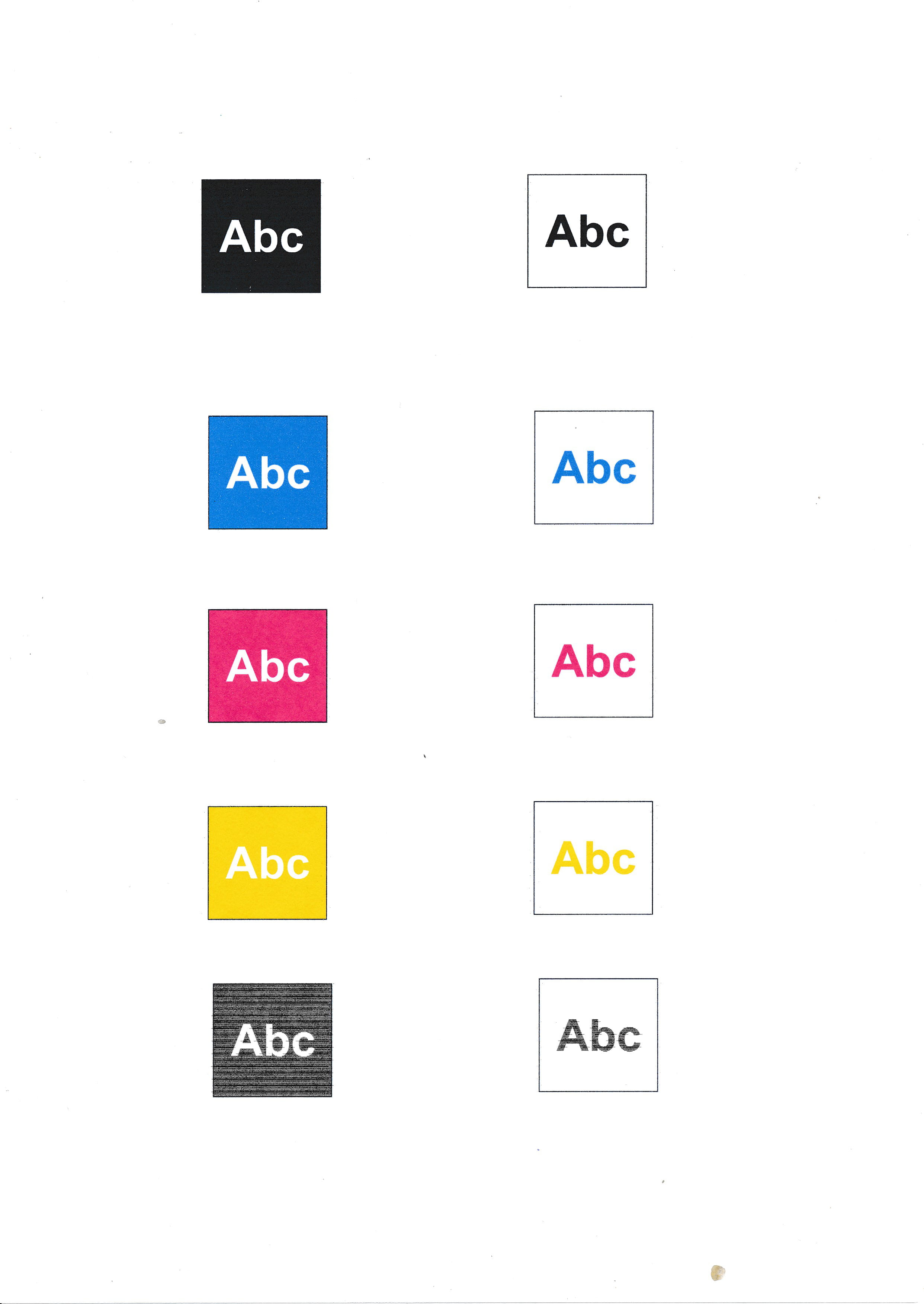
Test Abc -
-
Yes, these are compatible cartridges that until now have not caused any problems (and it's not the first time I’ve used them).
These are cartridges without a print head (too bad, as the problem could have been quickly resolved).
If the black at the bottom of the page is from the RGB, it's strange because separately the 3 colors print correctly and it’s mainly when I print a letter in Word that there is this problem of absence of printing by intervals of black.In a Word print, which cartridge is used for black?
I received the product to unclog the nozzles, I will see what it does. -
Why do the 3 colored bands print perfectly on my Word document while the black band (as well as the text) created from the 3 colors has printing interruptions? It's strange.
I would understand if the black printed in some places wasn't a vibrant and uniform black, but that there are regular absences of printing, and only for the black color!
Since the injection of the product hasn’t changed anything, disassembling the head is necessary for a complete cleaning or ultimately replacement if there is no improvement.
And thanks to your contradictory indications, I was able to create a page that includes a black band from the black cartridge and a black band from the mixture of the 3 colors, which will allow me to test vertically the continuity of the printing of each of these bands (as well as the group of nozzles involved) for my future tests. -
You may have a small air gap between the cartridge and the print head, which goes unnoticed when there is a high demand for ink, like for a solid color surface.
But the demand will be lower with a composite color, resulting in a reduced flow which could cause shortages..
This is a hypothesis that I have never verified.
Be wary of compatible cartridges that have wider tolerances and could have damaged the inlet on your print head. Were they more difficult or easier to install? -
Continuation and conclusion of my problem.
After disassembling the print head and soaking it overnight in a thin layer of solution, then reassembling the head, the problem still persisted during printing, exactly at the same spot whether for text or the vertical black bar.
I purchased a head online (21-pin version to match the ribbon of my printer model) and the result is that it works perfectly.
Number 1 of the nozzle alignment test prints a complete black square, the nozzle check test no longer has any interrupted parts, my vertical bars as well as the text are uninterrupted.
So the problem was indeed due to part of the nozzles that were no longer functioning.
Thank you for your help, especially to contrariness who helped me understand better how colors were printed and guided me in creating my own tests of images in 100% C, 100% M, 100% Y, 100% K and K created from C, M, Y (I used C, M, Y because R, G, B is more commonly used for screen display, but for printing, it is C, M, Y that is representative of ink cartridge colors)
Hervé