
Search B.tv App
gilbe7 -
Hello,
I can't find the B.tv application from Bouygues Télécom to install it on my PC (Windows 10). For a week, the application hasn't been opening and displayed:
Error PFS-DMS Service unavailable. [DMS0000]
A Bouygues assistant advised me to uninstall/reinstall the application... But I can't find it on either the Microsoft Store or the Play Store...
Any ideas? Any advice to help me out?
Thanks.
gilbe7
5 answers
-
Hello,
The B.tv app allows Bouygues Telecom customers to watch TV whenever and wherever they want, on their smartphone or tablet Android or iOS.
It doesn't seem to be available on the official website for Windows unless I'm mistaken!
https://mag.bouyguestelecom.fr/services/newbtv/
There is also a link here, but curiously the page on the "right here" link remains blue (to be checked while logged in…)!
https://www.assistance.bouyguestelecom.fr/s/article/btv-ordinateur
Error PFS-DMS Service unavailable. [DMS0000]
In my opinion, they have removed it for PC (no longer available…) this could explain the reason you are getting this error.
-
Hello,
Generally speaking, you cannot run an Android application on a PC except under particular circumstances: from the phone via Mobile Connect or equivalent, using an Android emulator, or through WSA on Windows 10 provided that the application is available in the Amazon AppStore, which I am not sure still exists.
This is a general case where most of the time ISPs or broadcasters do not make their content available outside of replays on a site other than on "small screens", as this relates to commercial arrangements and rights linked to these broadcasts. -
Hello
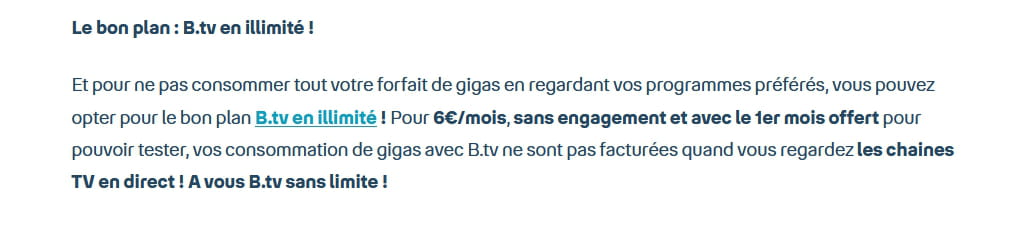
read the articles in full
-
Hello,
Thank you for your help, but on the Bouygues site, the application is paid while I have been using a free application for a few years, following my subscriptions to the bbox and phone.
gilbe7
-
Try downloading the B.tv app directly from the Bouygues Telecom website, after uninstalling any previous version and cleaning up residual files.

