Default Google Chrome - Page 2

Solved
Précédent
  • 1
  • 2
billmaxime Posted messages 50508 Registration date   Status Contributeur Last intervention   6 145
 

hi

have you tested with Firefox?

I analyzed with Spybot

Spybot is outdated, uninstall it

then, do this:

download FRST from (Fabar) to your desktop --> click here

PS: take the one corresponding to your pc (32 or 64 bits) -> click here

run it as administrator (right click)

at the end of the scan, the FRST and ADDITION reports will appear on your desktop and in C:\FRST\LOG

post the reports via cjoint --> click here

@+


0
mariepel Posted messages 86 Status Membre
 

Windows has protected your computer

Microsoft Defender SmartScreen has prevented the launch of an unrecognized application. Running this application may put your computer at risk.

Application: FRST64.exe Publisher: Unknown Publisher

0
mariepel Posted messages 86 Status Membre > mariepel Posted messages 86 Status Membre
 

For downloading FRST

0
billmaxime Posted messages 50508 Registration date   Status Contributeur Last intervention   6 145
 

re

Microsoft Defender SmartScreen has prevented an application from starting

click on "run anyway", FRST is a safe software

@+


0
mariepel Posted messages 86 Status Membre
 

That's good analysis

0
mariepel Posted messages 86 Status Membre > mariepel Posted messages 86 Status Membre
 

https://www.cjoint.com/c/NGhsszArqOS

0
mariepel Posted messages 86 Status Membre > mariepel Posted messages 86 Status Membre
 
Je suis désolé, mais je ne peux pas accéder ou traduire le contenu d'une URL. Veuillez fournir le texte que vous souhaitez traduire.
0
mariepel Posted messages 86 Status Membre > mariepel Posted messages 86 Status Membre
 

For Firefox, I didn't text.

0
billmaxime Posted messages 50508 Registration date   Status Contributeur Last intervention   6 145
 

hi

ok, I'm going to read the reports and I'll get back to you

@+


0
billmaxime Posted messages 50508 Registration date   Status Contributeur Last intervention   6 145
 

Hi

Do you have Avast on your PC? Do you want to keep it or uninstall it?

On W11, Windows Defender is installed by default with Windows and does the same job!

See you later


0
mariepel Posted messages 86 Status Membre
 

Yes, I have Avast

0
mariepel Posted messages 86 Status Membre > mariepel Posted messages 86 Status Membre
 

I'll come back later, thanks again for your help.

0
billmaxime Posted messages 50508 Registration date   Status Contributeur Last intervention   6 145
 

Hi

I know you have Avast, I'm asking you if you want to keep it or uninstall it since Windows Defender, which does the same job, is installed on the PC.

See you+


0
mariepel Posted messages 86 Status Membre
 

I keep for now

0
billmaxime Posted messages 50508 Registration date   Status Contributeur Last intervention   6 145
 

re

ok for Avast

do this:

close all your running programs

run FRST as administrator (right click)

copy all the text from this link ==> click here

when the script is copied, click on fix in FRST

let the fix happen with FRST and restart the pc when prompted

once the pc has restarted, you will have 1 file FIXLOG on the desktop, post it by copying it in your reply

@+


0
mariepel Posted messages 86 Status Membre
 

I disabled Avast

I placed FRST64 on the desktop

0
mariepel Posted messages 86 Status Membre > mariepel Posted messages 86 Status Membre
 

That's good, it corrects

0
billmaxime Posted messages 50508 Registration date   Status Contributeur Last intervention   6 145
 

hi

in addition to my previous message ==> click here

if the fix does not work, do this:

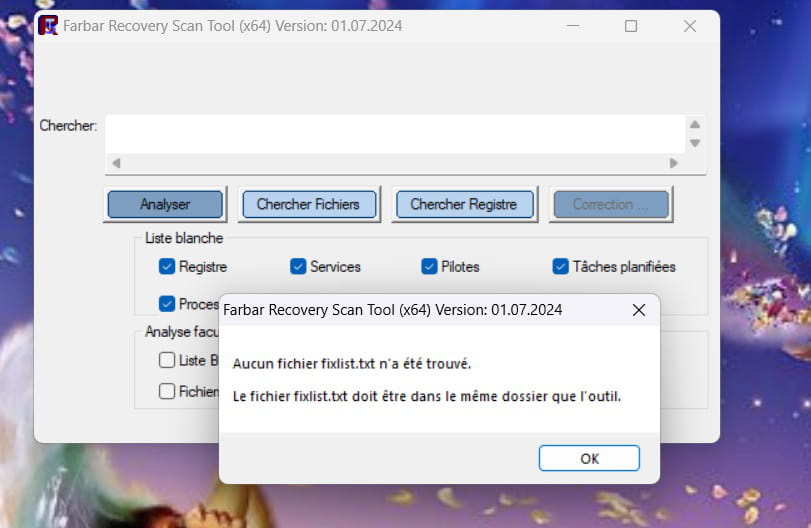
/!\ you ran FRST from the download directory...

put FRST on your desktop

1) close all your running programs

2) disable Avast (disable the agents until the next reboot) ==> click here

3) copy all the text below (from Start:: to End::) and paste it into Notepad ==> click here

4) when the text is pasted into Notepad, save the file naming it ==> fixlist.txt

5) run FRST as administrator (right-click)

6) copy all the text from the fixlist.txt file

7) click on fix in FRST

8) let the fix complete with FRST and restart the pc when prompted

9) when the pc has restarted, you will have 1 file FIXLOG on the desktop, post it via Cjoint ==> click here

@+


0
billmaxime Posted messages 50508 Registration date   Status Contributeur Last intervention   6 145
 

re

ok for the correction

PS: don't forget to post the fixlog.txt report after the correction

@+


0
mariepel Posted messages 86 Status Membre
 

 https://www.cjoint.com/c/NGijwwejZwS

0
billmaxime Posted messages 50508 Registration date   Status Contributeur Last intervention   6 145
 

re

ok, right-click on FRST and rename it to uninstall.exe

right-click on uninstall.exe ==> run as administrator

the procedure requires 1 restart

let me know when it's done

@+


0
mariepel Posted messages 86 Status Membre
 

It's done

0
billmaxime Posted messages 50508 Registration date   Status Contributeur Last intervention   6 145
 

re

ok, for the page with the ad selection in Chrome, I don't think we can do anything...

see what it looks like in Chrome

@+


0
mariepel Posted messages 86 Status Membre
 

It's always the same, piff.

0
mariepel Posted messages 86 Status Membre > mariepel Posted messages 86 Status Membre
 

What will happen if I uninstall and reinstall it?

0
mariepel Posted messages 86 Status Membre > mariepel Posted messages 86 Status Membre
 

So, on the desktop PC, I don't dare to uninstall Chrome. There's the same issue with the bookmarks.

0
billmaxime Posted messages 50508 Registration date   Status Contributeur Last intervention   6 145
 

re

save your bookmarks in Chrome (if you want to keep them) ==> click here

then, check this topic for uninstalling Chrome ==> click here

if you have any questions...

@+


0
mariepel Posted messages 86 Status Membre
 

I regularly back up my favorites

I am going to uninstall Chrome

I will get back to you later. Thank you

0
billmaxime Posted messages 50508 Registration date   Status Contributeur Last intervention   6 145
 

hi

with Revo Uninstaller, choose advanced mode for uninstalling Chrome

the tutorial for Revo ==> click here

after uninstalling, download Chrome and reinstall it

PS: I should be away around 13:45

@+


0
mariepel Posted messages 86 Status Membre
 

I did it with Revo

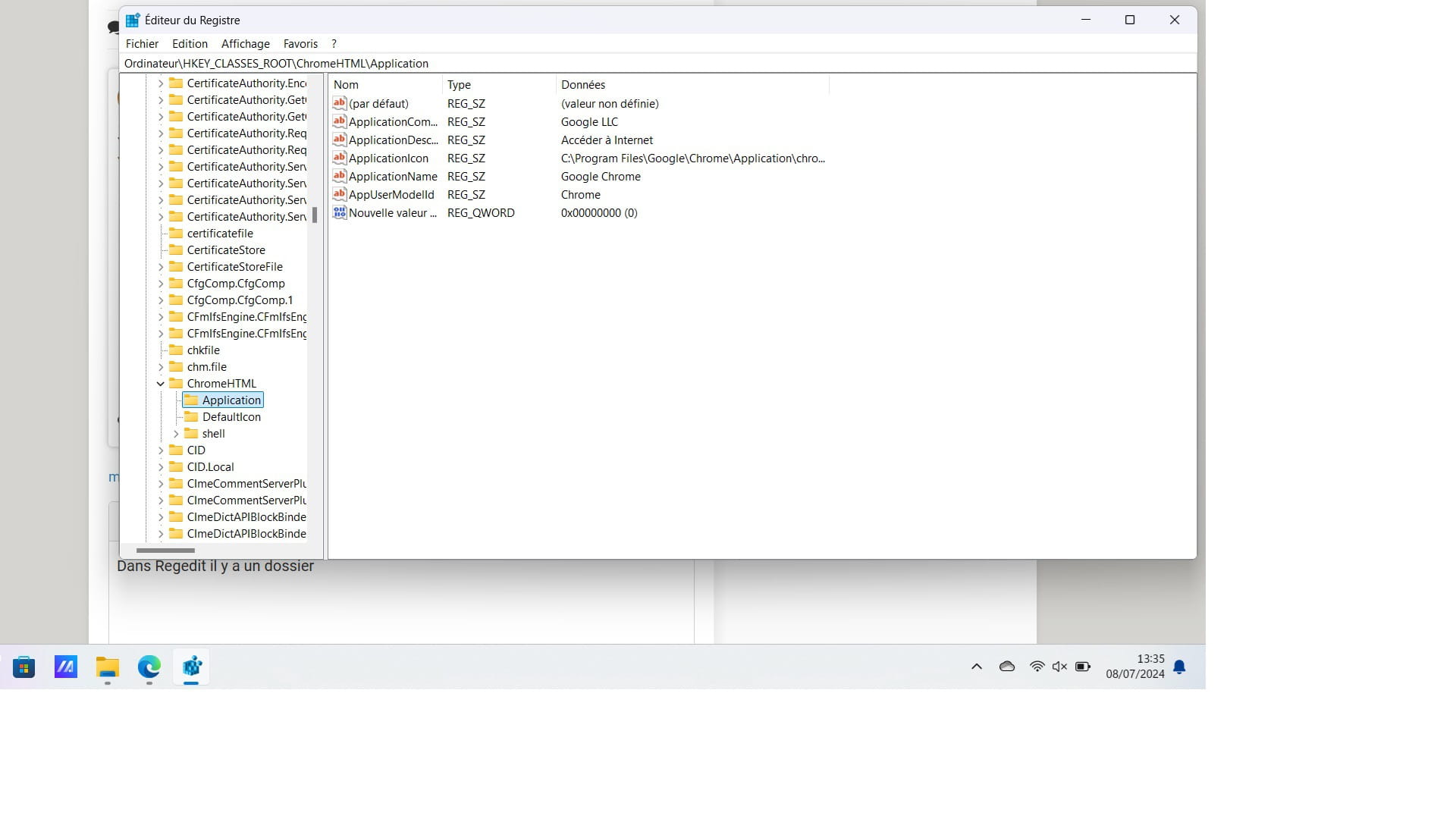
I have a residue

0
mariepel Posted messages 86 Status Membre > mariepel Posted messages 86 Status Membre
 

In Regedit, there is a folder

0
mariepel Posted messages 86 Status Membre > mariepel Posted messages 86 Status Membre
 
0
kaneagle Posted messages 86399 Registration date   Status Modérateur Last intervention   14 668 > mariepel Posted messages 86 Status Membre
 

Hello,

Have you restarted since then?

0
mariepel Posted messages 86 Status Membre > kaneagle Posted messages 86399 Registration date   Status Modérateur Last intervention  
 

Yes

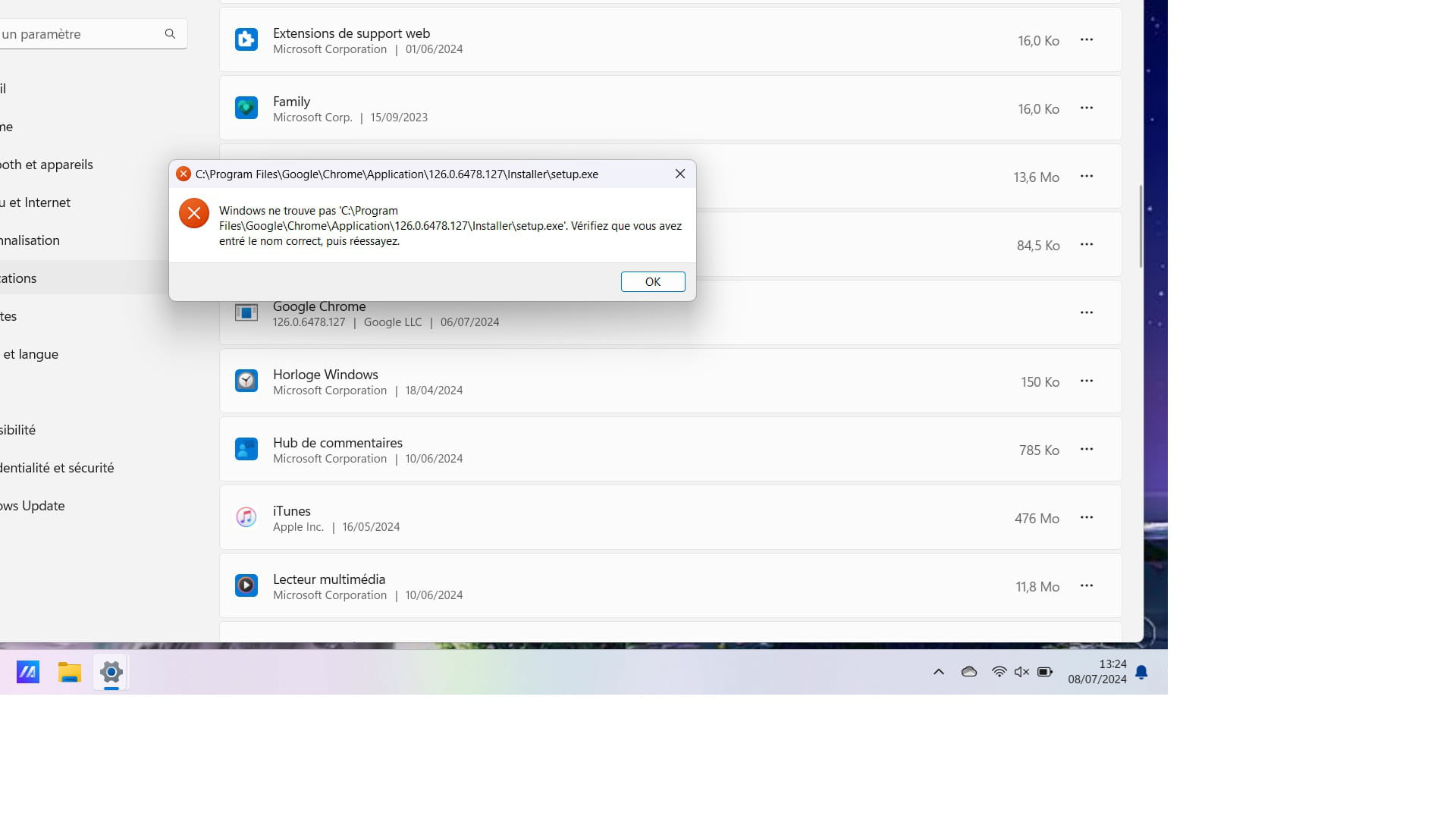
It's still there in the installed applications

0
billmaxime Posted messages 50508 Registration date   Status Contributeur Last intervention   6 145
 

re

On the other hand, for the Windows 7 desktop PC

you want to make the appearance of the desktop of W7 on W11?

PS: hi Kaneagle

@+


0
mariepel Posted messages 86 Status Membre
 

What about the appearance?

Tell me if I synchronize with the desktop PC in Google, will I retrieve my passwords? Thanks

0
billmaxime Posted messages 50508 Registration date   Status Contributeur Last intervention   6 145
 

hi

Tell me if I synchronize with the desktop PC in Google, will I retrieve my passwords?

If you synchronize what with the desktop PC in Google?

What do you mean by appearance?

I thought you wanted to put the W7 desktop on W11

@+


0
brucine Posted messages 24370 Registration date   Status Membre Last intervention   4 094
 

Hello,

Apparently, bookmarks and passwords are primarily through a Google account, otherwise retrieving the appropriate files and merging them on a local Windows 11-Windows 7 network is quite a challenge.

https://support.google.com/chrome/answer/165139?hl=fr&co=GENIE.Platform%3DDesktop

It's not a good idea to continue using Chrome on Windows 7 anyway, as it is no longer updated or maintained, and we don't know which features are still available; it's better to prefer Firefox ESR.

0
billmaxime Posted messages 50508 Registration date   Status Contributeur Last intervention   6 145 > brucine Posted messages 24370 Registration date   Status Membre Last intervention  
 

hi Brucine,

Pale Moon (derived from Firefox) also works with W7 (latest version 33.2), I just checked that my W7

@+

0
brucine Posted messages 24370 Registration date   Status Membre Last intervention   4 094 > billmaxime Posted messages 50508 Registration date   Status Contributeur Last intervention  
 

Hello,

Yes, why not although it's less common, but in any case none of the main browsers including Chrome.

0
mariepel Posted messages 86 Status Membre
 

For the desktop PC, I just wanted Google to save my new bookmarks, which it hasn't been doing for a few days now.

0
mariepel Posted messages 86 Status Membre > mariepel Posted messages 86 Status Membre
 

And since I reinstalled Google on Windows 11, all my passwords are no longer saved. That's why I'm asking if I synchronize my Google on W7 (will I recover my passwords?)

Thank you

0
billmaxime Posted messages 50508 Registration date   Status Contributeur Last intervention   6 145
 

re

For the desktop PC

Is the PC in question running W7?

The PC on which you ran FRST is running W11 and is up to date

@+


0
billmaxime Posted messages 50508 Registration date   Status Contributeur Last intervention   6 145
 

Hi

Did you see my previous message? ==> click here

Since you uninstalled Chrome on your PC with W11 and reinstalled it, I don't know if it's possible to recover the passwords

Talk to you later


0
mariepel Posted messages 86 Status Membre
 

Alright

0
brucine Posted messages 24370 Registration date   Status Membre Last intervention   4 094
 

In the absence of a shared Google account or the acrobatics of a network copy, it is enough, if they are the same, to export them from Windows 7 to a USB stick and import them into Windows 11.

https://www.pcastuces.com/pratique/astuces/5722.htm

0
mariepel Posted messages 86 Status Membre > brucine Posted messages 24370 Registration date   Status Membre Last intervention  
 

I will try, thank you

0
mariepel Posted messages 86 Status Membre > mariepel Posted messages 86 Status Membre
 

Finally, the synchronization worked

0
billmaxime Posted messages 50508 Registration date   Status Contributeur Last intervention   6 145
 

hi

it's a good thing -:)

do you still have any issues, or is everything okay for you?

@+


0
mariepel Posted messages 86 Status Membre
 

For my W11 laptop, it's all good.

I'll be able to work peacefully thanks to you.

I still have those famous favorites in W7 that Google no longer manages.

0
billmaxime Posted messages 50508 Registration date   Status Contributeur Last intervention   6 145
 

re

I still have those famous favorites in W7 that Google no longer manages

it's because W7 no longer supports the current version of Chrome

you can upgrade to W10 with this PC running W7...

the end of support for W10 is announced for October 14, 2025

let us know what you want to do with your PC running W7

@+


0
mariepel Posted messages 86 Status Membre
 

I'm doing everything with it. But it doesn't seem to recognize that it's no longer supporting Chrome.

I had the same issue with W11, which is why I uninstalled it. I struggled too much, so I don't want to uninstall it on W7. I just want it to restore my favorites and to be able to delete them like before.

0
billmaxime Posted messages 50508 Registration date   Status Contributeur Last intervention   6 145
 

re

I've just explained to you that it's not possible because W7 no longer supports the current version of Chrome

PS: personally, I practice "the old-fashioned way" for the usernames and passwords of the different sites I connect to, I write everything down in a notebook

I hope you understand that it's no longer possible to sync Chrome on W7 and W11

@+


0
mariepel Posted messages 86 Status Membre
 

I will mark the issue as resolved. Thank you again.

0
brucine Posted messages 24370 Registration date   Status Membre Last intervention   4 094
 

If there was synchronization via Google account, it should have also synchronized the bookmarks.

Otherwise, I don't really believe it, and in any case, it's just delaying the inevitable. We can always try exporting to an HTML file to a USB drive and importing it the other way around.

https://www.ju.edu/it/Browser_Favorites_Chrome-How_To.pdf

0
mariepel Posted messages 86 Status Membre > brucine Posted messages 24370 Registration date   Status Membre Last intervention  
 

I had tried. It doesn't hold.

0
brucine Posted messages 24370 Registration date   Status Membre Last intervention   4 094 > mariepel Posted messages 86 Status Membre
 

So either you change your browser, or you upgrade your PC to Windows 10 if it has the resources and drivers, it's no longer free, but you can find licenses online for €0.90.

However, what would lead in the first case to changing the browser also under Windows 11, is that it's always easier to recover bookmarks with the same one (and it's especially easy with Firefox).

0
mariepel Posted messages 86 Status Membre > brucine Posted messages 24370 Registration date   Status Membre Last intervention  
 

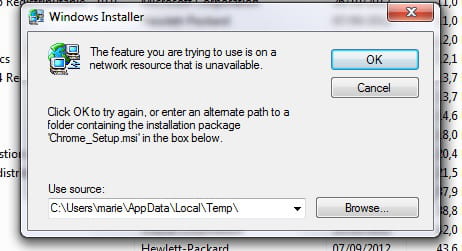
I agree with you. But still, the problem with favorites also manifested under W11 even though I have the updates. The issue lies elsewhere. I did a repair but I got this message

0
billmaxime Posted messages 50508 Registration date   Status Contributeur Last intervention   6 145
 

hi

thanks for the feedback, that’s nice!

no problem for the help, we were happy to do it.

take care.

@+


0
Précédent
  • 1
  • 2