
Driver timeout error on AMD
alpagaffeur -
Hello,
I have a new PC for a few months now with an AMD Radeon RX 7900 XTX GPU and an AMD Ryzen 9 7950X 16-Core Processor
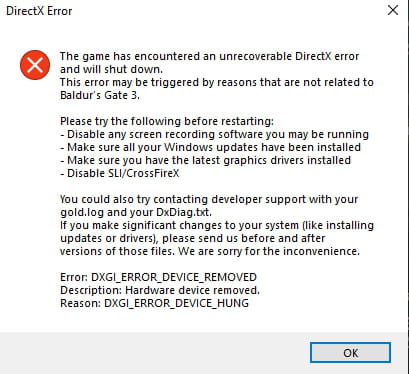
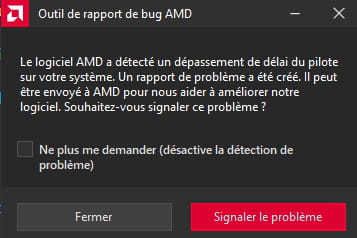
I played the early access version of Baldur's Gate 3 and now that it is finally released, I returned to it. Unfortunately, the game freezes and then crashes, and I get two messages. One from AMD software and the other from Direct X (which I’ll include below). My drivers are up to date (downloaded from touslesdrivers) and Windows 10 is also up to date, so I can't seem to fix the problem
Thanks for the help, I really need it x)
11 answers
-
flo88 Posted messages 28486 Registration date Status Contributor Last intervention Ambassadeur 5 168
Hello
The game is not finalized, we need to wait for patches and updates, both on the development side and the driver side.
Signature
Euskadi Ta Askatasuna -
Great... no solution then, just waiting patiently?
Yet during the early version etc., I had 0 crashes, everything was fine
Thanks anyway for the reply :) -
Hello,
Windows + R
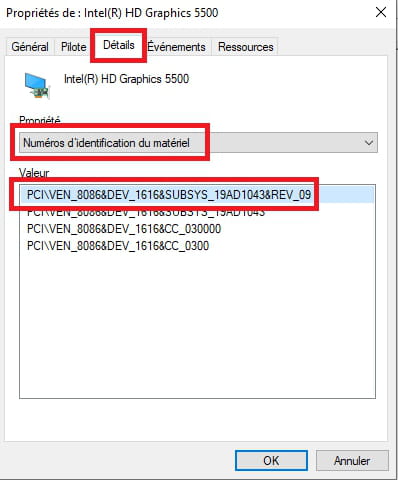
Type --> devmgmt.msc and OK.Give the hardware identification number of the AMD card
Look at this --> Find the device identification number
Post the number in your next message.
Example image:
-----------------------------------------------------------------------------------------------------
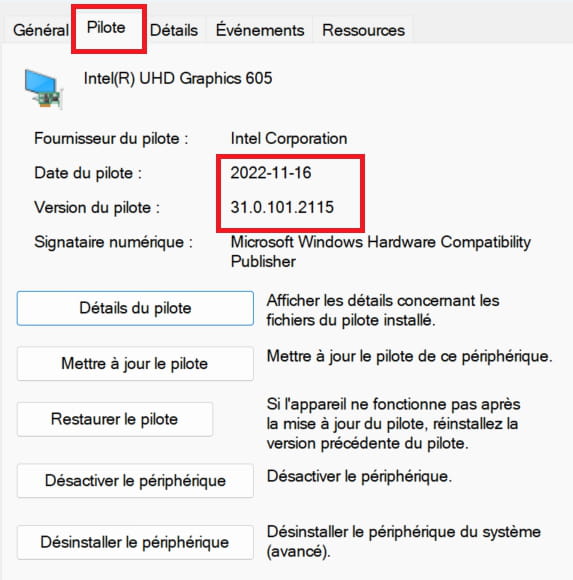
What is the version and date of the driver currently?
Example image:
----------------------------------------------------------------------------------------------------------
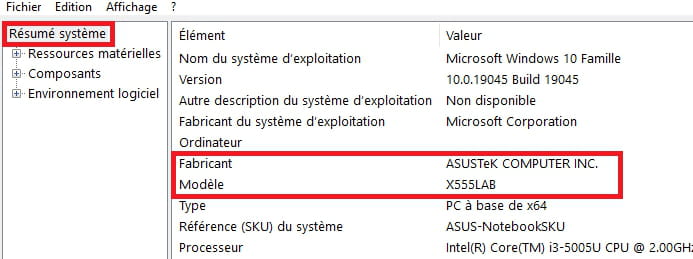
Brand and model number of the PC or motherboard?
Windows + R
Type --> msinfo32.exe and OK
Look in Manufacturer and Model
Example image:
-
Hello! So,
The identification number of my graphics card is: PCI\VEN_1002&DEV_744C&SUBSYS_79011EAE&REV_C8
For the driver version and date (after research, they say it's the latest version):
Date: 07/27/2023 Version: 31.0.21023.3004
For the motherboard:Manufacturer: Default String Model: X670E Steel Legend
-
Download and install --> 7Zip 64 bits
Download this driver --> AMD
Right-click on the driver --> amd-software-adrenalin-.......exe
Select --> 7Zip
Choose --> extract to "amd-software-adrenalin-.......\"Uninstall the card properly with DDU
Check out this tutorial, step 2 --> Display Driver Uninstaller
Restart the PCGo to device manager
Right-click on the device
Update driver
Browse my computer for driver software
Choose from a list of available drivers...
Have Disk
Browse
Go to the unzipped driver folder --> amd-software-adrenalin-.......
Folder --> Packages
Folder --> Drivers
Folder --> Display
Folder --> WT6A_INF
Select the file --> u0394350.inf and OK.
Restart. -
After doing everything correctly twice, the problem still persists even though I thought it had been resolved; the game eventually froze and then crashed.
-
I thought the problem had been fixed, but the game ended up freezing and then crashing.Maybe wait for an update as mentioned by flo88.
Good luck.
-
flo88 Posted messages 28486 Registration date Status Contributor Last intervention Ambassadeur 5 168
Hello
It could also be that the problem is hardware-related; you have a processor and a graphics card that are real heat sinks....
Check the temperatures during gaming with HWMONITOR to see the maximum recorded.
Signature
Euskadi Ta Askatasuna -
flo88 Posted messages 28486 Registration date Status Contributor Last intervention Ambassadeur 5 168
Hello
There is indeed nothing unusual about the temperature, even if 55° under load with this CPU is surprising, water cooling or not, your problem lies elsewhere, probably in line with my first hypothesis.
Signature
Euskadi Ta Askatasuna -
Hello, I have the same issue as you. And I think the problem came with the game update on 08/11/23. I think we need to wait a bit. The game works better when launched as an administrator and directly through its local .exe "bg3_dx11.exe", choosing DirectX11. But I think we need to wait for an update.
-

