Thumbnail icon display issue W11

lmc-3
Posted messages
688
Status
Member
-
pistouri Posted messages 19010 Registration date Status Contributor Last intervention -
pistouri Posted messages 19010 Registration date Status Contributor Last intervention -
Hello,
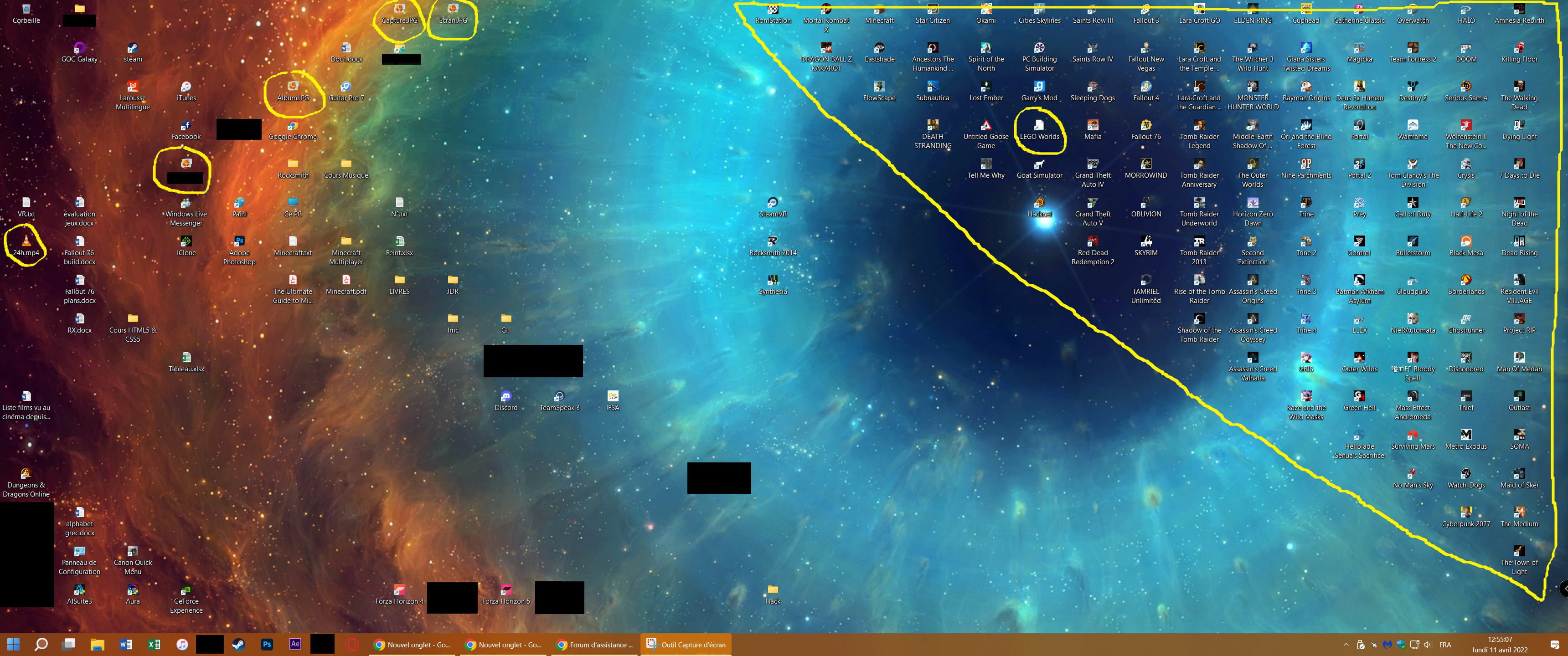
since last night, various thumbnails are no longer displaying on my computer. I followed all the suggestions from this tutorial: https://fr.thefilibusterblog.com/kak-ispravit-prevyu-eskizov-ne-otobrazhaemyh-v-provodnike-windows-11-10/
but without success
I had to manually fetch the thumbnails for each of my Steam game shortcuts by going into "change icons" because deleting/recreating the shortcuts did not solve the problem...
any alternative ideas?
Thank you :)
since last night, various thumbnails are no longer displaying on my computer. I followed all the suggestions from this tutorial: https://fr.thefilibusterblog.com/kak-ispravit-prevyu-eskizov-ne-otobrazhaemyh-v-provodnike-windows-11-10/
but without success
I had to manually fetch the thumbnails for each of my Steam game shortcuts by going into "change icons" because deleting/recreating the shortcuts did not solve the problem...
any alternative ideas?
Thank you :)
2 answers
-
pistouri Posted messages 19010 Registration date Status Contributor Last intervention Ambassador 8 731
Hello,
For the Steam Desktop Icons (Blank page).
Check this:
Open Steam
On the left, you have the column of your Steam games
Right-click on the game (or the icon shows a blank page) --►Properties --►Local Files
Click on --►Verify Integrity of Game Files
After verification 'validation' close the window.
Go to This PC-►Local Disk (C)-►Program Files (x86)
(or in partition D if the games are installed in that partition).
Go to -►Steamapps-►common-►click on your game (or the icon is a blank page on the Desktop)
Right-click on your game application -►Send to -►Desktop (create a shortcut)
Steam game icon white .
Click on the Steam game icon blank page
How do you want to open this file?
Select --► Internet Browser
Check the box --►Always use this app to open .url files
Default Apps (Windows 10 and W11).
Settings -► Apps -► Default Apps -► Choose apps by file type,
Then in the list that appears you look for .URL and you choose only "internet browser" as the default application for this file type.
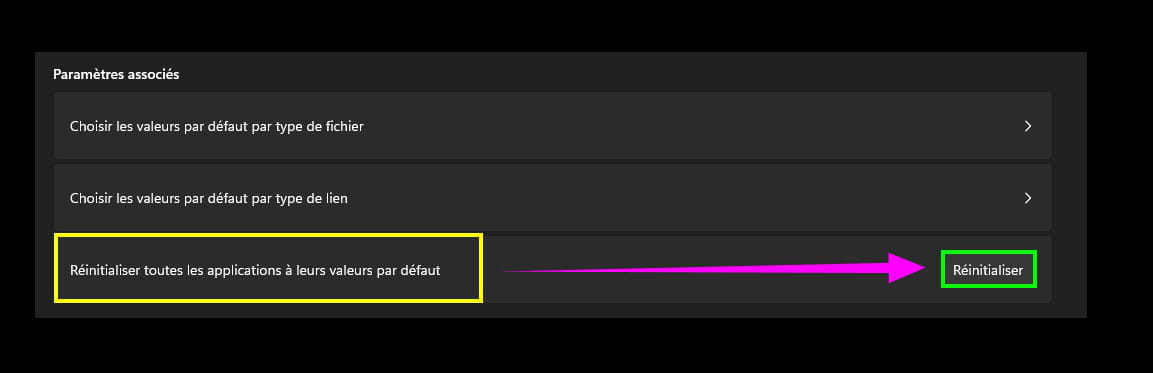
The best option is to reset the default apps.
I couldn't find .URL (not in the search box) in W11.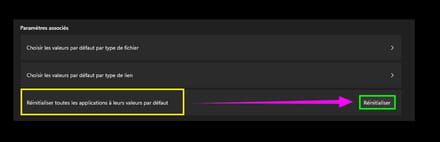

@+
-
pistouri Posted messages 19010 Registration date Status Contributor Last intervention Ambassador 8 731
Hello,
Uninstall Malwarebytes if it's still present.
It’s possible that if you ran a scan, some files might be quarantined, including possibly legitimate ones from Steam.
For the latter, you could uninstall the game and reinstall it.
Leave Windows Defender (Security Center) as the only antivirus protection.
I only have this on hand for the thumbnail images --► Thumbnails photos that do not display in Windows 10 Explorer
Applicable to the Desktop icons.
But these are the same procedures, more or less, as the link in your statement.
For video thumbnails, I assume they are the ones associated with Steam (it’s not very clear in your screenshot of the statement).
@+