NOKIA 2720 Flip > how to back up CONTACTS to PC
Walti55
Posted messages
130
Status
Member
-
Anonymous user -
Anonymous user -
Hello to all CCM Members and Administrators,
.
For simple telephony, the NOKIA 2720 Flip I bought new is more than enough for me.
.
What I absolutely want to achieve is simply to back up all the CONTACTS on my PC, that is, only the phone book consisting of the names and phone numbers that I occasionally insert.
.
It was easy to do with other simple Nokias using the program Nokia PC Suite, by simply connecting them to a USB port on the PC.
.
HOWEVER, with this NOKIA 2720 Flip, the program Nokia PC Suite informs me that no connection is possible!
.
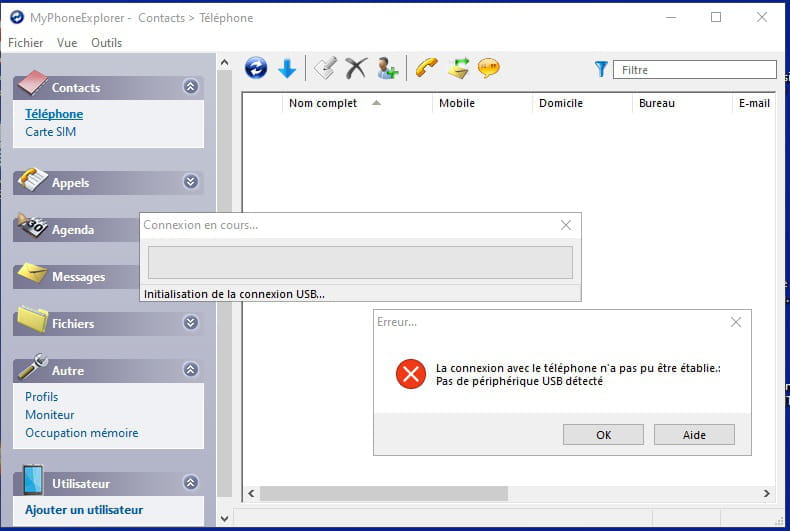
Following this, after X searches on IE, the program: MyPhoneExplorer was installed on the PC running Windows 10 PRO 64, which unfortunately informs me that no connection is possible!
.
HOWEVER, when I connect this Nokia with a 20 cm USB cable, I immediately receive the MSG on the Nokia asking me to validate the USB connection by clicking OK, then with Windows Explorer, I can see all the directories on the Nokia.
.
.
You are therefore kindly asked to explain to me in detail what you did to back up the contacts from your Nokia to your PC, . . . ..
.
. . . . . because I feel a bit too stupid for not being able to do it!
.
.
Thank you very much in advance for your detailed explanations, which will be passed on to me through:
.
=====> C C M,
.
CCM that I promote daily through emails sent to all countries, where the official language remains FRENCH, including in all the Cantons of Swiss Romande!
.
.Sincere & cordial greetings, wishing you all the best in your family & professional continuation
.
Walti55
.
For simple telephony, the NOKIA 2720 Flip I bought new is more than enough for me.
.
What I absolutely want to achieve is simply to back up all the CONTACTS on my PC, that is, only the phone book consisting of the names and phone numbers that I occasionally insert.
.
It was easy to do with other simple Nokias using the program Nokia PC Suite, by simply connecting them to a USB port on the PC.
.
HOWEVER, with this NOKIA 2720 Flip, the program Nokia PC Suite informs me that no connection is possible!
.
Following this, after X searches on IE, the program: MyPhoneExplorer was installed on the PC running Windows 10 PRO 64, which unfortunately informs me that no connection is possible!
.
HOWEVER, when I connect this Nokia with a 20 cm USB cable, I immediately receive the MSG on the Nokia asking me to validate the USB connection by clicking OK, then with Windows Explorer, I can see all the directories on the Nokia.
.
.
You are therefore kindly asked to explain to me in detail what you did to back up the contacts from your Nokia to your PC, . . . ..
.
. . . . . because I feel a bit too stupid for not being able to do it!
.
.
Thank you very much in advance for your detailed explanations, which will be passed on to me through:
.
=====> C C M,
.
CCM that I promote daily through emails sent to all countries, where the official language remains FRENCH, including in all the Cantons of Swiss Romande!
.
.Sincere & cordial greetings, wishing you all the best in your family & professional continuation
.
Walti55
4 answers
-
Hello
On the NOKIA 2720 Flip model, you can export contacts to the microSD memory card.
The file will be in vCard VCF format, importable into most messaging programs or on Gmail.com or Outlook.com.
This also allows you to keep a backup of your contacts. You can edit it on a PC with Notepad, for example.
Accessing the microSD card is done either by placing the microSD card in an adapter for PC or via USB connection.
See you later
--
If the answer helped you, a little click on the thumbs up is great... Resolved is perfect.
Let he who has never opened a user manual throw the first mouse ;-) -
Hello Macintosh and all CCM Members & Administrators,
.
Macintosh, your explanations seem overly complex for simply backing up the personal directory located on my Nokia 2720 Flip, in case of breakage, loss, or theft of the latter!
.
Indeed, you are simply asked to resolve for what reason(s):
.
-- NI with the program "Nokia PC Suite"
.
-- NI with the program "MyPhoneExplorer"
.
=====> I am still unable to establish a USB connection between the PC and the Nokia, to then simply view and save the directory from the Nokia!
.
=====> See the 2 images below, namely:
.
.
.
.
.
.
.
.
In anticipation of a solution which, in my opinion, will be super simple and highly useful to many CCM Members as well as future Members,
.
=====> I send you my sincere and cordial greetings at 4:15 in the morning
.
.
Walti55-
Hello
A microSD and an export don't seem "out of reach"!!
The "new gen" Nokias are no longer manufactured by Nokia, Nokia PC Suite was for Nokia's Symbian OS, which yours is not!! MyPhoneExplorer won't work either, since your Nokia 2720 Flip runs KaiOS and the company that publishes it doesn't offer any management software!! Just access to content via USB!!
But it's up to you!!
-
-
Hello,
it is still impossible for me to establish a connection with a USB cable between the PC and the Nokia, to then simply view and save the directory from the Nokia!
Macintosh, your explanations seem extremely complex to me, just to save the personal directory located in my Nokia 2720 Flip, in case of damage, loss, or theft of the latter!
A simple notebook should do the trick.
https://www.nokia.com/phones/fr_fr/support/api/pdf/nokia-2720-user-guide
-
RE Hello Macintosh and all C C M Members and Administrators,
.
For your information, reading the manual (page 15) does not help at all to back up the Nokia directory onto a PC.
.
Please take the time to read page 28, titled: "11 Copying Content and Checking Memory "
.
Below is what is written to perform a backup of the directory, where you will see that the first thing to do is to insert a memory card into the Nokia, or you will have to buy one . . . . .
.
. . . . . even though in my case, the original internal memory is = 4.00 GB, and the storage of all applications is only = 66.59 MB . . . . .
.
.
COPY CONTENT
Copy content created by you between your phone and your computer.
To copy content stored in the phone's memory, a memory card must be inserted into your phone.
1. Press the scroll key and select Settings.
2. Scroll right to Storage and set USB Storage to Enabled.
3. Connect your phone to a compatible computer using a compatible USB cable.
4. On your computer, open a file manager, such as Windows Explorer, and navigate to your phone.
The content stored on your phone is displayed, as well as that on the memory card if you inserted one.
5. Drag and drop items between the phone and the computer.
MY FILES
Do you need to quickly find important files?
Open My Files. To quickly find your files, press the scroll key and select My Files.
To find items on your phone, select Internal.
To find items on the memory card, select SD Card. MEMORY
If needed, you can check the amount of memory you have used and the free storage space left on your phone.
Check available and used storage space
1. Press the scroll key and select Settings.
2. Scroll right to Storage, then check Media Storage and Application Storage to know the size of memory used and available.
.
.
###################################################
=====> PROVISIONAL CONCLUSION by Walti55 C C M Member
###################################################
.
It is therefore requested from Macintosh and the C C M Members and Administrators, genuinely interested in this Nokia 2720 Flip directory backup issue, to please try the procedure as described above,
AND MOST IMPORTANTLY, to inform me if you were able to obtain a simple file, in which we can read simply as needed:
.
Name + First Name = Phone No
BARDOT Brigitte = +41 22 123 45 67
ROSSI46 Walti55 = +41 22 123 55 55
.
.
###############################################################################
=====> At all "speed" thanks to C C M, that I will stop promoting by EMAIL(S) in SWISS Romande where they speak Swiss Romand, i.e., French with some slight adaptations . . . . . 1'999 = one thousand nine hundred ninety-nine
###############################################################################-
Hello
You see, when one wants to take the trouble...
Nevertheless, my solution from the first message works, as you pointed out yourself, you need a memory card that also allows you to store your photos and more
Your page 28 only provides you with the procedure you use to view the content of your Nokia and not the backup of your Contacts!!
So, a lot of fuss for not much.
See you!
-