
I have an extra shortcut to open my USB stick.
Solved
pistouri
Posted messages
19010
Registration date
Status
Contributor
Last intervention
Ambassador
-
pistouri Posted messages 19010 Registration date Status Contributor Last intervention -
pistouri Posted messages 19010 Registration date Status Contributor Last intervention -
Hello,
One of my USB drives is displaying a shortcut (Ink) next to the media.
This means that the USB drive does not open directly.
It's like I have to open it twice to access the content.
The content itself is readable.
In images:
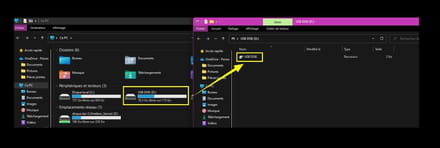
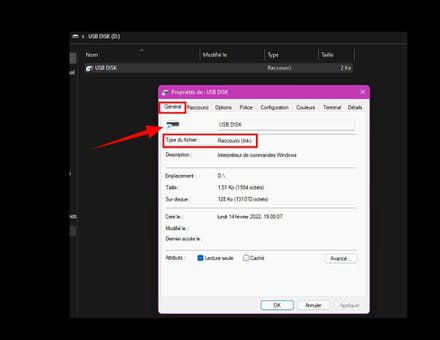
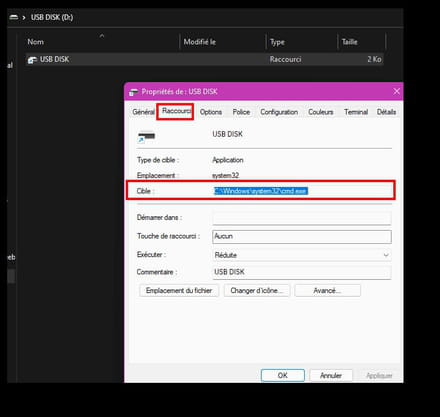
I left the USB drive plugged in during the scan.
I have already formatted the USB drive (I have a backup of its content) but the shortcut reappeared.
FRST report:
FRST
addition
Thank you in advance if a security expert can take a look.
@+
Configuration: Windows / Firefox 97.0
--
pistouri
One of my USB drives is displaying a shortcut (Ink) next to the media.
This means that the USB drive does not open directly.
It's like I have to open it twice to access the content.
The content itself is readable.
In images:


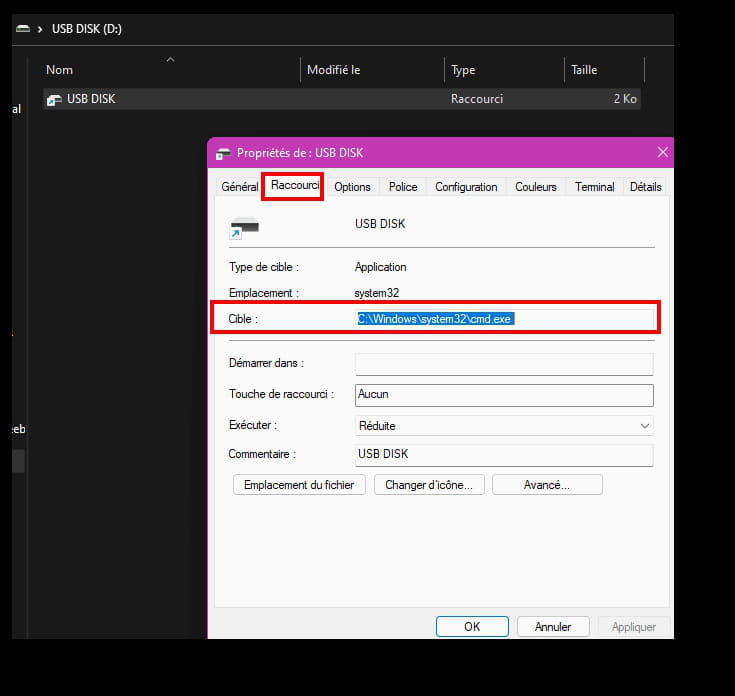
I left the USB drive plugged in during the scan.
I have already formatted the USB drive (I have a backup of its content) but the shortcut reappeared.
FRST report:
FRST
addition
Thank you in advance if a security expert can take a look.
@+
Configuration: Windows / Firefox 97.0
--
pistouri
22 answers
- 1
- 2
Next
-
Hello. = :)
It will teach you to play with fire with "Microsoft Office 2010 Toolkit.exe" :)
Connect your USB stick to your PC and scan it with USBfix, which you can download via THIS LINK. Open it, do not take the premium version, ignore any messages to that effect, and click on Launch a scan then on Full scan.
bazfile
Moderator/Security Contributor.
a hello, a reply, a thank you are always appreciated.-
-
FRST can't do anything against infected USB sticks; I see that Windows Defender has warned you several times about the safety of this drive. Run USBfix again and then restart your PC.
-
If you want to remove USBfix, do a new FRST analysis.
For your USB drive, if it still has a shortcut, you can try using Remediate VBS WORM:
Download Remediate VBS WORM, open Remediate VBS WORM, select option B like this:
Then press the Enter key, a window will appear asking for the letter of your USB drive to disinfect note: never enter disk C:
Press the Enter key, when the disinfection is complete, open drive C and you will find a file named Rem-VBS.log send it to https://pjjoint.malekal.com/ and include the generated link in your response. -
-
Handle the other keys with Remediate VBS WORM.
For the future, vaccinate your USB keys one by one; be careful not to vaccinate internal hard drives https://www.commentcamarche.net/telecharger/securite/16871-panda-usb-vaccine/
-
-
Hello,
Little intrusion ;-)
You can delete the two, they are inactive remnants.
Can you redo a correction with the following and tell me what it gives in terms of the key?
start::
closeprocesses:
createrestorepoint:
HKU\S-1-5-21-1639732260-3847979084-2518324577-1001\...\Policies\Explorer: [NoLowDiskSpaceChecks] 1
HKU\S-1-5-21-1639732260-3847979084-2518324577-1001\...\Policies\Explorer: [LinkResolveIgnoreLinkInfo] 1
HKU\S-1-5-21-1639732260-3847979084-2518324577-1001\...\Policies\Explorer: [NoResolveSearch] 1
GroupPolicy: Restriction ? <==== WARNING
Policies: C:\ProgramData\NTUSER.pol: Restriction <==== WARNING
C:\Users\leodi\Desktop\Divers\USB DISK.lnk
folder: C:\ProgramData\RecordCore
emptytemp:
end::
--
Security contributor. -
RE_
Yes, you can make the correction to Bazfile, although the lines are not in the latest reports, we can see that the file containing an infection is still present even if inactive.
I'm sending you the fix by modifying the line of the file to remove it:
Start::
CreateRestorePoint:
CloseProcesses:
Task: {49AD5DD5-FB2D-42D0-8AB5-87966F707CB2} - System32\Tasks\Microsoft\Windows\RemoteApp and Desktop Connections Update\vbc_utils => C:\Windows\SysWOW64\rundll32 C:\ProgramData\RecordCore\MwcingManrged\wminj_Lyna_nusvc.dll CMTBws_P_187
C:\ProgramData\RecordCore
EmptyTemp:
End::
--
Security contributor. -
RE_
The two fixes were identical, I just modified one line to remove the entire folder of the infection ;-)
As Bazfile said, it's your cracked Office that caused the mess. I don't know where you downloaded it from, but it was dodgy.
As you may have seen in some posts, you can find Office keys for between 1 and 5 euros, so it's not worth infecting your PC
--
Security contributor. -
pistouri Posted messages 19010 Registration date Status Contributor Last intervention Ambassador 8 732
-
pistouri Posted messages 19010 Registration date Status Contributor Last intervention Ambassador 8 732
Thank you.
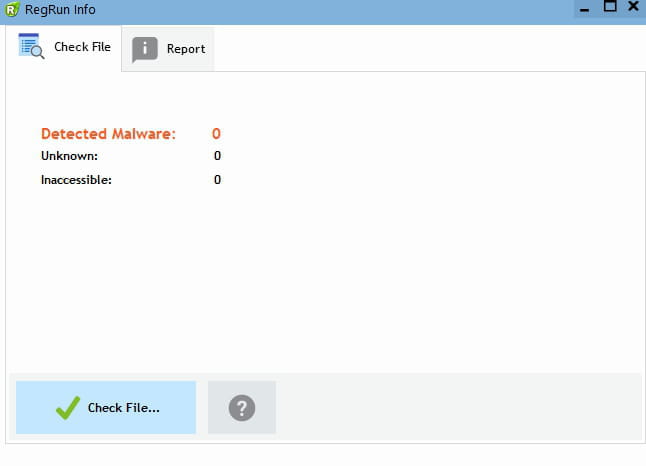
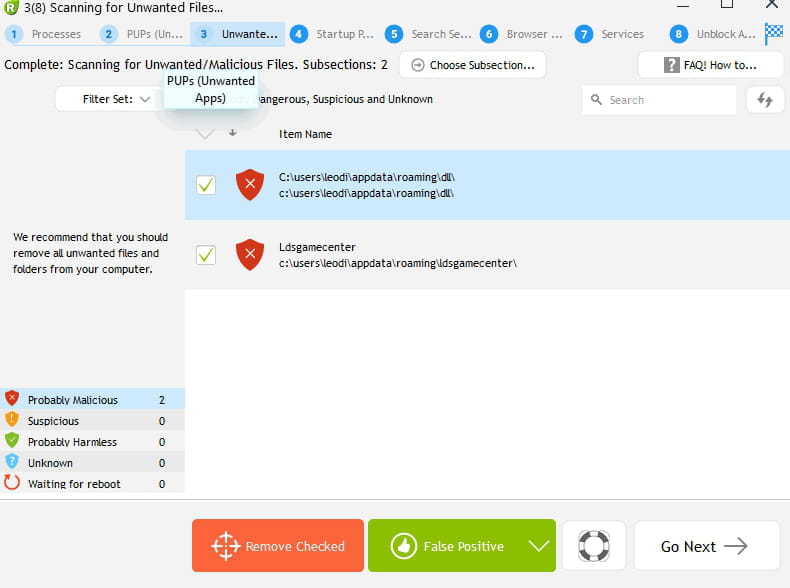
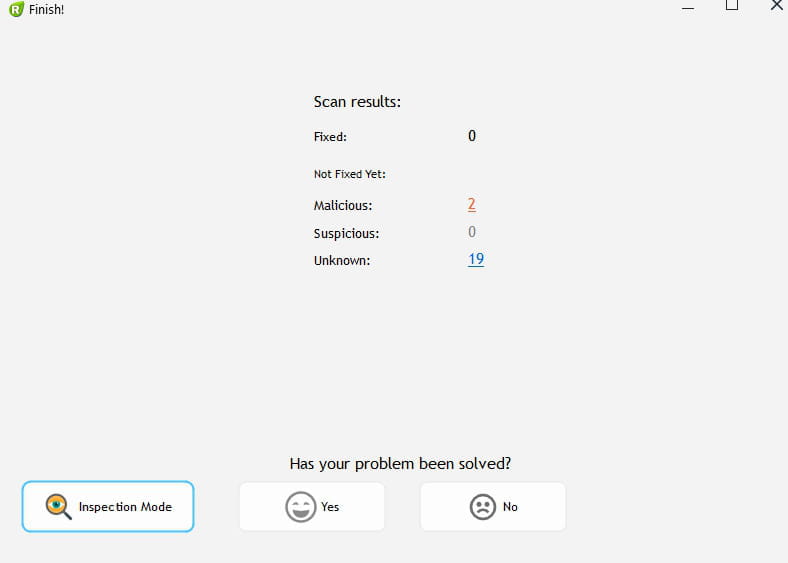
I'm running Reanimator
The scan isn't quite finished.
If this has just finished.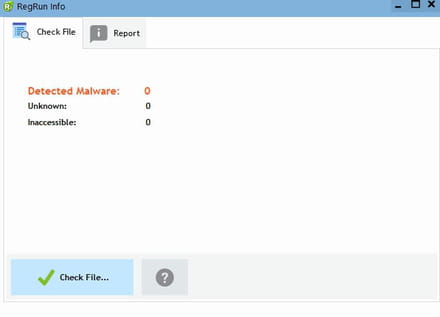
I'm wondering if I should reinstall W11.
Because if there's a virus, it's not on the PC, but maybe at the startup of the PC like some stubborn rootkits.
And since I haven't 'installed anything recently, I don't understand.
The only thing I did was go to my brother's on Sunday.
But the problem appeared yesterday, on Monday there was no shortcut on the USB media.
Talk later
-
pistouri Posted messages 19010 Registration date Status Contributor Last intervention Ambassador 8 732
I chose the other option in the Reanimator software
I’m not really sure what it found.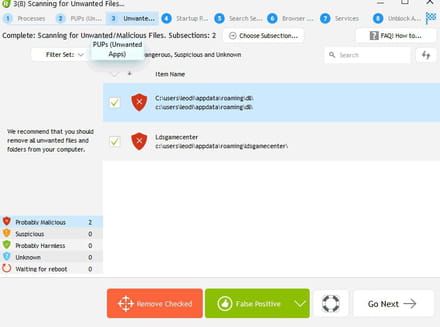
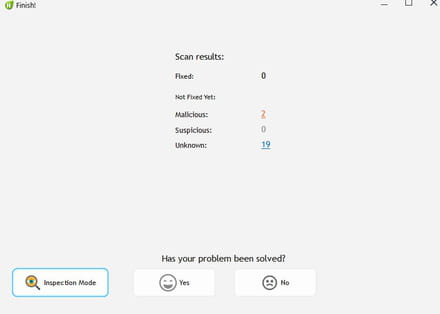
So I didn’t delete anything.
--
scalpel-
He found two folders, certainly remnants of a previous infection. The FRST report does not show any active infections; there is just a scheduled task via a DLL that seems dubious to me because I do not recognize it and there is no occurrence on the web. If you want to delete it, make a FRST correction with this script:
Start::
CreateRestorePoint:
CloseProcesses:
Task: {49AD5DD5-FB2D-42D0-8AB5-87966F707CB2} - System32\Tasks\Microsoft\Windows\RemoteApp and Desktop Connections Update\vbc_utils => C:\Windows\SysWOW64\rundll32 C:\ProgramData\RecordCore\MwcingManrged\wminj_Lyna_nusvc.dll CMTBws_P_187
C:\ProgramData\RecordCore\MwcingManrged\wminj_Lyna_nusvc.dll
EmptyTemp:
End::
-
-
pistouri Posted messages 19010 Registration date Status Contributor Last intervention Ambassador 8 732
Hello MisteryBean,
Thank you and Bazfile.
Here is the status report.
I didn't reuse "Réanimator".
I made the correction using MisteryBean's script (more complete in appearance).
--► Correction fixlog
After restarting the PC
Before reading your messages, I formatted my USB drive.
Then I placed a small folder for testing.
The shortcut disappeared.
That was before.
I plugged my USB drive back in and I see my folder directly and not the media shortcut to open it.
However, at one point I lost the auto-run feature (The drive used to open directly in Explorer; I go through This PC for now)
But it's still happening with other USB drives.
That damn shortcut.
I'll check tomorrow after copying/pasting my backup to see if it works properly.
I won't do everything at once; I have over 80 gigabytes of documents, over 80,000 that I wrote by hand with Notepad (these are tutorials, my toolbox.) The rest are small troubleshooting software (some can be seen in the report, the FRST log as the drive was plugged in)
By the way, W11 is offering me an update for Notepad.
So I'm thinking that if everything is good for my 128 GB USB drive, I will format the others (32 GB max) and redo my Acronis drive.
Should I run Bazfile's script?
Thanks again to both of you and to Bazfile who has been helping me from the start.
@+
-
pistouri Posted messages 19010 Registration date Status Contributor Last intervention Ambassador 8 732
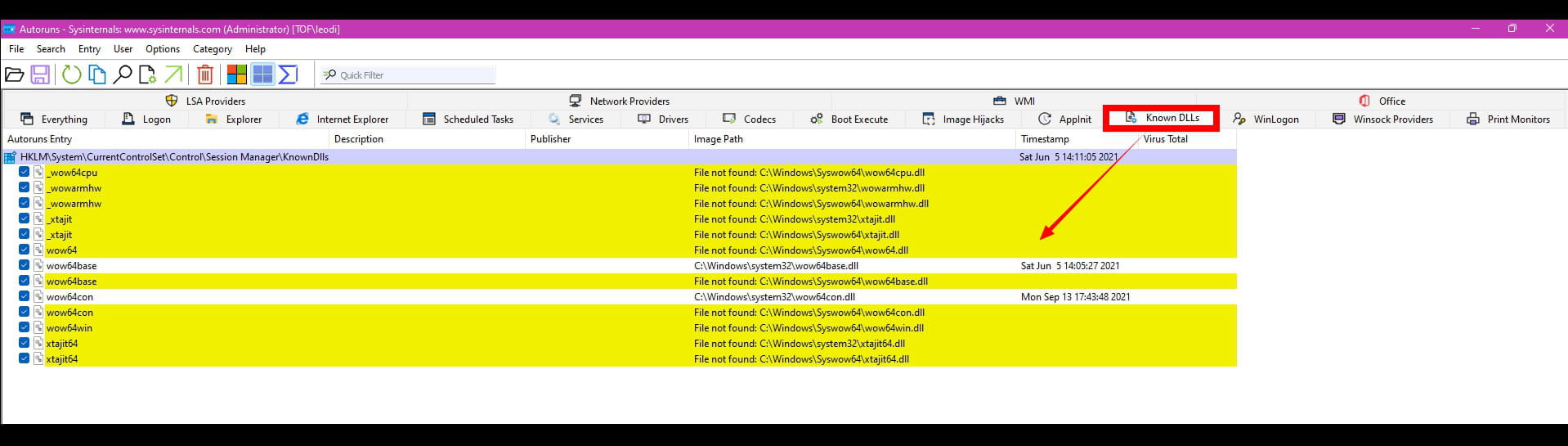
I found this with Autoruns.
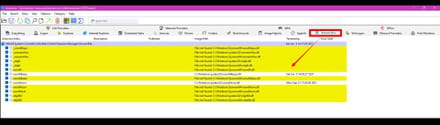
See you later
--
knife -
pistouri Posted messages 19010 Registration date Status Contributor Last intervention Ambassador 8 732
Hello Bazfile, MisteryBean,
I uninstalled Malwarebyte yesterday as it's no longer useful.
This morning I did the 2 FRST fixes.
The 2 reports after restarting the PC:
Bazfile fix ==► Fixlog Bazfile
Bean fix ==► Fixlog Bean
I put everything back on my 128 GB USB drive.
Everything is OK with this drive.
As I was worried, the media shortcut is present on other drives.
I will do the same as for the 128 GB USB drive.
Save the contents to the Desktop in a folder ''USB Backup''
Quick format.
And do the copy/paste again.
As far as I remember, on Monday I checked the Windows Defender protection history.
And if I recall correctly, I think I made a mistake on a threat that I allowed, but then I deleted it, maybe it was too late.
And to top it all off, I cleaned the Windows Defender protection history using my tutorial
Method 2, delete the contents of the Service folder.
And I remember that a file couldn't be deleted whereas usually when I do it, it's immediate, the protection history is empty, and no longer sees the threats (Severe, Medium.....)
@+
-
Hello.
How have you been since yesterday?
Your PC is no longer infected; the main threat was removed by USBfix and VBS WORM, the shortcut was just a leftover. The scheduled task was the only issue and apparently, you've deleted it, so everything is good. Mistery bean wanted to change the script; I don't really see the point since my script was removing the task and the DLL responsible for the infection. Deleting the folder didn't change anything, to each their own style :)
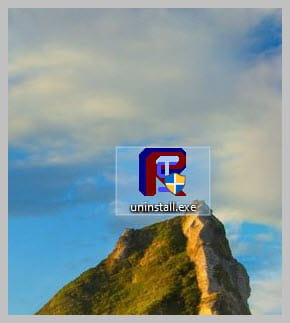
If everything seems OK to you, you can uninstall FRST. Rename the FRST file you downloaded to uninstall, then once the file is renamed, open it; the uninstallation will happen automatically via a restart of the PC.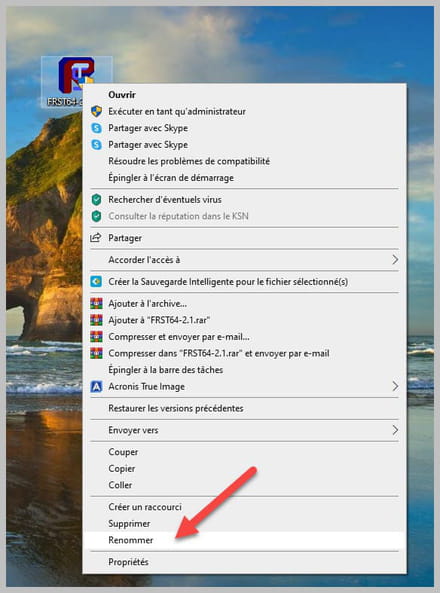
-
-
pistouri Posted messages 19010 Registration date Status Contributor Last intervention Ambassador 8 732
The OFFICE toolkit has been out for a long time and has never caused me any problems.
It’s still available on the Internet, although it’s harder to find now, since it’s Office 2010 (which still works on W11)
Thanks for "looking the other way" but with ASS in hand, I have no purchases planned even though these days it’s not expensive.
It’s something I’ll consider later.
I need it for resumes and training.
I still have FRST but I will uninstall it as Bazfile said.
Well, in any case, it seems OK to me.
I’ll wait a bit before marking it as resolved once I’ve done my other USB keys.
Thanks to both of you.
See you later.
--
pistouri -
RE_
Mistery bean wanted to change the script, but I don't really see the point since my script removed the task and the DLL responsible for the infection; deleting the folder didn't change anything, to each their own style :)
Actually, I don't know if you saw it, but I created a Folder command to see what was in that folder, and as you can see, it contained much more than the line that appeared in the report.
Since it's a folder created by the infection, it's better to get rid of the whole folder, and that's what I generally do :-)========================= folder: C:\ProgramData\RecordCore ========================
2016-09-15 10:59 - 2016-09-15 10:59 - 003898153 ____A [A2D27372978C3B72A1E8D6DE0A60A851] () C:\ProgramData\RecordCore\adblocker_rules.json
2016-09-15 10:59 - 2016-09-15 10:59 - 001041095 ____A [9515BF3E9081DA6C04CBEDC19DB5B3EE] () C:\ProgramData\RecordCore\Bookmarks
2016-09-15 10:59 - 2016-09-15 10:59 - 001041095 ____A [C3740D21D5C1743FE8D99261C0660799] () C:\ProgramData\RecordCore\Bookmarks.bak
2016-09-15 10:59 - 2016-09-15 10:59 - 003543398 ____A [D5E0C0B1F990048C3B8A8DA946D12BF1] () C:\ProgramData\RecordCore\StartDocked.pdb
2016-09-15 10:59 - 2016-09-15 10:59 - 003774120 ____A [750AEF8335B7603829C74CB3ED649D30] () C:\ProgramData\RecordCore\twinui.pcshell.pdb
2016-09-15 10:59 - 2016-09-15 10:59 - 000660127 ____A [CEC09EB77F41DF1CD4DC92E3DE1D481F] () C:\ProgramData\RecordCore\vavoo.log
2016-09-15 10:59 - 2016-09-15 10:59 - 000589210 ____A [5C9E46BD129CA8556F848209EE6C3029] () C:\ProgramData\RecordCore\vavoo.old.log
2016-09-15 10:59 - 2016-09-15 10:59 - 000610574 ____A [093E901D1E2A638246A2C3AC363CEFA2] () C:\ProgramData\RecordCore\VID-20211008-WA0006.mp4
2016-09-15 10:59 - 2022-02-15 13:09 - 000000000 ____D [00000000000000000000000000000000] (Access denied) C:\ProgramData\RecordCore\MwcingManrged
====== End of Folder: ======
Same goes for the restrictions that were certainly put in place during the infection since they are directly related to the shortcuts (unless it was Pistouri who put them in?)
HKU\S-1-5-21-1639732260-3847979084-2518324577-1001\...\Policies\Explorer: [NoLowDiskSpaceChecks] 1
HKU\S-1-5-21-1639732260-3847979084-2518324577-1001\...\Policies\Explorer: [LinkResolveIgnoreLinkInfo] 1
HKU\S-1-5-21-1639732260-3847979084-2518324577-1001\...\Policies\Explorer: [NoResolveSearch] 1
---------------
--------------------------------------
Where have you been? I haven't seen you for at least a week; everything's alright, no Covid?
Last Monday afternoon, they came to connect the fiber. It worked from 5 PM to 7 PM. Then we went to the movies, and when we got back at 11 PM, no more internet :-(
Made some calls, technician's intervention on Monday the 14th (a week later) and verdict: the arrival weld in the fiber box was poorly done, so nothing. He redid the weld and since then everything's perfect.
And since at my place, on my phone, I'm on H(H+), I was on standby ;-)
Fiber test: Before (ADSL) download 1 Go => 35 mins // Fiber => 20 seconds :-) feels good
;-)
--
Security contributor.-
It's better to clear the whole folder and that's what I generally do :-)
Yes, that's true, but most of the time I just remove the file from the active process, the result is the same.
For fiber, the subcontractors are not always great; I was lucky when they came to install it for me, it was an apprentice and a person supervising him, so everything went well. He had to redo the welding three times because it didn't meet his standards. I think if I had run into the apprentice, I would have had the same issues as you, given that this kind of thing is a bit too common. The ARCEP is not happy about it either. https://www.universfreebox.com/article/518269/ohe-les-operateurs-commerciaux-faites-le-menage-chez-vos-sous-traitants-le-nouveau-coup-de-gueule-de-la-presidente-de-larcep- I had a guy from Mageb at FREE who installed the fiber (he spoke 2 or 3 words of French) but he did a good job. (Aside from the intense noise from the drill, nothing to report).
He's meticulous with this wire no bigger than a needle.
By the way, I removed Office 2010 toolkit from Defender exceptions.
And deleted its contents from my documents.
I'm checking on another USB stick right now, but it’s not fast; the speed of USB 2 is slower than USB 3.
Bean must be in some remote corner to only have fiber now or he wasn't eligible.
It will change your life a bit.
@+ Bean must be in a remote area to only have fiber now, or he wasn't eligible.
Not necessarily, I have a friend who lives in a big city and he has only been eligible for 3 months.
Since you're with Free, here's some information that might interest you https://www.universfreebox.com/article/518629/la-vowifi-debarque-chez-free-mobile-comment-lactiver-et-quels-abonnes-y-ont-acces
-
-
pistouri Posted messages 19010 Registration date Status Contributor Last intervention Ambassador 8 732
I had seen that for mobile info, my smartphone is 5G compatible, but my city isn't, it seems.
--
pistouri -
pistouri Posted messages 19010 Registration date Status Contributor Last intervention Ambassador 8 732
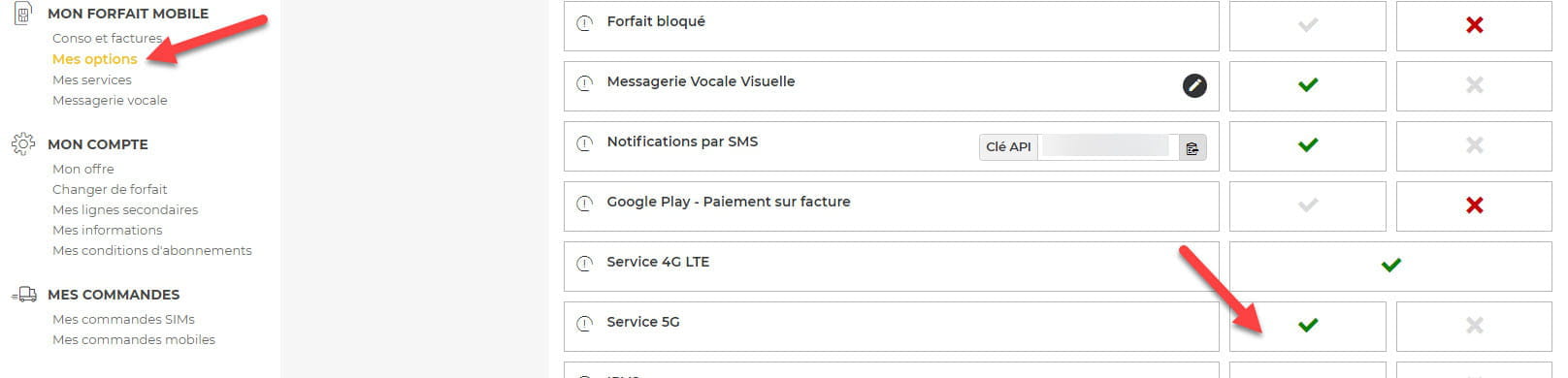
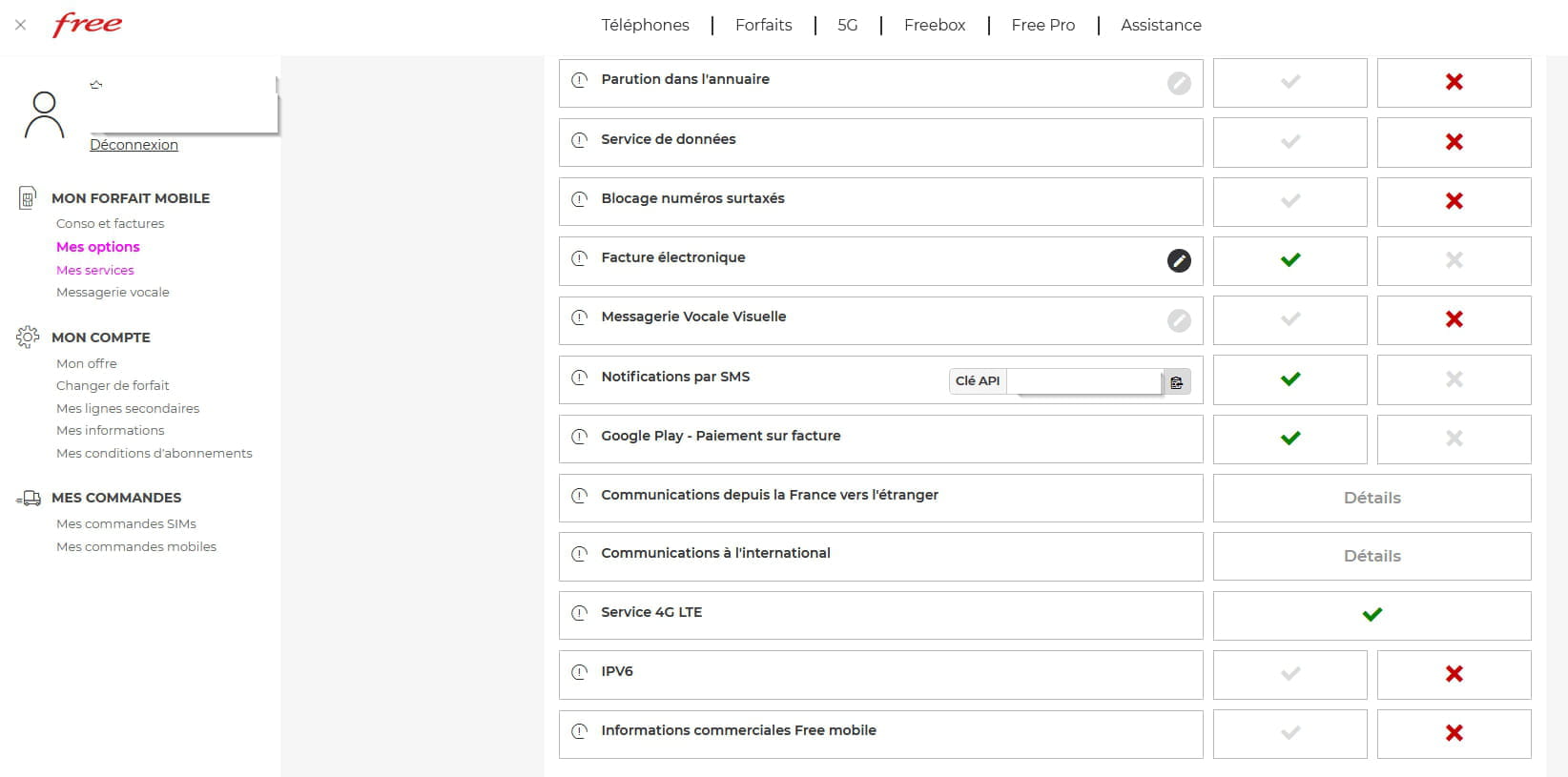
I don't have 5G service in my FREE Mobile subscriber space.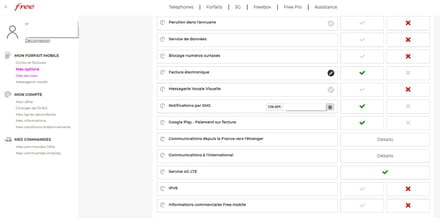
.....
--
pistouri-
-
Not much money, so it's the plan for 0 euros for 2 hours for the past 5 or 6 years or more, and it takes a miracle if I call for even 3 minutes.
I hardly use my smartphone.
But it got me into a recent situation, my dentist changed the day of the appointment, which meant I went for nothing.
I didn't know she had sent me a text message; I had even specified that I preferred the landline due to my health issues. -
-
-
I meant to say it's normal that Free doesn't allow 5G for the 2 euro plan; this plan is for making calls and sending SMS/MMS, not for surfing the mobile network, because with 50MB of data, you won't get very far.
-
-
pistouri Posted messages 19010 Registration date Status Contributor Last intervention Ambassador 8 732
After saving and formatting, my second USB drive is operational.
I spent the whole day on a single drive.
I still have 40 USB drives to check (some are bootable drives for W7, W10, or W11, others are for passwords outside the forum.......).
I have regained autorun, my drives open correctly in Explorer, which was my choice.
For safety, I backed up the registry since that’s where it happens.
Failure with the first tutorial I had on hand, even after a PC restart.
It was necessary to delete the NoDriveTypeAutoRun value in the 2 registry paths.
Solution Malekal
And restart the PC.
Windows Defender is breathing easier now.
So am I!
@+
-
pistouri Posted messages 19010 Registration date Status Contributor Last intervention Ambassador 8 732
I recreated my Acronis key after formatting it.
Successful test, I restarted the PC in the BIOS, selected my Lexar USB key and Acronis launched.
I restarted the PC without any problem. Later for a backup.
I checked 30 USB keys, and they are okay, they weren't affected, the rest tomorrow, as I'm starting to get tired.
My external hard drive hasn't been affected either.
Bazfile Thank you for this titanic battle with MisteryBean.
I knew what I was getting into with you two.
And coming out nearly unscathed, well, without a few headaches, but that's secondary (it's karma).
Have a good evening to come.
-
pistouri Posted messages 19010 Registration date Status Contributor Last intervention Ambassador 8 732
Thank you.
--
surgical knife -
pistouri Posted messages 19010 Registration date Status Contributor Last intervention Ambassador 8 732
Hello everyone,
Woke up in pain, the shortcut came back this morning on all my USB drives (only 4 drives, the others are fine).
I restored a disk image from the end of January (I downloaded Acronis 2021 and created a bootable USB drive with the free version, then I uninstalled Acronis 2021; the bootable USB drive was enough).
It wasn't like in an older version I had, and I had a hard time understanding it. In the end, I connected my external hard drive, then located my Acronis Backup folder and clicked on the first file (TIB) inside because the list is very long. I hesitated because I didn't understand everything about the partitions to restore; finally, 1 hour and 30 minutes later, the PC was restored. I made a tutorial for Acronis for next time.
Anyway, the shortcut was still there.
I backed up the content of my USB drives again.
I ran and repaired all the USB drives with UsbFix Anti-Malware from Bazfile.
Then I corrected it with FRST
FRST Script message 20
FRST Script message 26
FRST Script message 27
FRST Script message 30
And restarted the PC as FRST asks every time.
My drive opens fine, and I have ''USB Drive'' with a file ''hckf.l''
It's UsbFix Anti-Malware that created it.
I don't mind because before the explorer would open twice due to the Media shortcut.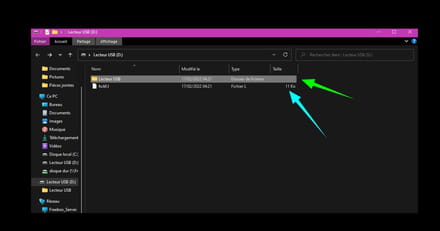
Then I had to catch up on all the Windows Update and browser updates.
Here is my latest FRST analysis done just now:
Log ==► FRST
Log ==► Addition
If this could be checked, thank you in advance.
@+
--
pistouri-
I have backed up the contents of my USB drives again.
If you keep the infected contents of your USB drives, you will reinfect your PC indefinitely. In fact, Windows Defender warned you again this morning several times between 10:47 and 11:00 about the folder Copy key 1 that is on your desktop and contains some sketchy stuff.
As for the FRST report, there is no infection.
-
-
pistouri Posted messages 19010 Registration date Status Contributor Last intervention Ambassador 8 732
I just deleted the copies of my backups on the Desktop.
The USB drives were not formatted this time.
Defender did some cleaning this morning on the USB drives.
Thank you for the FRST verdict.
Have a good evening.
--
pistouri -
pistouri Posted messages 19010 Registration date Status Contributor Last intervention Ambassador 8 732
Hello everyone,
I’m marking the post as resolved.
I no longer have issues with my USB drives.
Thanks to Bazfile
And thanks to MysteryBean.
Have a great weekend.
--
pistouri








- 1
- 2
Next